Pruna P-Video 2 text to video
Write the brief. Name the length, or leave it to the model.

The finish, without the wait.
The finish P-Video traded for speed. 1 to 20 seconds at 720p or 1080p. Leave the length out and it picks one.
From $0.017 per render on MAX yearly

● Both ends pinned
Every clip here came out of the P-Video 2 line. The prompt is the one Pruna received.
Pruna P-Video 2 Pro · 10s
“In one continuous move, the empty gallery fills with paintings and people.”
Pruna P-Video 2 Pro · 5s
“Empty gallery fills with paintings and people in one continuous move.”
Pruna P-Video 2 Pro · 8s
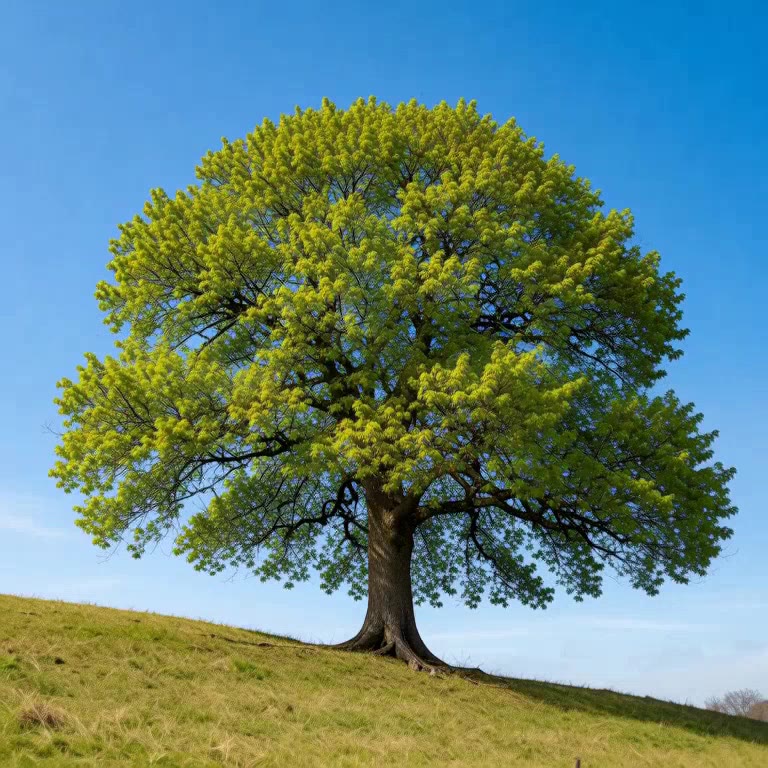
“Time passes from winter to summer, the tree grows leaves.”
Pruna P-Video 2 · 8s
“She turns from the window toward the camera and smiles, the curtain moves gently in the breeze”
Pruna P-Video 2 · 4s
“A lone surfer paddles out at dawn under a violet sky, the sun breaks the horizon in gold, a wave rises and she drops in, cinematic continuous shot.”
Pruna P-Video 2 · 6s
“Top-down shot of hands arranging a colourful breakfast bowl, fruit dropping in one piece at a time, bright morning light”
Pruna P-Video 2 Pro Reference · 8s
“Image 1 and Image 2 are the same woman. She walks in from frame left through a bright café and sits at a window table on frame right. She looks up toward the camera and smiles. The camera dollies slowly toward her the whole time. Warm morning light from the window. Her face, curly hair and olive shirt match the references in every frame. End state: she is seated, smiling, in a medium close-up. Soft café chatter and the clink of cups throughout.”
Pruna P-Video 2 Pro Reference · 8s
“Image 1 is the man. In a bright morning kitchen he pours coffee from a glass carafe into a white mug on the counter. He sets the carafe down, lifts the mug with his right hand and takes a sip. The camera dollies slowly toward him the whole time. Soft window light from frame left. End state: medium close-up, mug at chin height, he smiles. Pouring coffee, then a quiet kitchen hum.”
Pruna P-Video 2 Pro Reference · 7s
“Image 1 is the man. He sits at an airport gate by the window, a paper boarding pass in his right hand. He looks up at the departures board, stands and lifts his bag strap onto his shoulder with his left hand. The camera holds still. End state: he stands facing frame right, ready to walk. Gate announcements and rolling suitcases.”
● Four tiers
One brief, four ways to render it.
1 to 20 seconds. Leave the length out and the model sets it.
Pin where it starts and where it lands. 5 to 15 seconds, speed or quality mode.
Up to 9 images, one clip, 3 tracks. None has to open the shot.
One photo and a script or a recording. Lips and face move in sync.
● Seconds, not minutes
Render time as our catalog quotes it. Same brief, different wait.
● Three moves
01
P-Video 2 for range. 2 Pro to pin both ends. 2 Pro Reference to keep a subject.
02
Add frames or a track if you have them.
03
Priced by the second. Quoted before it runs.
● Three ways in
Write the brief. Name the length, or leave it to the model.
Start from a frame. On 2 Pro, end on one too.
Hand P-Video 2 a track. The clip moves to it.
| Model | Specs | ⚡ | |
|---|---|---|---|
| Pruna P-Video 2p-video-2 | The quality successor to P-Video, with lip-sync.720p / 1080p · 16:9 1:1 9:16 4:3 3:4 3:2 2:3 · up to 20s | from ⚡4from $0.017 | Generate → |
| Pruna P-Video 2 Prop-video-2-pro | First and last frame, speed or quality mode.480p / 768p / 1080p / 2k / 4k · 16:9 1:1 9:16 4:3 3:4 3:2 2:3 · up to 15s | from ⚡11from $0.046 | Generate → |
| Pruna P-Video 2 Pro Referencep-video-2-pro-reference | Photos, a clip and tracks as references.480p / 768p / 1080p / 2k / 4k · 16:9 adaptive 9:16 4:3 3:4 3:2 2:3 1:1 · up to 15s · audio always on | from ⚡17from $0.071 | Generate → |
| Pruna P-Video 2 Pro Avatarp-video-2-pro-avatar | One portrait speaks your script or your audio clip.480p / 768p / 1080p / 2k / 4k · up to 180s · audio always on | from ⚡5from $0.021 | Generate → |
● The sheet
Read from the live catalog. The composer quotes your exact render before it runs.
● The P-Video line
Speed, quality, both ends pinned, or references kept.
| Spec | Pruna P-Video | Pruna P-Video 2 | Pruna P-Video 2 Pro | Pruna P-Video 2 Pro Reference |
|---|---|---|---|---|
| Rate on OpenClips | Pruna P-VideoFrom ⚡2 | Pruna P-Video 2From ⚡4 | Pruna P-Video 2 ProFrom ⚡11 | Pruna P-Video 2 Pro ReferenceFrom ⚡17 |
| Length | Pruna P-Video1 to 20 seconds | Pruna P-Video 21 to 20 seconds | Pruna P-Video 2 Pro5 to 15 seconds | Pruna P-Video 2 Pro Reference5 to 15 seconds |
| Resolution | Pruna P-Video720p or 1080p | Pruna P-Video 2720p or 1080p | Pruna P-Video 2 Pro480p or 768p or 1080p or 2k or 4k | Pruna P-Video 2 Pro Reference480p or 768p or 1080p or 2k or 4k |
| Images in | Pruna P-VideoUp to 2 | Pruna P-Video 2Up to 2 | Pruna P-Video 2 ProUp to 2 | Pruna P-Video 2 Pro ReferenceUp to 9, as references |
| Audio in | Pruna P-VideoYes | Pruna P-Video 2Yes | Pruna P-Video 2 ProNo. It generates its own | Pruna P-Video 2 Pro ReferenceUp to 3 tracks |
| Pace control | Pruna P-VideoDraft mode | Pruna P-Video 2Draft mode | Pruna P-Video 2 ProSpeed or quality | Pruna P-Video 2 Pro ReferenceSpeed or cost |
| Has its own page | Pruna P-VideoYes | Pruna P-Video 2Yes | Pruna P-Video 2 ProNo. It rides this page | Pruna P-Video 2 Pro ReferenceNo. It rides this page |
● Briefs it lands
Clips you would put your name on.
● Quoted first
From ⚡4 (from $0.017).
From ⚡11 (from $0.046).
From ⚡17 (from $0.071).
Priced per clip, never per month. Length, resolution and mode set the figure. On 2 Pro Reference, each image, the clip and each track add to it. The composer shows the exact ⚡ before you press it. A free account starts with ⚡50. Packs start at $10/800⚡.
● OpenClips MCP
No console and no syntax. Your agent briefs the model through the OpenClips MCP server.
https://mcp.openclips.aiStep 01
P-Video 2, 2 Pro or 2 Pro Reference.
Step 02
Frames and a track if you have them.
Step 03
The server prices it first.
● Director's notes
Four habits that save a re-roll.
Left out, the model picks. A cut that must hit a beat needs a number.
Exact needs a number
On 2 Pro, the last frame is the promise. Choose it first.
End state first
On 2 Pro, find the move in speed mode. Keep it in quality.
Two passes
Give P-Video 2 the audio. The cut lands on the beat.
Sound drives motion
● Questions
No. Pruna P-Video 2 opens with your first purchase: a plan from $9/month or a credit pack. Packs start at $10/800⚡. A new account still gets ⚡50 on signup with no card. Spend it on the models the free plan runs.
Pruna AI's quality-focused successor to P-Video. Text, image or audio in, a finished clip out.
1 to 20 seconds, at 720p or 1080p. Leave the length out and the model sets it.
A first and a last frame, and a speed or quality mode. It runs 5 to 15 seconds at 480p or 768p or 1080p or 2k or 4k.
References instead of frames. Up to 9 images, one clip and 3 audio tracks, and none has to open the shot. It runs 5 to 15 seconds at 480p or 768p or 1080p or 2k or 4k, in a speed or cost mode.
Yes. Pruna builds it on MiniMax H3. MiniMax H3 is also on OpenClips as its own model.
From ⚡4 a clip, from ⚡11 on 2 Pro and from ⚡17 on 2 Pro Reference. Length, resolution and mode set the rest, and on 2 Pro Reference every reference adds to it. The composer shows the exact ⚡ first. A free account opens with ⚡50. Packs start at $10/800⚡.
● Version history
Newest first, straight off the roster.
image · Live on OpenClips
Text to image on Pruna’s own model.
video · Live on OpenClips
Text, image or audio to video, fast.
video · Live on OpenClips
The quality successor to P-Video, with lip-sync.
● The receipts
Every link goes to the vendor's own page.
Pin the start. Pin the end.
P-Video 2 renders the rest.
Generate with Pruna P-Video 2Free account · ⚡50 on signup · No card
Or roll with a sibling model
Pruna AI calls P-Video 2 the quality-focused successor to P-Video. Same three ways in: text, a frame, a track. A higher ceiling on what comes out, 1 to 20 seconds at 720p or 1080p.
Leave the duration out and the model decides how long the shot runs. Need an exact length? Set it, and it holds it.
P-Video 2 Pro takes a first and a last frame and renders the path between. It runs 5 to 15 seconds at 480p or 768p or 1080p or 2k or 4k, in a speed or a quality mode. Pruna builds it on MiniMax H3, which has its own page at MiniMax H3.
P-Video 2 Pro Reference takes your references instead of frames. Up to 9 images, one clip and 3 audio tracks on one prompt. A face, a product, a move, a sound. None of them has to open the shot. It runs 5 to 15 seconds at 480p or 768p or 1080p or 2k or 4k, in a speed or a cost mode, from ⚡17 a clip. For fast drafts, step back to Pruna P-Video. The whole line sits on the models roster.
● Where to go next