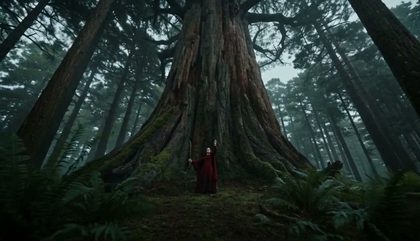
AI video with audio is a generated clip that arrives with its own sound. A single prompt produces the picture and the track together, so there is no second pass in an edit suite. Most of these models take a switch for it in the composer. Others mix sound on every render and offer no way to mute it. The roster below is what the platform can fire with sound today, and each card carries what a render costs.
The roster
Every model that renders sound.
Read the ceiling and the price. Then open the page.
Choose from the roster above. The card shows its price.
02
Write the scene
Describe the shot and the sound you want with it.
03
Render and listen
The exact price sits on the button. Press it once.
Sound is part of the render now
For most of the short history of generated video, the clip came back silent and the sound was somebody else's job. That has changed on the models below: the same prompt that describes the shot describes what it sounds like, and one render returns both. What this page adds is the shortlist. Instead of opening every model page to find out which ones carry sound, you read one roster that the platform catalog writes.
What the roster is, and where it comes from
Every model here qualified by a flag in the catalog, not by an editor's judgement. The same flag drives the composer's audio control, the spec sheet on each model page and the answers in the platform FAQ, so those surfaces cannot disagree. Length ceilings and resolutions come from the same feed. If a vendor changes what a model does, this page changes with it.
The price is visible before you spend
Each card carries a floor price in credits and the same figure in dollars at the pay-as-you-go pack rate. Credits sell at several rates and plans buy them cheaper, which is why the dollar figure says which rate it came from. The binding quote is still the one on the Generate button, computed for the exact length and tier you picked.
Questions
Frequently asked questions
The roster on this page is the answer, and it is read from the platform catalog rather than written down. Every model listed renders sound on OpenClips today, and each card names the vendor behind it, the longest clip it will carry and the price of a render. A model that loses its audio control leaves this page on the next catalog refresh.
On OpenClips the price of a render is the price of that model at that length and tier, and sound is part of what the model does rather than an extra line. Each card here shows the floor price in credits with the same figure in dollars at the pay-as-you-go pack rate. The composer puts the exact price of your configured clip on the Generate button before you spend.
On most of these models sound is a control in the composer, so you decide per render. Where a model mixes audio on every take and offers no field to mute it, its card says so in place of the usual label. The model page for each one carries the full behaviour, including what the vendor exposes that the composer does not.
It depends on the model, and each model page states its own behaviour rather than a shared claim. Some write a new track to match the scene: ambience, effects and speech. Others pass an attached clip's existing track through instead of writing anything. Read the model page before you plan a shoot around a specific kind of sound.
Free to try. A new account gets a one-time credit grant and no card is asked for. Packs start at $10/800⚡. Video costs more than stills, so the grant is there to judge the output rather than to fund a campaign.