Best Free Image-to-Video AI Tools in 2026: What Free Actually Buys
Every image-to-video tool advertises a free tier, and free means four different things. Here is what each version of free actually buys, which tools are worth an evening, and the honest version of it on OpenClips.AI.
Scene select — 7 scenes
Every image-to-video tool on the market advertises a free tier, and no two of them mean the same thing by it. One gives you a handful of one-time credits. One refills every morning and stamps a logo on the corner. One is free to generate and paid to download. Disclose the bias first: we build OpenClips.AI, which is a paid studio with a free way in, and we placed ourselves accordingly. Every catalog number below is rendered from the same data the composer bills against, so nothing on this page is a writer’s memory of a spec sheet.
Free means four different things
Sort every offer you are about to read into one of these four, and the comparison gets easy.
- The one-time trial. A fixed allowance on signup that never refills. Good for a weekend of testing, useless as a workflow. Runway’s own pricing page is the clearest example of this shape: its free plan is a one-time credit grant, not a monthly one.
- The daily refill. A small allowance that resets overnight. This is the shape most consumer video apps use, and it is genuinely free forever if your output is one clip a day and you never need it in a hurry.
- The watermark. Unlimited or near-unlimited rendering with the vendor’s logo burned into the export. Free to make, unusable in an ad.
- The free step. The tool is paid, but one stage of the job costs nothing or nearly nothing. Image-to-video is the format where this matters most, because the job has two halves and only one of them is expensive.
4
shapes of free
2
halves to every image-to-video job
1
of them is the expensive one
Three questions before you spend the evening
Can you use the output commercially? A free tier that forbids commercial use is a toy, and that clause lives in the terms rather than on the pricing card.
Does the free tier run the model you would actually ship on? Many free plans route you to a smaller, faster variant. That is fine for testing a composition and misleading as a quality test.
How long is the queue? Free renders wait behind paid ones almost everywhere. A model that answers in a minute on a paid plan can take an afternoon on a free one, and an afternoon is the real price.
The tools with a free tier worth an evening
Verdicts, not spec sheets. Where a tool runs on OpenClips.AI you get its catalog table in the next section; where it does not, you get an opinion and a link to the vendor’s own page, because we will not publish numbers we cannot stand behind.
Runway is the serious editor’s answer. It treats footage you already own as an input rather than an output, and it ships a real timeline around the models. The free plan is the one-time shape: a fixed grant to explore with, which the pricing page states does not renew the way a paid plan does. Read it on their pricing page before you plan a project around it, and see the Runway Gen-4.5 page for what it costs to run the same model on a balance instead of a plan.
Kling is the consumer image-to-video app most people mean when they say “free AI video”. Whether the tier you land on refills daily and whether the export carries a watermark are both stated on the vendor’s own page, and both have changed more than once; the product site is kling.ai.
Hailuo, from MiniMax, is the draft camera: motion that behaves, cheaply enough to test a shot twenty times before anyone signs anything. The vendor publishes at minimax.io.
Luma’s Dream Machine is the one people who have never written a shot list reach for first. Its free entry point is on lumalabs.ai.
Grok Imagine lives inside xAI’s own apps rather than a standalone video product, so what free means here depends on the plan you already hold there. xAI documents it at x.ai.
Pika and the rest of the consumer app tier are the same trade in different colours: quick to start, and the watermark question is the first one to ask.
Where those models run here, and what a render costs
Several of the cameras above run inside OpenClips.AI on one balance, and their sheets below are read live from the catalog rather than typed. The price row is the floor with its pack-rate dollar, so you can compare a render here against a free tier’s real cost in watermarks and waiting.
Kling 3.0 — the still that moves
Lock the frame as a photograph first, then let Kling move it. Human motion is fluid, and starting from a still is the only reliable way to keep a product label and a face identical between shots.
| Modality | Video |
|---|---|
| Length | 3s to 15s |
| Resolutions | 720p, 1080p, 4k |
| Audio | Available |
| References | Up to 1 |
| Price | from ⚡46 per render (from ≈$0.06/s) |
The Kling 3.0 page carries the full grid.
Kling O1 — when the ending matters too
O1 takes a first frame and a last frame, so the shot lands where you decided it lands instead of wherever the model drifts. That is the difference between a clip and a beat in an edit.
| Modality | Video |
|---|---|
| Length | 3s to 10s |
| Resolutions | 720p, 1080p |
| Audio | Available |
| References | Up to 7 |
| Price | from ⚡31 per render (from ≈$0.04/s) |
The Kling O1 page carries the roles and the grid.
Grok Imagine 1.5 — image-to-video by definition
This one will not run without a picture. There is no text-only mode to fall back on, so every clip starts from a frame you already approved. It is also the model this post’s own renders were shot on.
| Modality | Video |
|---|---|
| Length | 1s to 15s |
| Resolutions | 480p, 720p, 1080p |
| Audio | None |
| References | Up to 1 |
| Price | from ⚡19 (from $0.08) |
The Grok Imagine 1.5 page carries the sheet.
Hailuo 2.3 — the cheap draft
The model to point at a shot you are still arguing about. Weight and momentum behave, which is exactly what a still cannot tell you in advance.
| Modality | Video |
|---|---|
| Length | 6s to 10s |
| Resolutions | 768P, 1080P |
| Audio | None |
| References | Up to 1 |
| Price | from ⚡100 (from $0.41) |
The Hailuo 2.3 page carries the grid.
Seedance 1.0 Pro — a low floor
A low-cost way into a first-frame render, and the one we reach for when a client wants six versions of the same product turn by lunch.
| Modality | Video |
|---|---|
| Length | 2s to 12s |
| Resolutions | 480p, 720p, 1080p |
| Audio | None |
| References | Up to 2 |
| Price | from ⚡10 per render (from ≈$0.02/s) |
The Seedance 1.0 Pro page carries the sheet.
The free half of image-to-video is the still
Here is the part every free-tier roundup misses. Image-to-video is two jobs: draw the frame, then move it. The drawing is cheap. The moving is not. Every re-render you spend fixing a crooked product angle, a wrong crop or a face the model invented is paid at the motion price, and that is where a free tier’s allowance actually goes.
So spend the cheap half properly. Draw the still, look at it, fix it, and only then hand the approved frame to a video model.
| Modality | Image |
|---|---|
| Resolutions | 512, 1K, 2K, 4K |
| References | Up to 14 |
| Price | from ⚡16 (from $0.07) |
| Modality | Image |
|---|---|
| Resolutions | 2K, 4K |
| References | Up to 10 |
| Price | from ⚡9 (from $0.04) |
The Nano Banana 2 page and the Seedream 4.5 page carry their grids. Free to try on the image models, and video runs from the same wallet: ⚡50 lands on signup, no card.
One image-to-video render, start to finish
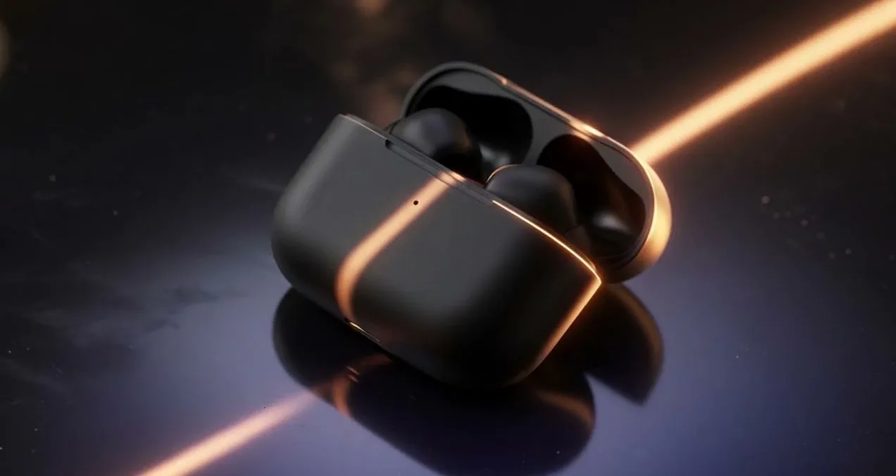
Every clip below was rendered on OpenClips.AI through the same lane the composer dispatches, on Grok Imagine 1.5 — a model that cannot run without a starting frame, so the still came first and the motion followed it.
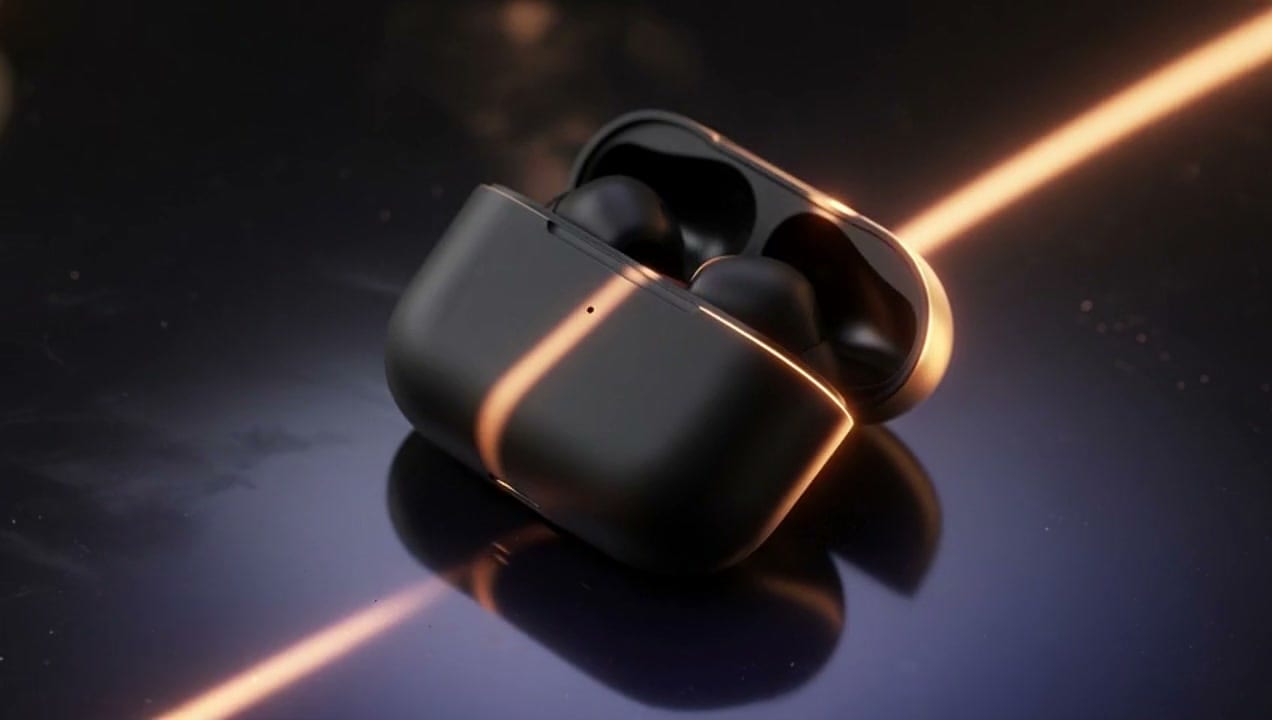
That is the frame at the top of this page, moving. Here is the prompt that drew it and drove it, verbatim.
Cinematic product shot: a matte black wireless earbud case turns slowly on a dark reflective surface, a single warm rim light sweeps across it, macro lens, shallow depth of field, slow push-in, plain unbranded caseRun this prompt →
The vertical cut of the same workflow, a different subject, the same order of operations: still first, motion second.
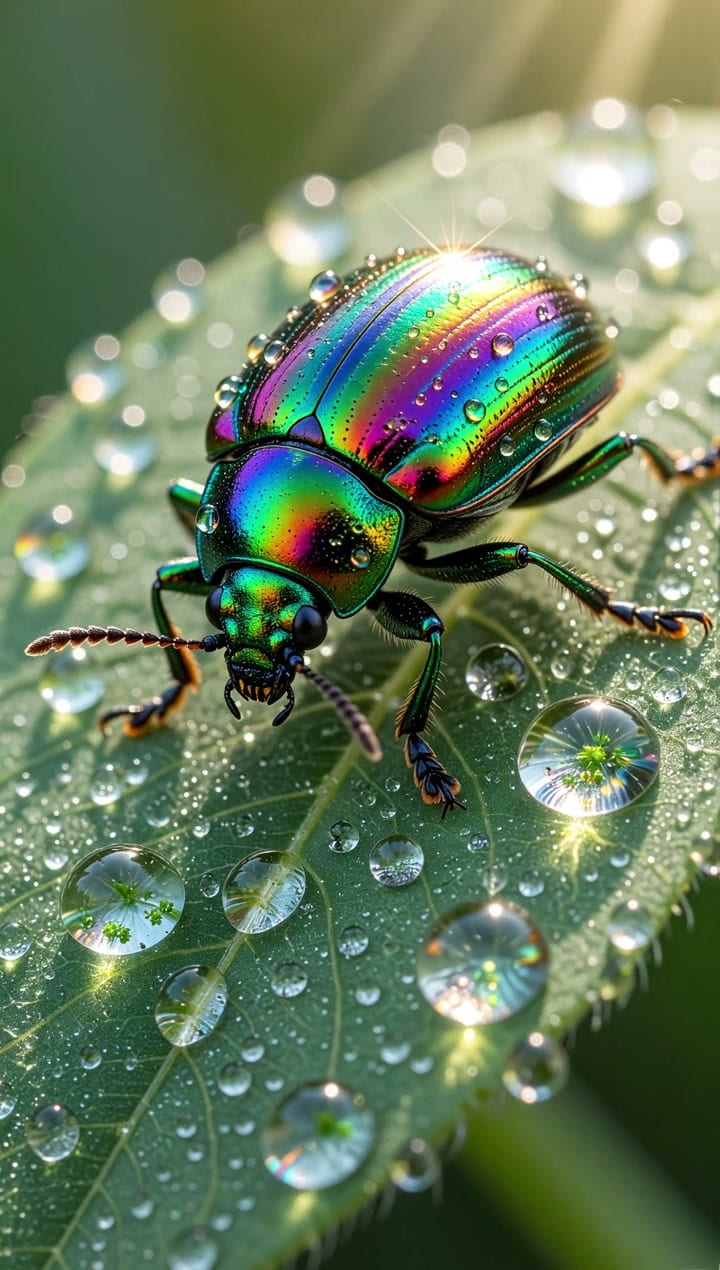
Macro shot of an iridescent beetle crawling over a dew-covered leaf, rainbow shell and droplets crisp, morning lightRun this prompt →
The short version
- Free forever, watermarked: the consumer apps. Kling is the best of them.
- Free once, then paid: Runway. Plan the project around the paid plan.
- Free if you already pay elsewhere: Grok Imagine, through xAI.
- Free where it counts: the still. Draw it cheap, animate it once.
- Honest here: free to try on the image models, ⚡50 on signup, no card, and a price on every button.
Pick the tax you can live with, then spend your allowance on the half of the job that is actually hard. Start on the models roster and shoot the frame before you shoot the motion.