Sign up and save up to 50% on a yearly plan.Sign up free →Black Friday: up to 50% off yearly plans.See the deal →

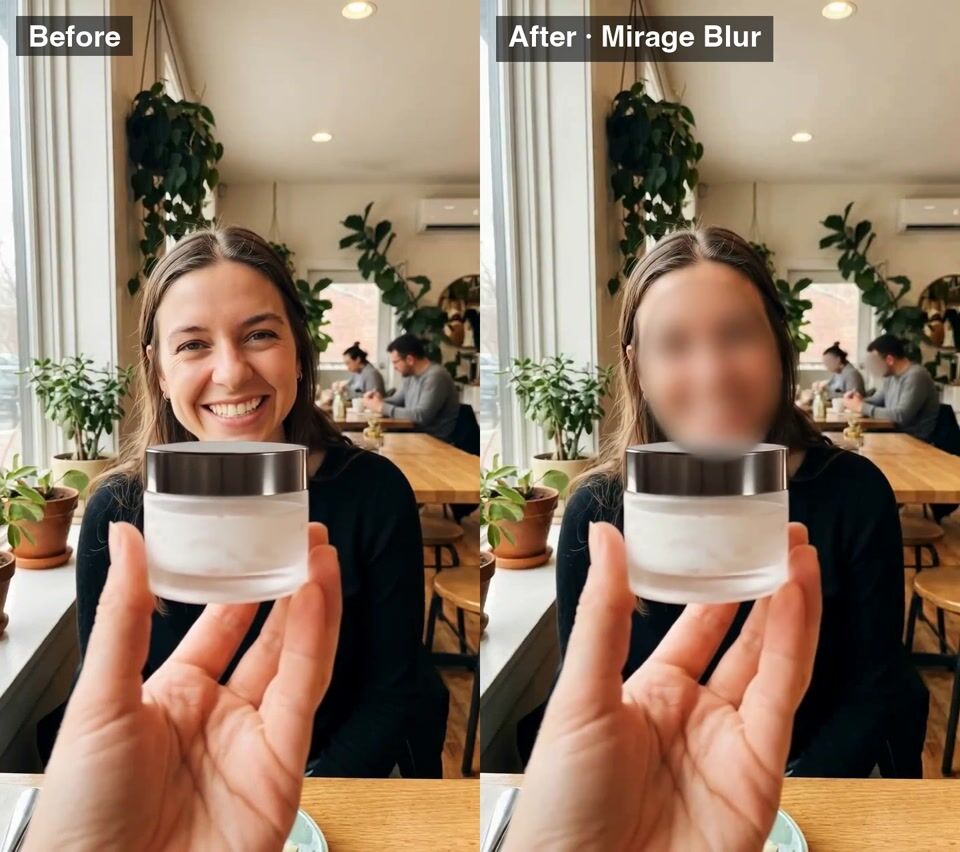
Every face hidden. No masking.

Mirage Blur AI video generator

Upload a video and pick a blur. Mirage Blur finds every face and covers it. The sound stays.

From $0.046 per render on MAX yearly

Blur every face in a street interview (Face oval
Hero take

● Made with Mirage Blur

Straight off the model

Every example is one render, with the prompt that made it.

Mirage Blur example 1Video

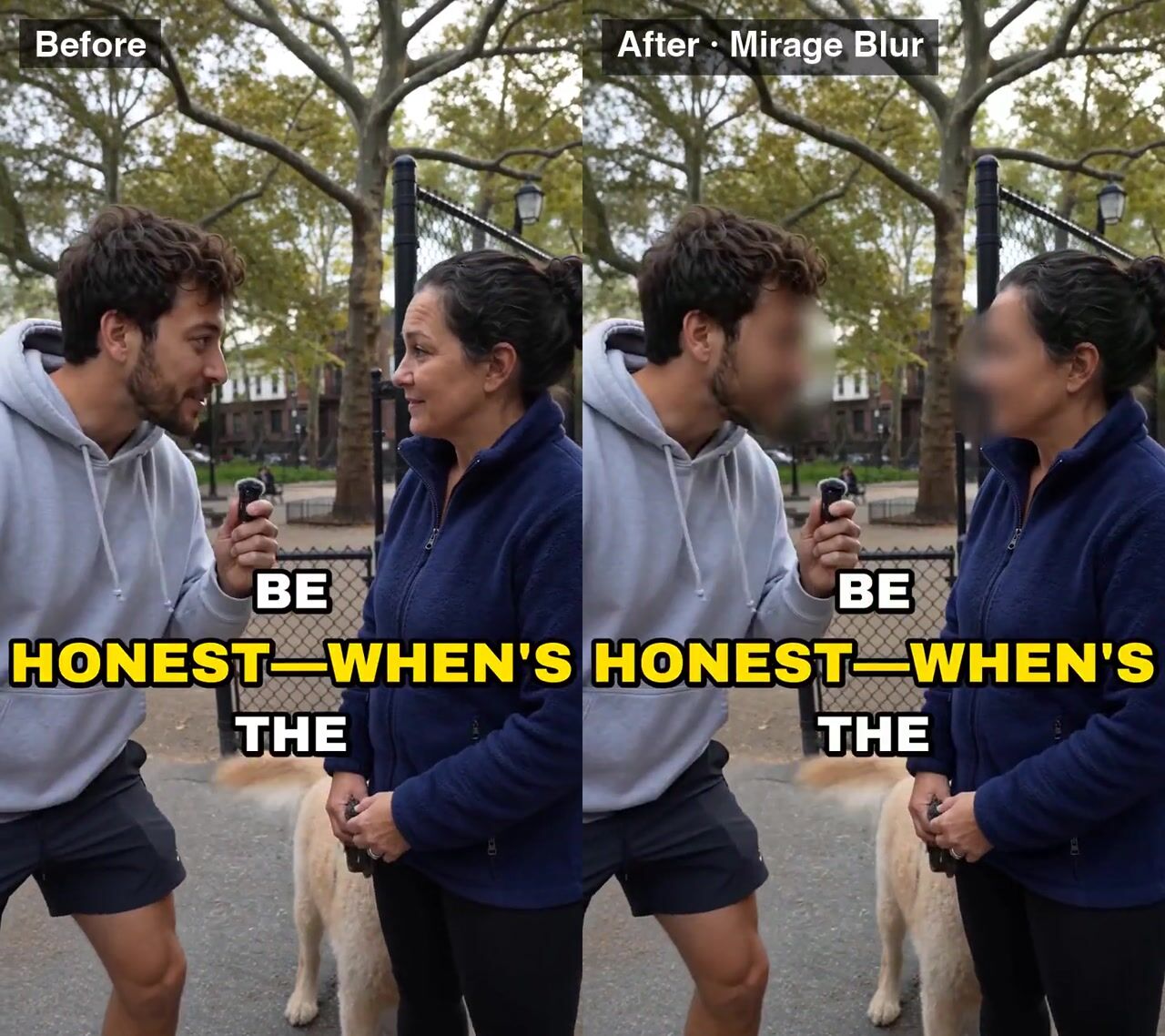
Blur every face in a street interview (Face oval

Blur every face in a street interview (Face oval, Blur), keep the sound.

Verbatim prompt
Blur every face in a street interview (Face oval, Blur), keep the sound.
Mirage Blur example 2Video

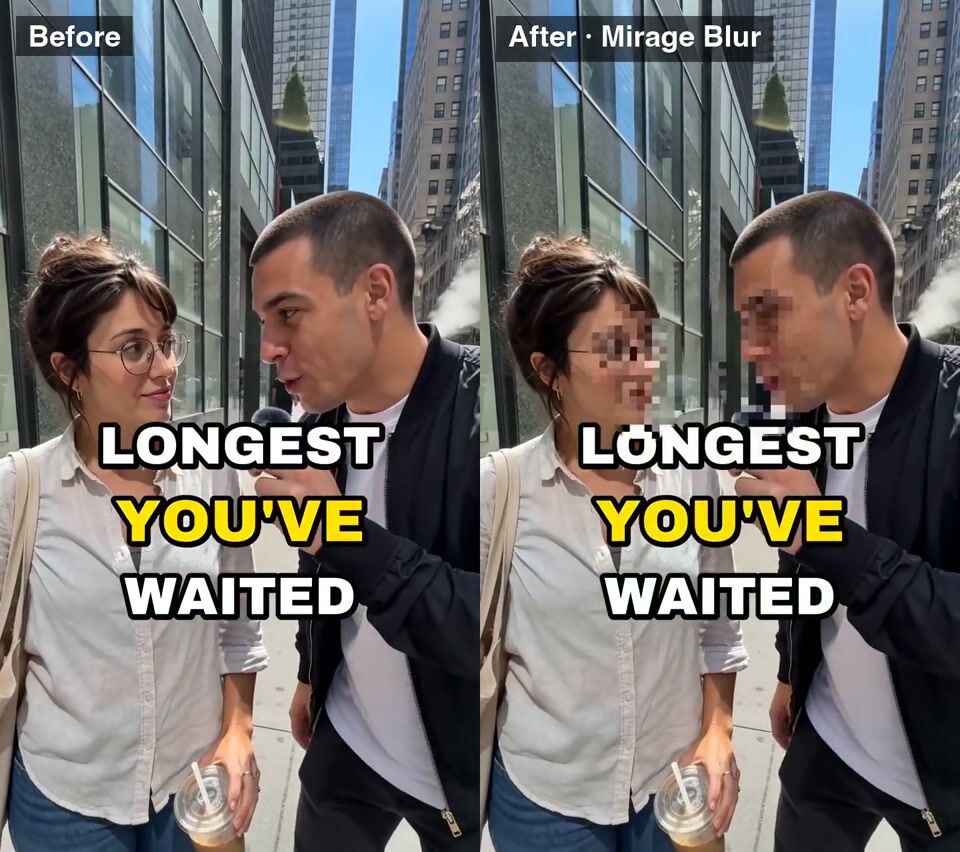
Mosaic every face

Mosaic every face, passers-by included (Face oval, Mosaic), keep the sound.

Verbatim prompt
Mosaic every face, passers-by included (Face oval, Mosaic), keep the sound.
Mirage Blur example 3Video

Blur the face (oval)

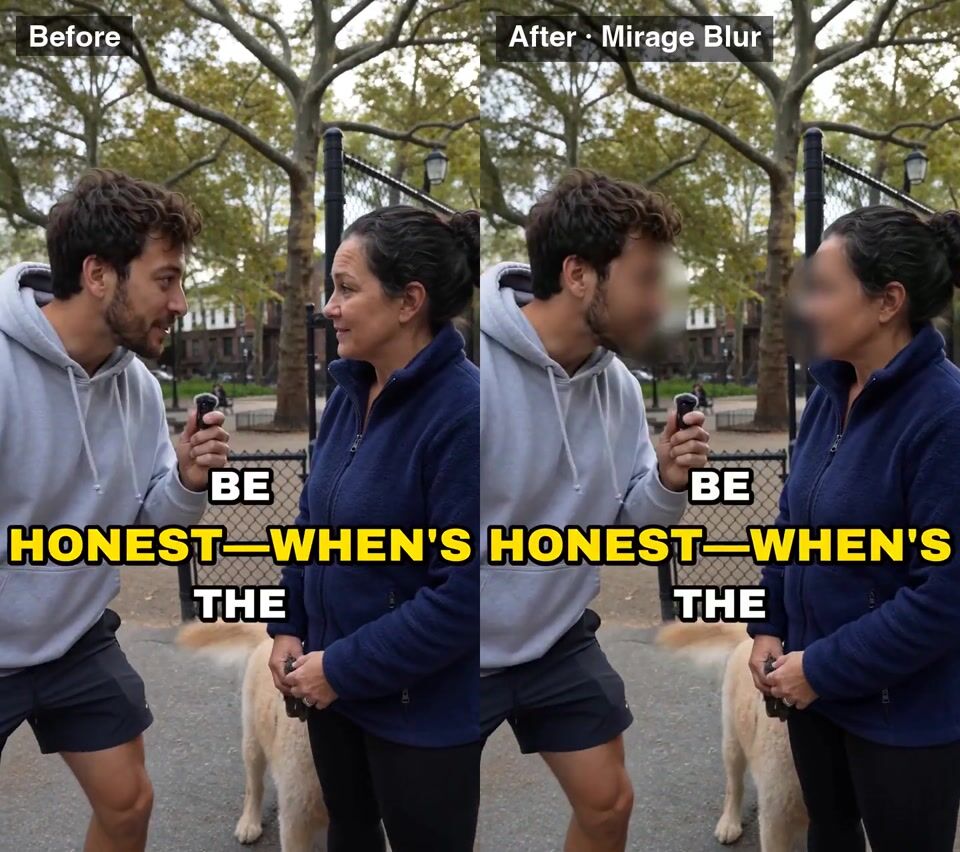
Blur the face (oval), keep the sound.

Verbatim prompt
Blur the face (oval), keep the sound.

● Use cases

What people make with Mirage Blur

Blur or mosaic every face, or just the eyes, in a video.

Video

Street interviews

Verbatim prompt
Blur every face in a street interview (Face oval, Blur), keep the sound.
Video

Busy streets

Verbatim prompt
Mosaic every face, passers-by included (Face oval, Mosaic), keep the sound.
Video

One speaker, hidden

Verbatim prompt
Blur the face (oval), keep the sound.

● Why people pick it

What is Mirage Blur good at?

01

Finds every face

Main speakers and passers-by. No masks to draw.

02

Three areas

The face as an oval, the face outline, or the eyes only.

03

Blur or mosaic

A soft blur or a pixel mosaic. Your call.

04

Sound kept

The original audio stays on. Switch it off for a silent copy.

05

No prompt

Pick the settings and run. Nothing to write.

● Side by side

How does Mirage Blur compare?

The closest video models on OpenClips, on the same credits.

SpecMirage BlurMirage RemixMirage TranslateMirage Translate Lip-sync
Made byMirage BlurMirageMirage RemixMirageMirage TranslateMirageMirage Translate Lip-syncMirage
PriceMirage Blurfrom 11 credits per renderMirage Remixfrom 6 credits per renderMirage Translatefrom 33 credits per renderMirage Translate Lip-syncfrom 70 credits per render
OutputMirage BlurMP4Mirage RemixRASTERMirage TranslateRASTERMirage Translate Lip-syncRASTER

Prices are the catalog's, quoted before every render.

● Specs

Mirage Blur specs

StatusLive in the app, the API and the MCP
Made byMirage
ModalityVideo
InputsOne video
AreaFace (oval) · Face outline · Eyes only
Keep audioOn / off
StyleBlur · Mosaic
OutputMP4
Pricefrom 11 credits per render · $0.046 per render on MAX yearly

● How it works

How do you use Mirage Blur on OpenClips?

01

Add your video

Pick one video from your library or upload it.

02

Pick the area

Face (oval), face outline or eyes only.

03

Pick the style

Blur or mosaic. Keep the sound or drop it.

04

Generate

The blurred MP4 lands in your library.

● Tips

Tips for better results with Mirage Blur

  • Eyes only keeps expressions

    Hide who it is but keep the smile and the reactions.

  • Mosaic reads as deliberate

    A pixel mosaic tells viewers the hiding is on purpose.

  • Check crowds and fast turns

    Watch busy and quick scenes through before you post.

● Made for

What can you make with Mirage Blur?

Street interviewsVox popsEvent footageTestimonialsNews clipsVlogsCrowd shotsBehind the scenes

● Questions

Mirage Blur FAQ

Mirage Blur is an AI face blur for video by Mirage. It finds the faces in a video and covers them with a blur or a mosaic, over the whole face or just the eyes, and keeps the original sound. There is no prompt and no mask to draw. It runs in the OpenClips app, the REST API and the MCP.

It covers every face it detects, including people in the background. Watch the result through before you share it, especially crowded or fast-moving scenes.

Three areas: the face as an oval, the face outline, or the eyes only.

Blur is softer and less distracting. Mosaic is the pixelated look viewers know from the news, and makes it clear the faces are hidden on purpose.

Yes, by default. Switch Keep audio off for a silent copy.

Up to 10 minutes, one video per run.

Mirage Blur opens with your first purchase: any plan or credit pack. A new account still gets ⚡30 on signup with no card, for the models the free plan runs.

Mirage Blur costs from 11 credits per render, paid from your OpenClips credits. That is from $0.046 per render on MAX yearly. The price is shown before you generate.

Yes. Mirage Blur runs from the OpenClips app, the REST API and the MCP server, with the same settings and the same price.

Hide the faces in your next video

Pick a blur. Keep the sound.

Blur faces in a video

What is Mirage Blur?

Mirage Blur hides the faces in a video automatically. Upload one video of up to 10 minutes, choose what to cover (the whole face as an oval, the face outline or just the eyes) and choose a blur or a pixel mosaic. Mirage finds every face, the people you filmed and the passers-by, and covers it frame by frame. The original sound stays unless you switch it off. There are no masks to draw and nothing to track by hand.

When to blur faces in a video

  • Street interviews and vox pops: hide the people who did not sign a release.
  • Event and crowd footage: cover passers-by before you post.
  • Testimonials: keep a speaker anonymous and keep their words.
  • Behind-the-scenes clips: share the work, not the faces.

Blur, mosaic or eyes only

A blur is soft and keeps attention on the scene. A mosaic is the pixelated look from the news and signals the hiding is deliberate. Eyes only hides who someone is while their expressions still read.

● Where to go next

Related models