AI Real Estate Video: Turn Listing Photos Into a Tour (2026)
Add the listing, pick a real estate template and press Generate: a phone-style UGC tour for Reels and TikTok, or a cinematic film for the listing page. Check every frame against the real property and label the video as AI-generated.
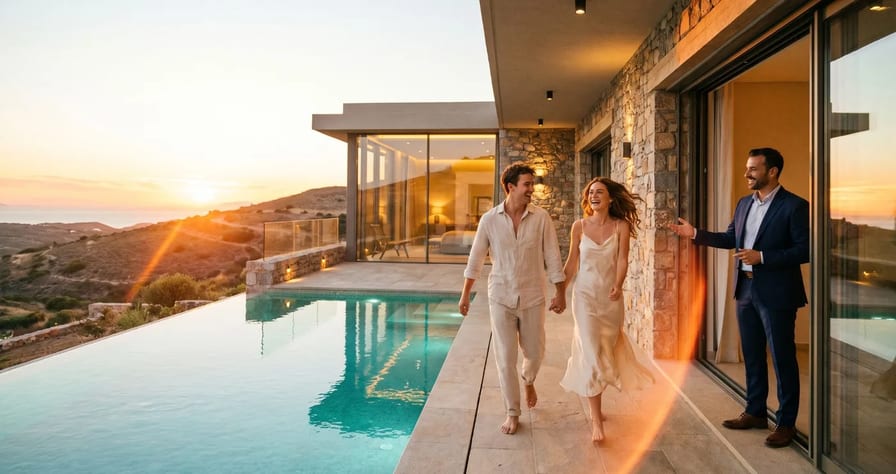
Scene select — 9 scenes
To make an AI real estate video, add the listing (upload photos or paste the listing link), pick a real estate template and press Generate. On OpenClips the composer has two: UGC tour, a 30 second 9:16 walkthrough that looks phone-filmed, for Reels and TikTok (⚡1810 at 720p today), and Cinematic film, the same listing as a slow architecture film, set to 16:9 for the listing page (⚡1844). You do not write a prompt, because the facts come from the listing. Before you post, check every frame against the real property and label the video as AI-generated.
This guide follows our YouTube walkthrough, where eight photos of a house become two listing videos with no shoot day. It then adds what the video skips: which photos to pick, what each route costs, prompts per room, the 2026 disclosure rules and the platform specs. It is written for listing agents who need a Reel the day a home goes live, developers who want a film for a project page, and short-term rental hosts who want guests to see the real layout before they book.
Watch: Real Estate AI Video Ad From Listing Photos (UGC Tour + Cinematic) the template picker opens at 0:23, the finished UGC tour plays from 0:45 and the cinematic film from 1:21.
Which listing photos make the best AI video
What you need: the listing’s photos, or the link to its page. In the composer’s Add your product panel you can upload up to four photos, paste a page link (OpenClips reads the page and takes the photos and the name from it), or pick a listing you saved before. The house in the video was a saved listing with eight photos.
The model can only move through what it can see, so the photos do most of the work. These shots carry a tour:
| Shot | Tip |
|---|---|
| Front exterior, straight on | Daylight, whole facade, no cars in the drive |
| Entry or hallway | Door open, shot from the threshold |
| Living room, wide from a corner | Lens at chest height, lights on |
| Kitchen with the island or counter | Clear counters except one bowl or plant |
| Primary bedroom | Curtains open, bed made |
| Bathroom | The mirror does not show the photographer |
| Terrace, garden or view | Only a view that is really there |
Leave floor plans out of the video. A plan has its own route: the real estate ads page turns a 2D plan into a furnished 3D image with a sales sheet, and makes just listed, open house and price drop stills from ⚡80 per image.
UGC tour vs Cinematic film: which format for which platform
Both films come from the same photos and differ in camera, shape and placement.
| UGC tour | Cinematic film | |
|---|---|---|
| Template card says | “A walkthrough filmed like the owner shot it on a phone” | “The same listing, shot like an architecture film” |
| Camera | Handheld, walking pace | Slow, steady glides |
| Shape | 9:16 vertical | 16:9 landscape (set in Shape) |
| Length and resolution | 30 s, 720p | 30 s, 720p |
| Price today | ⚡1810 | ⚡1844 |
| Where it plays | Instagram Reels, TikTok, YouTube Shorts | Listing page, website, YouTube |
In the video, the UGC tour walked from the front of the house through the living room, dining room and kitchen, with the asking price and the bedroom count as on-screen captions (0:45 to 1:03). The cinematic film showed the exterior, living room, kitchen and bedroom in slow, steady moves, with the floor area as a caption (1:21 to 1:40).
What each platform asks for:
| Platform | Shape | What the platform says | Use |
|---|---|---|---|
| Instagram Reels (ads) | 9:16 | Meta Ads Guide: 1440x2560 recommended; keep 14% of the top, 35% of the bottom and 6% of each side free of text | UGC tour |
| TikTok (in-feed ads) | 9:16 | TikTok Ads Help: at least 540x960, up to 10 minutes, up to 500 MB | UGC tour |
| YouTube Shorts | 9:16 or square | YouTube Help: up to 3 minutes; 16:9 uploads stay long-form | UGC tour |
| Listing page, website, YouTube | 16:9 | Landscape plays wide on desktop | Cinematic film |
Both templates render at 720p, which clears TikTok’s 540x960 floor, and 30 seconds fits all three vertical placements. Keep your own captions and agent details out of the bottom third, where the app buttons sit. For every other placement, see the aspect ratio cheat sheet. If the tour will run as a paid ad, our guides to Meta ads with AI and TikTok ads with AI cover the rest of the setup.
How to make a real estate video from listing photos, step by step
This is the order from the video, with timestamps.
- Open the template (0:23). In the composer, click Change, open Templates and scroll to Real estate. The row holds Property ad, UGC tour and Cinematic film. Pick UGC tour and click Use this template.
- Add your listing (0:33). Click the product slot and choose the listing from Your products, paste the listing link, or upload photos.
- Read the prefilled prompt (0:36). The template writes a first line (in the video, “Make a vertical property ad based on this house, handheld, ending on the terrace at dusk”) and pastes the listing facts under it. Read both, and delete anything the property does not have.
- Generate (0:40). The settings read 9:16, 30s, 720p. Click Generate, then open Library. A few minutes later the tour is there.
- Make the cinematic version (1:05). Click Change, open Templates again and pick Cinematic film. Under Shape, choose 16:9 Landscape, add the same listing and generate.
- Check before you post. Watch both films against the real photos: room order, window count, materials, and every number in the captions.
Plan and credits: Templates open on the Creator, Pro and MAX plans and on the Team plans, according to our help page on templates. New accounts get ⚡30 once on signup, which lets you test the composer but does not cover a 30 second tour. Commercial use, which includes client listings, is on paid plans only.
Ready-made listing workflows: upload your photos, press Recreate
If you would rather not write any prompt, start from a community workflow. Each one below is a finished listing video with its steps saved: open it, press Recreate, swap in your own photos and run it. The music and the cuts on the beat come with the workflow.
1. Sea-view apartment, 2 bedrooms: 6 photos, 15-second reel on the beat
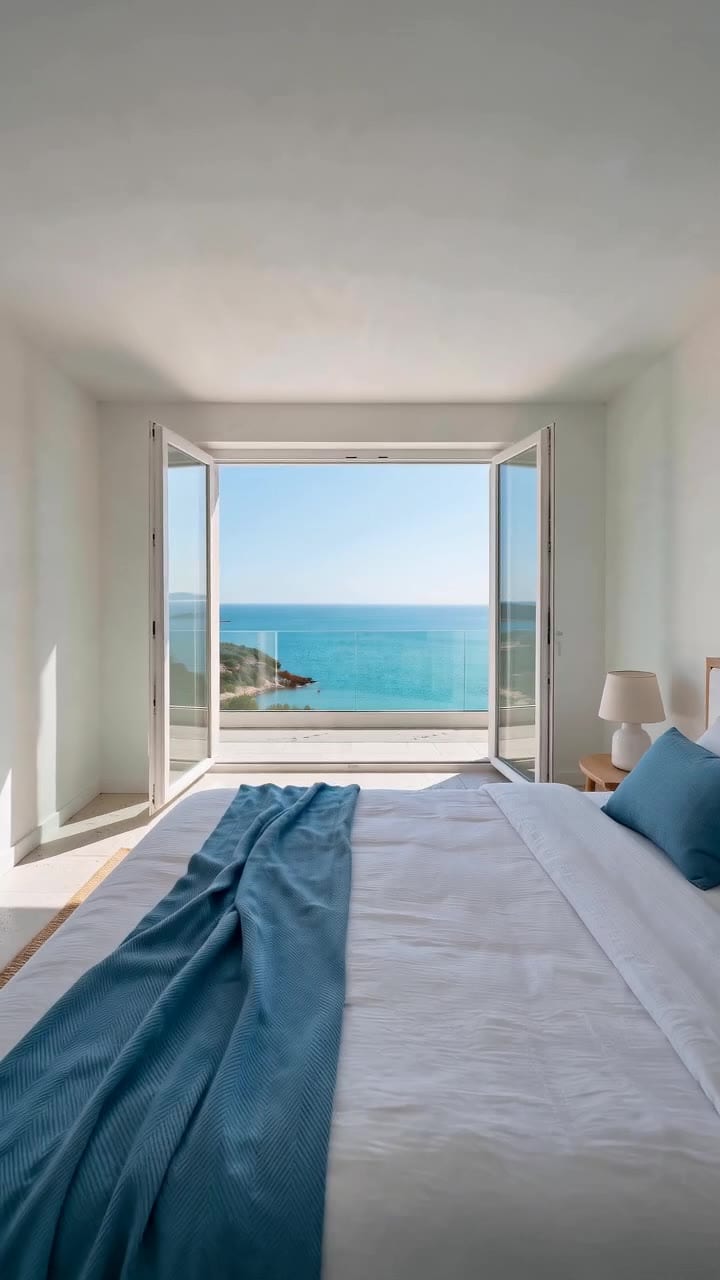
Six photos in (terrace with the view, living room, kitchen, both bedrooms, bathroom), a 15-second vertical reel out. Recreate this workflow.
2. Sea-view villa: 6 photos, 30-second cinematic tour
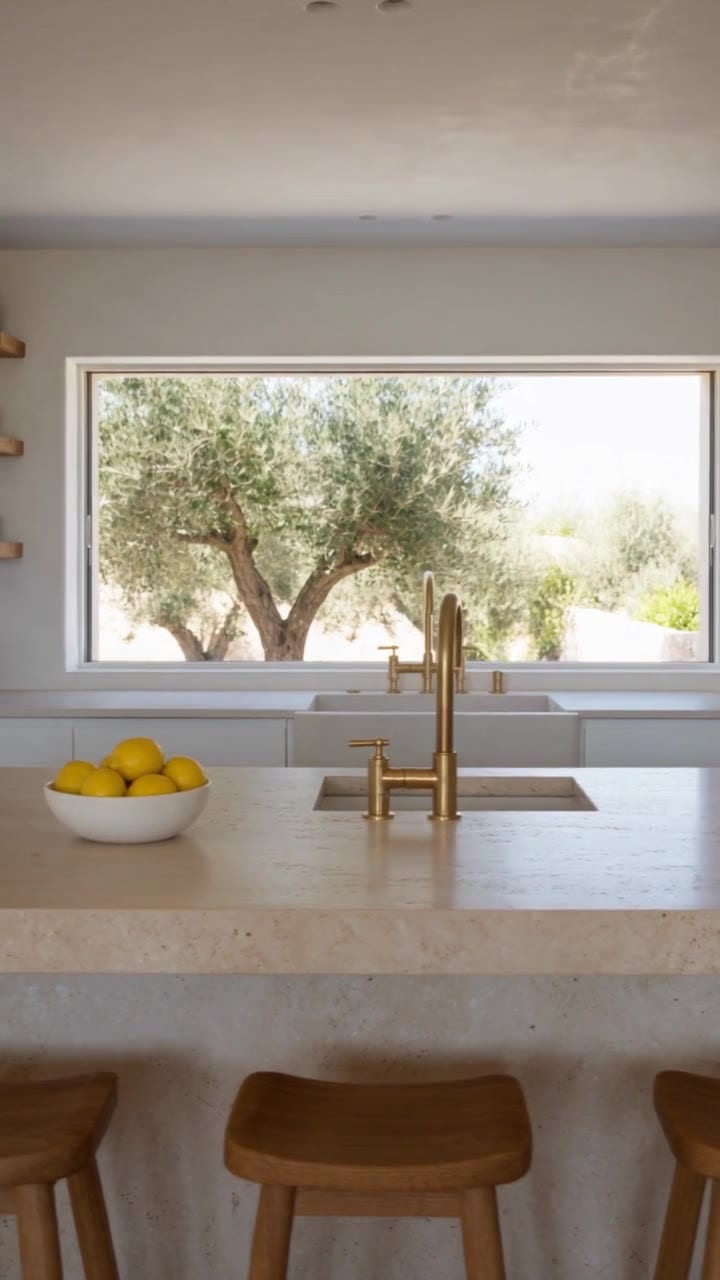
Six photos of a property, a 30-second vertical tour for Reels, TikTok and Shorts, cut on the beat of a piano track. Recreate this workflow.
3. Sea-view family apartment, 3 bedrooms: 7 photos, 20-second reel on the beat
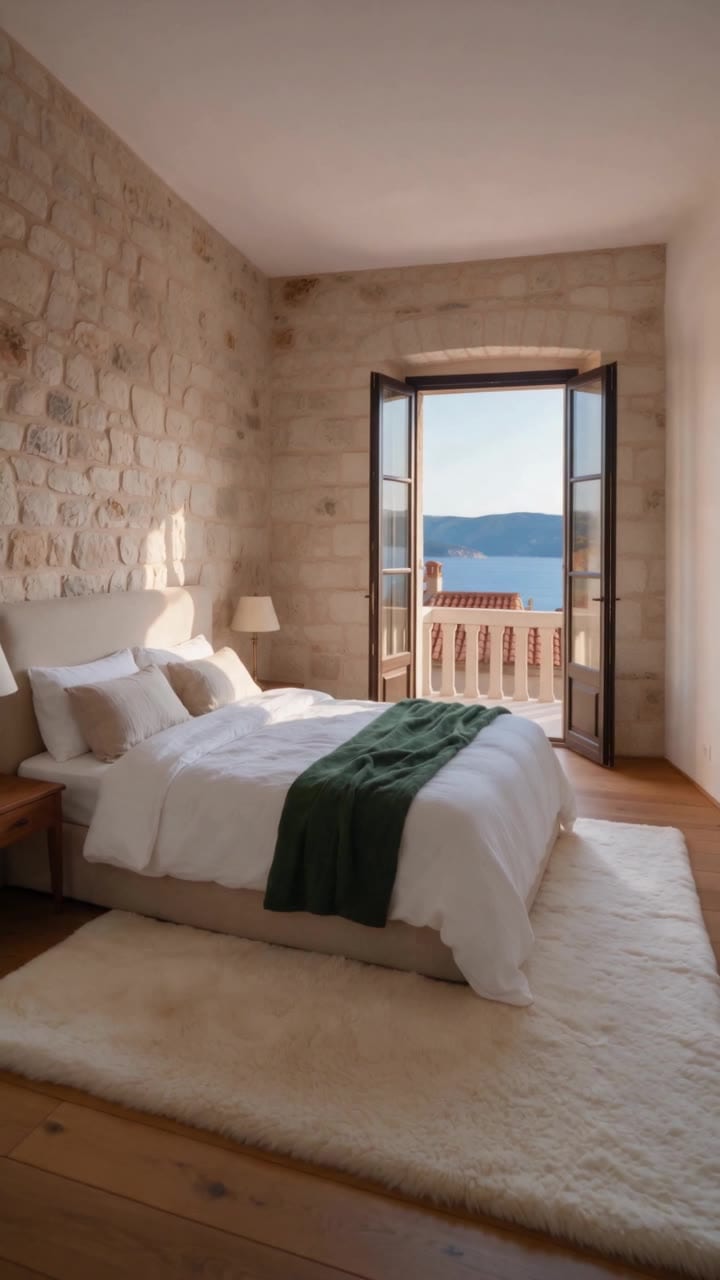
Seven photos in (terrace with the view, living room, kitchen, all three bedrooms, bathroom), a 20-second vertical reel out. Recreate this workflow.
The same rule applies here as in the steps above: use your own photos of the real property, and check every room in the result against them before you post.
What an AI listing video costs on OpenClips
There are three ways to get a listing video, and they differ in length, control and price. Template prices are today’s read-only quotes at 720p.
| Route | What you get | Price today | Best for |
|---|---|---|---|
| Real estate template (UGC tour or Cinematic film) | A finished 30 s tour, no prompt to write | ⚡1810 or ⚡1844 | The weekly listing Reel and the listing page film |
| Listing cards on the Real Estate Videos page | A shorter Listing tour, Vertical reel or a one-beat Listing teaser | From-prices on the page | A short teaser the day a home lists |
| Room by room on Seedance 2.0, joined in the Studio editor | Every camera move chosen by you | Per shot, on the card below | Full control, or a home with one standout room |
| Modality | Video |
|---|---|
| Length | 4s to 15s |
| Resolutions | 480p, 720p, 1080p, 4K |
| Audio | Available |
| References | Up to 9 |
| Price | from ⚡33 per render (from $0.034/s) |
A template is the fastest route, and a room-by-room build costs less for a full tour but needs your time and retakes. Prices change, so the exact figure is always on the Generate button before you press it, and a failed render gives its credits back.
Copy-paste prompts per room (for more control)
If you want to choose every move, animate each photo yourself on Seedance 2.0 (the model the Real Estate Videos page lists for its listing cards; see our Seedance 2.0 guide) and join the clips. Every prompt below runs image-to-video with the room photo as first frame, 9:16 for social or 16:9 for the website, sound on; the card titles carry the length and resolution. For the basics of animating a still, see how to animate a photo with AI; for the structure behind these prompts, see the video prompt formula.
Three rules run through all of them. The camera makes one slow move a real operator could make. Nothing in the room moves by itself, so no curtains drift, no lamps switch on and no water runs. If anything moves, a person’s hand does it with a slow, ordinary gesture.
We have not rendered these prompts. They are templates: swap the bracketed parts for your property.
Paste this into the negative prompt field for every room:
extra rooms, new furniture, people walking through, pets, cars, text, logos, warped walls, bent door frames, changed window count, different view outside, flickering lights
Image 1 is the first frame: the front of [the two-storey house] exactly as photographed, in daylight.
0 to 10 s: the camera, at eye height on the front path, moves slowly straight toward the front door at walking pace. One smooth move, no turns.
The facade, roofline, windows, garden and sky stay exactly as in Image 1.
End state: the closed front door fills the centre third of the frame. Hold.
Sound: quiet outdoor ambience, a few distant birds, soft footsteps on stone.
Run this prompt →
Use the first-and-last-frame mode for the entry, so the model never invents the hallway: Image 1 is the closed front door, Image 2 is your photo of the entry.
Image 1 is the first frame: the closed front door from outside. Image 2 is the last frame: the entry hall from just inside the threshold.
0 to 3 s: a hand enters from frame right, takes the handle and slowly pushes the door open.
3 to 8 s: the camera moves forward through the open doorway at walking pace.
8 to 10 s: the camera stops inside, matching Image 2.
End state: Image 2, still.
Sound: handle click, a soft door hinge, footsteps moving from stone onto wood.
Run this prompt →
Image 1 is the first frame: the living room exactly as photographed, lights on.
0 to 10 s: the camera glides slowly from left to right, parallel to [the sofa], at chest height. One continuous move.
Every object stays where it is in Image 1. The curtains, plants and lamps are still.
End state: [the fireplace] sits in the centre of the frame. Hold.
Sound: a quiet room tone, faint birdsong through closed windows.
Run this prompt →
Image 1 is the first frame: the kitchen exactly as photographed.
0 to 10 s: the camera pushes in slowly toward [the island], at counter height, one straight move.
Counters, cabinets, appliances and the [bowl of lemons] stay exactly as in Image 1. No tap runs.
End state: the island edge crosses the lower third of the frame. Hold.
Sound: soft room tone, a faint fridge hum.
Run this prompt →
For the primary bedroom, pick a photo where the window and the view are already visible, so the model only reveals what was photographed.
Image 1 is the first frame: the bedroom exactly as photographed, the curtain half open.
0 to 4 s: a hand enters from frame left and slowly slides the curtain to the side of the window.
4 to 10 s: the hand leaves frame. The camera pushes in slowly toward the window, one straight move.
The view outside stays exactly as in Image 1, same time of day.
End state: the window fills the centre of the frame. Hold.
Sound: curtain rings sliding on the rail, then quiet room tone.
Run this prompt →
Image 1 is the first frame: the [terrace] exactly as photographed, same light and time of day.
0 to 10 s: the camera moves slowly forward toward [the railing], at eye height, one straight move.
The furniture, plants and the view stay exactly as in Image 1.
End state: the railing crosses the lower quarter of the frame, the view above it. Hold.
Sound: light wind, distant ambience.
Run this prompt →
Bathrooms are the hardest room because mirrors reflect the camera, so keep that shot to a slow push past the vanity and leave the mirror out of frame. Trim and join the shots in the Studio editor, then export the MP4. For stitching shots into one longer film, see how to make a longer AI video.
AI listing video disclosure rules in 2026
An AI tour markets a real home, so the footage has to match it. These are the rules we could verify today. They are general information, not legal advice, and your MLS and local rules win.
- US agents who are REALTORS®. The 2026 NAR Code of Ethics, Article 12, says REALTORS® “shall present a true picture in their advertising”, and Standard of Practice 12-10 bars misleading consumers through “misleading images”. The Code does not name AI or virtual staging, so the test is simply whether the video shows the property truthfully.
- California listings. According to the CRMLS knowledge base, state law AB 723 and CRMLS Rule 11.5.2 apply from 1 January 2026: a digitally altered image needs the original, unaltered version right before or after it, the label goes in the photo description, and nobody may add, remove or modify any real part of the property. Violations get a warning first, then a $250 fine if not corrected in time.
- Short-term rentals. Airbnb’s Ground rules for hosts say listing photos must accurately represent the space, and that hosts will be asked to remove content where AI was used to hide damage or add amenities the listing does not have.
- Social platforms. TikTok asks creators to label AI-generated content that shows realistic scenes. YouTube asks you to set AI use to Yes in Studio for realistic AI footage, and its own examples include AI footage of a real place. Meta adds an AI info label when you disclose AI content or its systems detect industry signals.
On the OpenClips side, every image and video carries C2PA Content Credentials that mark it as AI-generated. YouTube says it can label content automatically from C2PA metadata, but add your own label anyway.
What that means in practice:
- Never add a feature the property does not have: no extra room, no pool, no sea view, no new kitchen.
- Keep each room as photographed. OpenClips does not offer a template for staging empty rooms.
- Keep the time of day of the photo unless you label the change.
- Add a line on screen or in the caption, for example “AI-generated video from listing photos”.
- Keep the original photos in the listing next to the video.
- Check every caption number (price, bedrooms, floor area) against the listing before you post.
Mistakes that cost you a viewing
| Mistake | What happens | Fix |
|---|---|---|
| Keeping the template’s first line as it is | In the video, the Cinematic film line read “based on this apartment … over the city skyline” for a two-storey farmhouse (1:22) | Rewrite the line to match the real home |
| Animating a room you did not photograph | The model invents walls, doors and views | Use first and last frame, or skip that room |
| Things moving on their own | Drifting curtains and switching lamps read as fake | Write “stays exactly as in Image 1”, give motion to a hand |
| Mirror in the bathroom shot | The reflection shows a camera or a ghost | Frame the vanity without the mirror |
| Wrong number in a caption | A buyer catches it at the viewing | Check price, beds and area against the listing |
| No AI label | Platform labels or takedowns, and lost trust | Disclose in the caption and keep the originals |
Ready to list with a video this week? Make your listing video on OpenClips.
New to OpenClips? Start free, ⚡30 on signup, no card.
Sources
Read on 9 November 2026:
- OpenClips YouTube: Real Estate AI Video Ad From Listing Photos (UGC Tour + Cinematic) (steps, template names, settings)
- OpenClips credit quotes for the UGC tour, Cinematic film and Seedance 2.0 shots (read-only, 9 November 2026)
- OpenClips Real Estate Videos
- OpenClips real estate ads
- Templates and the plan they need
- Make an ad from a product link
- OpenClips pricing
- OpenClips Enterprise (Content Credentials)
- NAR 2026 Code of Ethics and Standards of Practice
- CRMLS Digitally Altered Images FAQs
- Airbnb Ground rules for hosts
- TikTok Integrity and Authenticity guidelines
- YouTube altered or synthetic content disclosure
- Meta’s approach to labeling AI-generated content
- YouTube Shorts up to three minutes
- TikTok video ads specifications
- Meta Ads Guide, Instagram Reels video