Higgsfield Alternative in 2026: An Honest OpenClips.AI Comparison
Higgsfield built its name on motion presets. We build the studio those models could run inside. Here is the honest case for switching, the case against it, and the renders behind both.
Scene select — 8 scenes
Start with the bias, because you should not have to dig for it: we build OpenClips.AI. This post exists because people search for a Higgsfield alternative, and the honest version of that page is worth writing even when it tells some of those people to stay where they are.
So here is the shape of the comparison up front. Higgsfield sells camera moves as a product. We sell a studio where the flagship models run on one credit balance, with the price of the shot on the button before you press it. Those are different products that happen to share a search result.
What Higgsfield is genuinely good at
Higgsfield’s reputation is the preset library: crash zooms, bullet time, whip pans, dolly moves, the grammar of a trailer applied to a clip nobody storyboarded. Pick a move, feed it a still, get something that looks directed.
That is a real answer to a real problem. Most people cannot write camera language, and a shelf of named moves is a faster teacher than a blank prompt box. If your work is social edits where the move is the idea, the preset shelf earns its money and we will not pretend otherwise.
The vendor is at higgsfield.ai. Read their own pricing page before you commit, because the plan tiers and the credit maths change often, and we are not going to quote numbers about somebody else’s business that could be stale by the time you click.
Higgsfield does not run on OpenClips, so nothing below claims a side-by-side we did not shoot. What you get instead is our side of the comparison, rendered, with the brief printed next to it.
What OpenClips.AI actually is
Not a model. That distinction matters, because half the “alternative” posts on this topic compare a product to a model and reach a conclusion that means nothing.
OpenClips.AI is the studio the models run inside. One roster, one wallet, one composer that quotes the exact shot before it fires. The catalog that bills a render is the same catalog that renders the tables on this page, which is why you will not find a hand-typed spec anywhere in this post.
1
balance for every model
2
renders below, both ours
0
vendor reels used
Camera moves, written rather than clicked
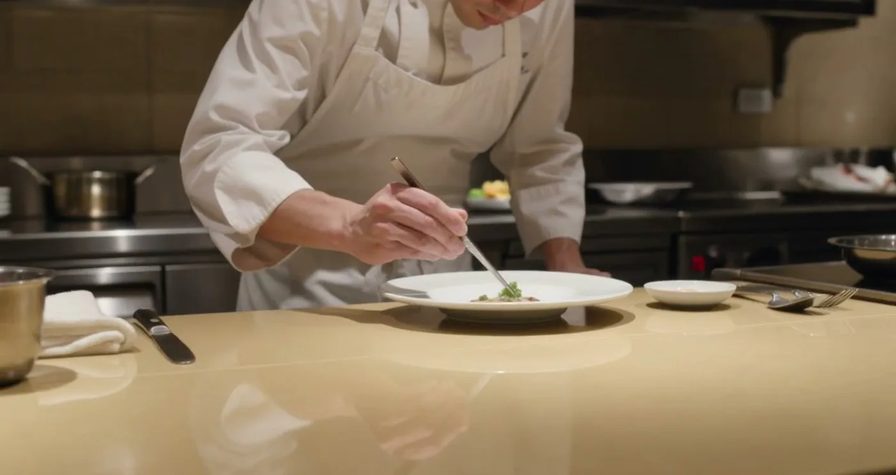
The preset question deserves a render, not an argument. Here is a camera move described in plain English and sent straight to Kling 3.0. No preset shelf, no move picker, just the instruction sitting inside the brief.
A chef in a white apron plates a dish while the camera orbits half a turn around the counter, his face and apron stay consistent through the move, warm restaurant lightRun this prompt →
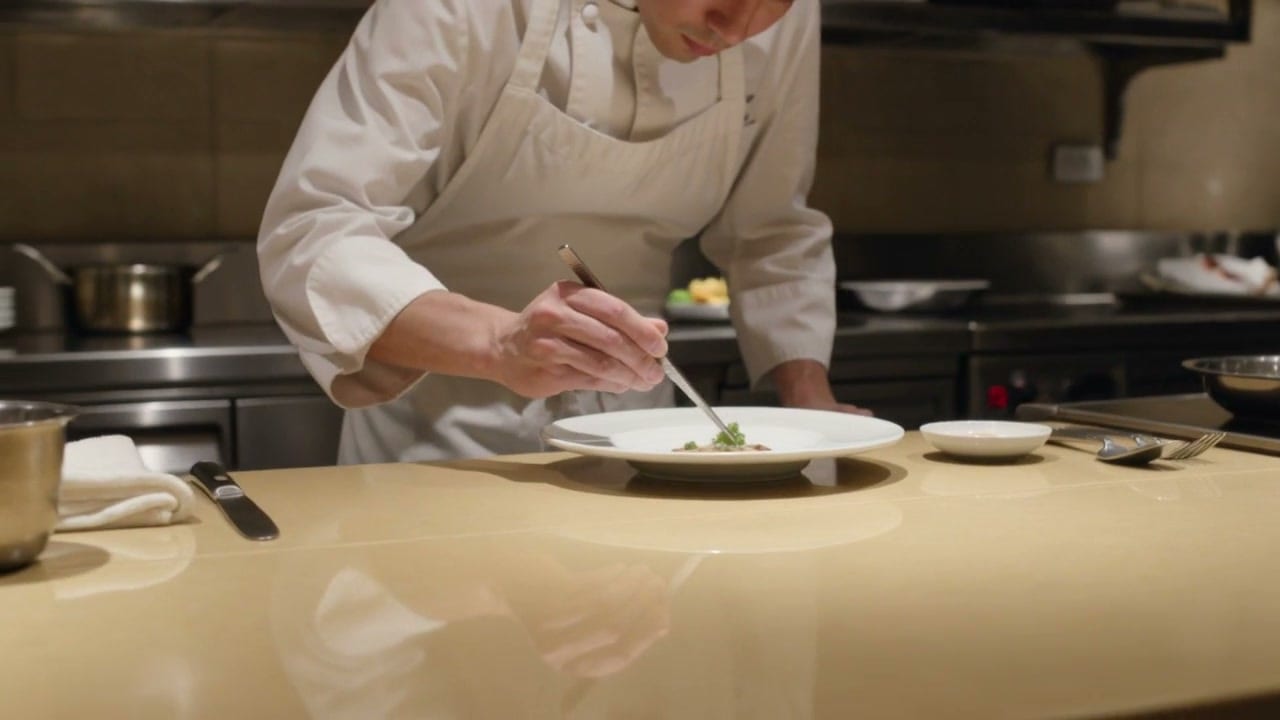
The move holds, and so does the chef. That second part is the one a preset cannot promise you: the apron and the face are the same at the end of the orbit as at the start.
| Modality | Video |
|---|---|
| Length | 3s to 15s |
| Resolutions | 720p, 1080p, 4k |
| Audio | Available |
| References | Up to 1 |
| Price | from ⚡46 per render (from ≈$0.06/s) |
The price row on that sheet is a floor, not the cost of this shot. The composer quotes the exact price of the shot you configured on the Generate button, before it renders. Kuaishou runs the consumer product at kling.ai. Ours is on the Kling 3.0 page, with the rest of the proof roll.
The trade, stated plainly. You type the move instead of clicking it. In exchange, you can change it by a word, stack it with everything else in the brief, and read back exactly what produced the take six months later.
Beats, which a preset shelf cannot hold
The other thing a spot needs is structure. A preset moves the camera. It does not tell the model what happens at second three.
0–2s: close-up of a barista's hands tamping espresso, warm tungsten light. 2–4s: milk pours into the cup, a rosetta forms in slow motion. 4–5s: she slides the cup across the bar toward camera and smiles, shallow depth of fieldRun this prompt →
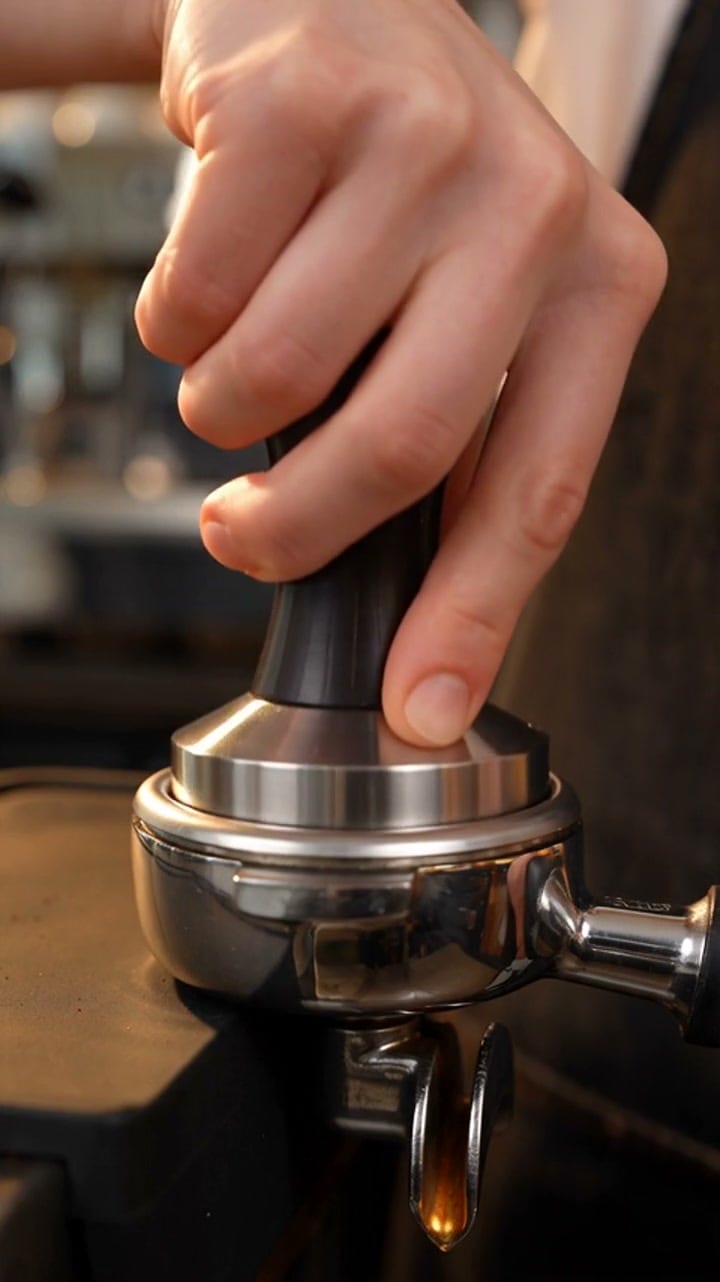
Three beats, one dispatch, in the order they were written. That is the job a timeline usually does, moved into the brief.
| Modality | Video |
|---|---|
| Length | 4s to 30s |
| Resolutions | 480p, 720p, 1080p |
| Audio | Available |
| References | Up to 30 |
| Price | from ⚡51 per render (from ≈$0.05/s) |
ByteDance publishes the model’s own notes on the Seed research site, and the full grid lives on the Seedance 2.5 page.
Price, and why we will not put a table here
Every honest comparison founders on the same rock: a competitor’s pricing page is a moving target, and a post that quotes it is wrong within a quarter.
So the rule on this site is that we publish our own numbers and link to everybody else’s. The sheets above carry ours, read live from the catalog the composer bills against. If a vendor changes a limit tomorrow, this post changes with it, because nobody typed the number into it.
When not to switch
The part these posts usually skip.
- You live in the preset shelf. If picking a named move is the workflow, we do not replace it. We give you a text box and a roster, and that is a different day.
- You want a timeline. There is no editor here. We render shots. You cut them somewhere else.
- You want one subscription and no thinking about cost. Credits are more honest than a flat tier, and they are also more to think about. That is a real cost, and it is yours to weigh.
Moving a Higgsfield workflow across
If you do want to try it, the translation is short.
- Take the move out of the shelf and into the sentence. “Slow orbit around the subject” and “hard push-in on the face” are briefs. Write the move where you used to click it.
- Start from the still you already approved. Lock the product or the face as an image first, then hand that frame to the video model. It is the cheapest way to keep a label from drifting between shots.
- Draft cheap, finish expensive. Prototype on the shorter, smaller setting, read the take, then re-shoot the winner. The button quotes both, so you are comparing numbers instead of guessing.
- Pick the camera for the shot. Kling 3.0 from a still, Seedance 2.5 for reference-heavy ad work, and Veo 3.1 when the frame has to come back exactly as written. Google DeepMind documents that family on its own Veo page.
The short version
- Stay on Higgsfield if the preset library is the product for you.
- Switch if you want the prompt, the render and the price to agree on one page.
- Run both if the honest answer is that they do different jobs, which it often is.
The wider field, ranked by job rather than by brand, is in the honest ranked list. The roster itself is at one studio, every model.