What Is Seedance 2.0 in 2026? How to Use It, What It Costs, Is It Free
Seedance 2.0 is ByteDance's video model, and three of them wear the name. Here is what it does, how to drive it, what a render costs, and how far the free route actually goes.
Scene select — 8 scenes
Seedance 2.0 is ByteDance’s video model, and the reason you are reading this is almost certainly one of three questions: what it actually does, how to drive it, or whether you can use it without paying. This post answers all three, in that order, and the last one honestly rather than flatteringly.
Disclose the bias first: we build OpenClips.AI, and Seedance runs here. So every figure on this page renders from the catalog our composer bills against rather than from a sentence a writer typed, and every clip below is our own render with the brief that made it printed underneath.
What Seedance 2.0 actually is
It is ByteDance’s video model, and the shortest true description of it is a finisher. You hand it a written shot or a still frame, and it hands back a take: the camera move you asked for, and the subject holding together while the camera does it. The composer carries a sound toggle, so a clip that needs to be heard is briefed rather than scored afterwards.
ByteDance’s own home for the family is seed.bytedance.com, and the Seedance 2.5 release note covers the generation that followed it. Those two are the sources worth checking us against. Everything below is what the model is like to actually work with.
Here are its facts, read off our catalog rather than out of memory:
| Modality | Video |
|---|---|
| Length | 4s to 15s |
| Resolutions | 480p, 720p, 1080p, 4K |
| Audio | Available |
| References | Up to 9 |
| Price | from ⚡33 per render (from ≈$0.03/s) |
The Seedance 2.0 page carries the same figures, the full price grid and the version’s own showcase.
The three rungs that share the name
They are not competing generations. They are one model at three prices, and the only question is who is going to watch the result.
Seedance 2.0: the finisher
The rung you spend on once. Reach for it when the clip is the deliverable: the cut that goes on the storefront, the ad that gets media behind it, the shot somebody will watch on a screen bigger than a phone. It is the widest of the three on resolution, and it is the dearest for exactly that reason.
Seedance 2.0 Fast: the volume rung
| Modality | Video |
|---|---|
| Length | 4s to 15s |
| Resolutions | 480p, 720p |
| Audio | Available |
| References | Up to 9 |
| Price | from ⚡14 (from $0.06) |
Same brief, quicker turnaround, smaller bill. This is where the arguing happens: six takes on one concept, a client picking a direction, an edit that needs something in the gap today. Fast has no page of its own because it is a variant of the finisher, so it rides the Seedance 2.0 page and the same composer.
Seedance 2.0 Mini: the cheap seat
| Modality | Video |
|---|---|
| Length | 4s to 15s |
| Resolutions | 480p, 720p |
| Audio | Available |
| References | Up to 9 |
| Price | from ⚡9 (from $0.04) |
The bottom rung of the family, and the one that matters most to anyone who arrived here typing the word free. Mini and Fast share that bottom rung at the same floor, so the grant stretches about three renders on either — further than anywhere else on this page. That is why most people render their first clip here. Mini rides the finisher’s page too.
How to use Seedance 2.0, step by step
- Say the shot in one sentence. Subject, then motion, then camera. “A herd of horses gallops through shallow river water, the camera tracking alongside at their speed” is a complete brief, and it is the shape every clip below was written in.
- Bring a still if you own one. Image to video beats text to video whenever the thing in frame has to be your thing: your product, your set, your talent. Attach the photograph and describe only the motion.
- Attach references for whatever must stay itself. A face, a pack shot, a colourway, a room. References are how a campaign holds together across a sequence instead of drifting a shade per render.
- Set the frame before the look. Vertical for feed, wide for the site, square for the grid. The aspect changes the composition the model reaches for, so choose it first rather than cropping your way out later.
- Decide about sound while you brief. A clip written with a sound in the action lands better than one where the noise is an afterthought bolted on in the edit.
- Change one clause per pass. Once a take is close, do not rewrite the brief. Re-run it with a single altered clause. It is faster, and it is cheaper.
Three renders, and the briefs behind them
Every clip below was generated on OpenClips, and the brief under each one is printed verbatim: what you read is what the composer was handed. Nothing here is a vendor reel and nothing here is stock.
Sound that lands on the picture
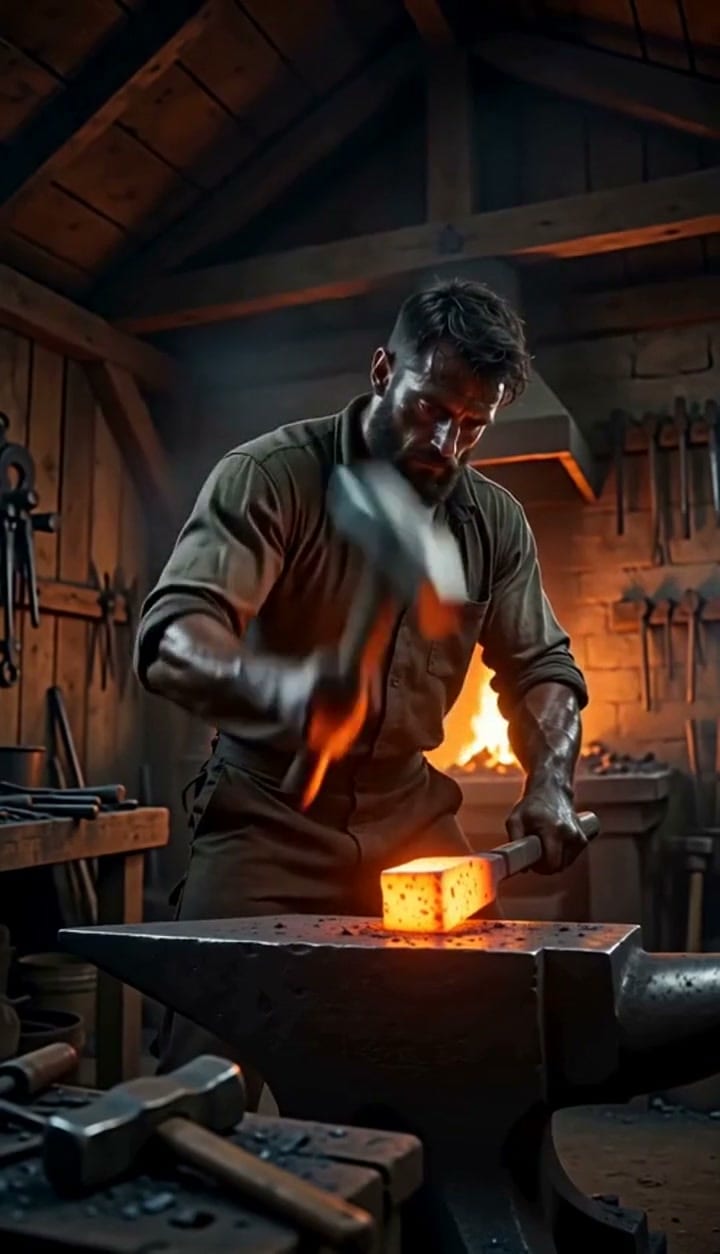
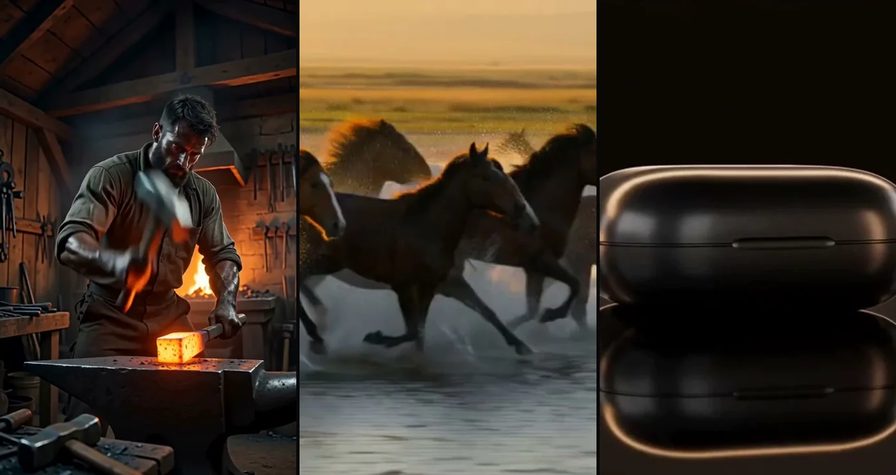
A blacksmith strikes glowing iron on an anvil in a dim workshop, sparks fly on every hit and each clang lands in sync with the picture, firelight on his face, low angle tripod shotRun this prompt →
This is the argument for briefing the noise rather than adding it: the hammer and the clang were generated together, so the hit sits on the frame instead of near it. Nudging a foley track into place afterwards never quite gets there, and an audience can hear the miss even when it cannot name it.
Motion that survives the run
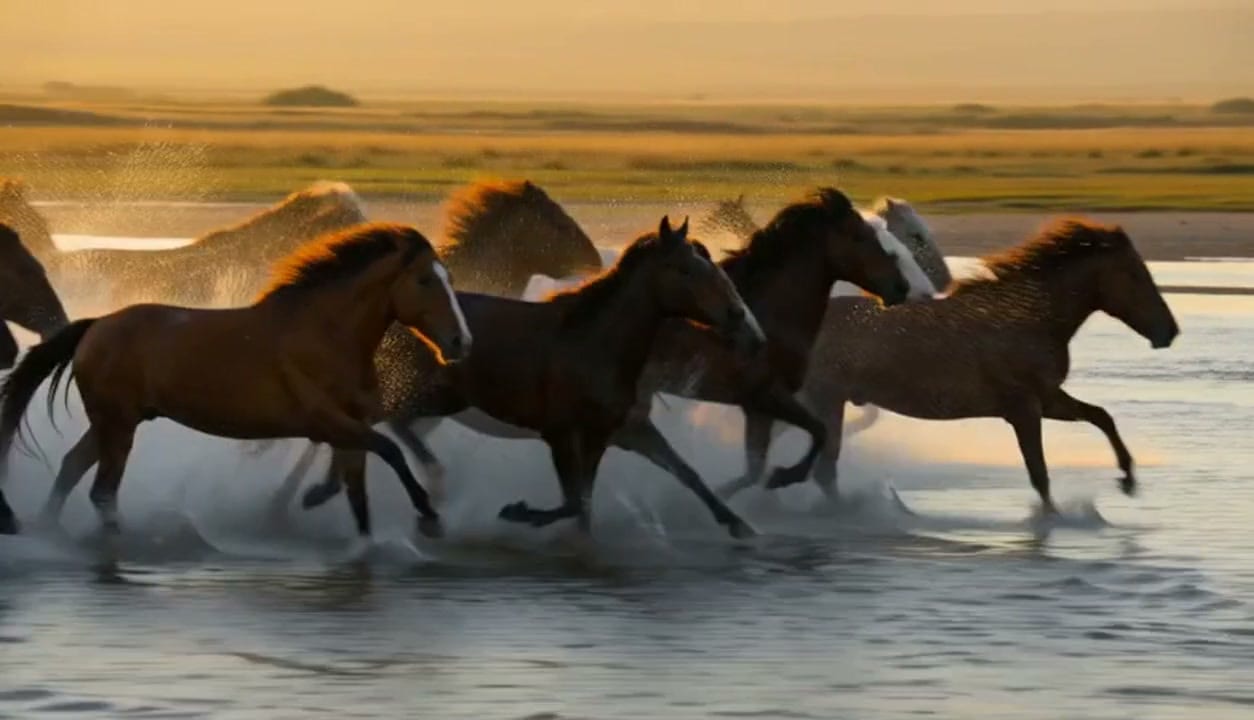
Wide tracking shot of a herd of horses galloping through shallow river water, spray catching the backlight, the camera moves alongside at their speed, legs and manes stay clean through the runRun this prompt →
Legs are where video models come apart. A herd, moving water, backlit spray and a camera travelling with all of it is the hardest thing on this page, and the tell to look for is whether a leg swaps knees mid-stride. Watch any animal render twice before you trust it.
The product turn

Cinematic product shot: a matte black wireless earbud case turns slowly on a dark reflective surface, a single warm rim light sweeps across it, macro lens, shallow depth of field, slow push-in, plain unbranded caseRun this prompt →
This is a benchmark brief we run on every video model we sell, which is why it is deliberately plain: no logo, no set, nowhere to hide. The thing to judge is the rim light. Either it travels across the case the way a real light would, or it flickers because the model keeps changing its mind about the surface.
3
rungs wearing one name
1
sentence per brief
1
clause changed per pass
What a render costs
Video is priced per render here, not per month, and the figure on the button is the figure you pay. The floors sit in the three tables above with their pack-rate dollars beside them, computed at our published pack rate rather than typed into this paragraph. What moves the price inside a rung is the cell you choose: the frame size, the seconds, and whether sound rides along. The composer quotes that exact cell before you spend, so the only way to be surprised by a bill here is to not look at it.
Is Seedance 2.0 free?
This is the query behind a good half of the traffic to this page, so here is the whole answer rather than the flattering half of it.
Free to try, yes. A new OpenClips.AI account gets ⚡50 on signup, no card, and that balance renders like any other. Free forever, no. Nobody runs a video model for nothing, and anyone who says otherwise is charging you somewhere you are not looking: a watermark burned into your cut, your footage feeding somebody’s next training run, or an hour of queue.
How far the grant stretches is the useful part. Compare the price rows in the three tables above and the arithmetic is plain: it clears a render on every rung at its floor, about three of them on Mini or Fast and one on the finisher. So the clip you make for nothing can come off any rung — it just goes three times further down the ladder. That is not a bait. It is what the three rungs cost.
What Seedance 2.0 is bad at
A guide that only lists strengths is an ad. Here are the failures, and they are the same failures on all three rungs.
Legible text in frame. Signage, packaging copy, a lower third. It comes back as convincing lettering that is not a word. Set type in an editor afterwards, over a clean plate.
Counted things. Fingers, stair treads, the bottles on a shelf. Generation is not counting, and it never has been.
Two subjects fighting for the frame. Ask for a hero product and a hero face in one clip and one of them will lose. Give each its own take and cut them together.
Continuity you did not ask for. Two clips briefed separately will not match on light or lens. If they have to match, say the light and the lens in both briefs and attach the same references to each.
A rewrite mid-take. There is no editing inside a generation. When the third beat is wrong, the fix is a new brief, not a longer one.
The short version
- Seedance 2.0 is ByteDance’s video model, and three rungs wear the name.
- One sentence is the brief: subject, then motion, then camera.
- Bring a still whenever the thing in frame has to be your thing.
- References hold a campaign together from shot to shot.
- The grant clears a render on every rung, and three on a draft rung. Draft on Mini, where it stretches furthest, and finish once on top.
- Every figure here renders from the catalog, so this post and the model page cannot disagree.
Start on the Seedance 2.0 page, or line it up against Seedance 2.5 and Seedance 1.5 Pro on the models hub.