
GuideGet started
Sign up and sign in
The short answer
Press Sign up, choose Google, Apple, Facebook or Use email instead, and type the code OpenClips emails you. Next time, press Sign in and use the same way in.
On this page6 sections
Before you start
What you need
- An email address, or a Google, Apple or Facebook account.
- Nothing else. You don’t need a card to sign up.
Who can use it
Every plan: Free, Starter, Creator, Pro and MAX.
Models marked with a lock unlock with your first purchase.
Anyone can sign up.
What it costs
From ⚡2 a clip. See every price
Signing up costs nothing. A new account gets signup credits once, and the Generate button shows each video’s price before you press it.
Steps
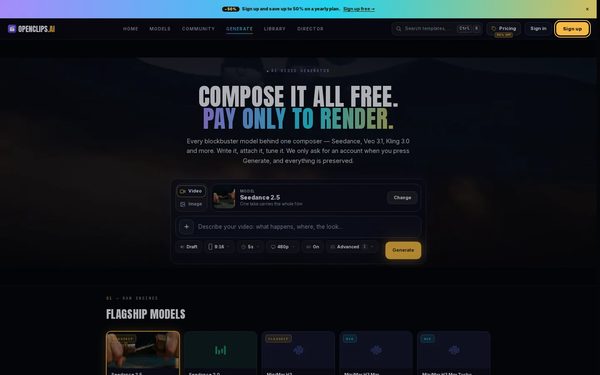
Open the sign-up window
Press Sign up at the top of the page. The Start free window opens.
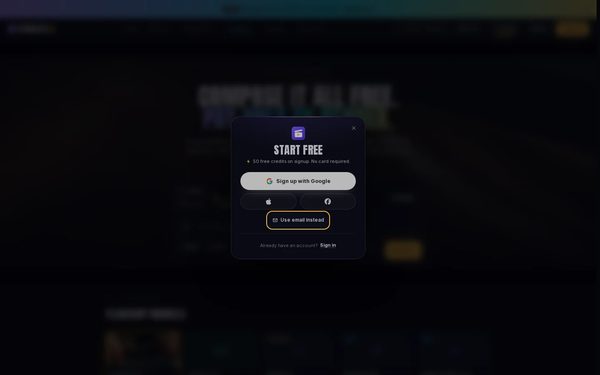
Choose how to sign up
Press Sign up with Google, or the Apple or Facebook button under it. To use your email address instead, press Use email instead.
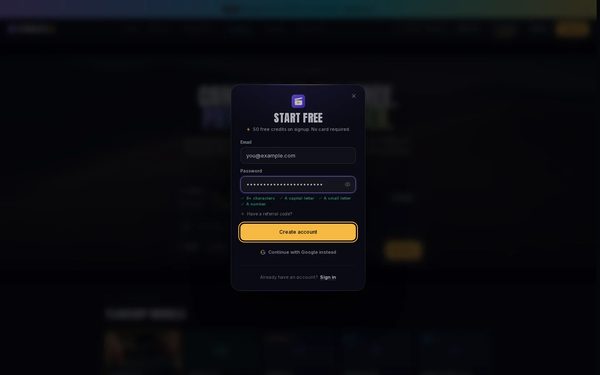
Type your email and a password
Type your Email and a Password, then press Create account.
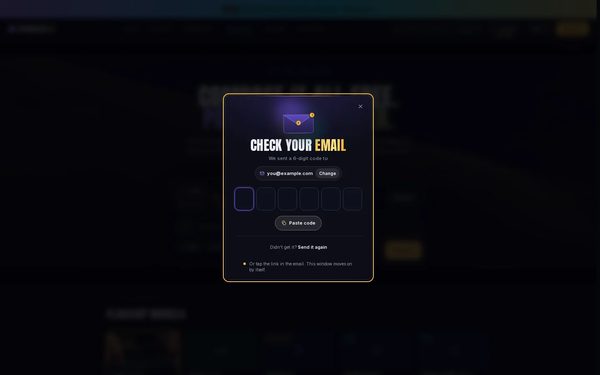
Type the code from the email
The window says Check your email. Type the code from the email, or copy it and press Paste code. Tapping the link in the email works too.
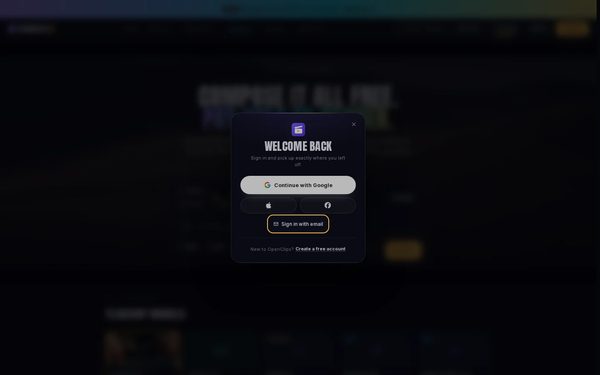
Open the sign-in window
Next time, press Sign in at the top of the page. The Welcome back window opens.
On a phone: Tap Sign up at the top, then Sign in at the foot of the window. The Welcome back window opens.
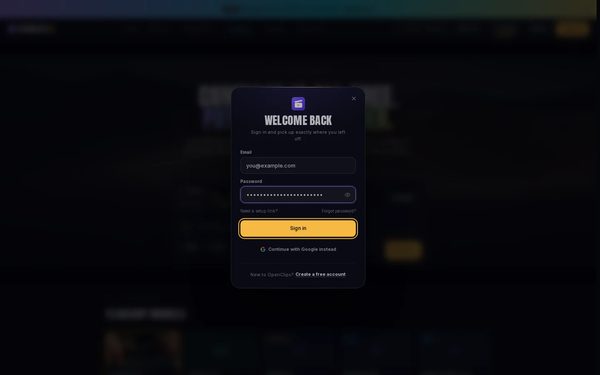
Sign in with your email
Press Sign in with email, type your Email and Password, then press Sign in. If you signed up with Google, press Continue with Google instead.


What you get
An OpenClips account, signed in, with your signup credits in your balance.
Tips and limits
- Sign in the way you signed up. An account made with Google signs in with Continue with Google.
- Have a referral code? Press Have a referral code? under the password before you press Create account.
- The code is only for confirming your email address. After that, you sign in with your password or the button you signed up with.
If something goes wrong
- The window says That email and password don’t match an account.: check both, or press Forgot password? to set a new password.
- The code doesn’t arrive: look in your spam folder, then press Send it again.
Questions
Is it free to sign up?
Yes. Signing up costs nothing and needs no card, and a new account gets signup credits once. See What the free plan includes.
Can I sign in with Google, Apple or Facebook?
Yes. In the Welcome back window, press Continue with Google, or the Apple or Facebook button under it. Use the one you signed up with.
I forgot my password. How do I get back in?
In the Welcome back window, press Forgot password?, type your email address and press Send reset link. OpenClips emails you a link to choose a new password.
How do I sign out?
Press your name at the foot of the App menu to open the Account menu, then press Sign out.
Related
Steps checked in the app Updated