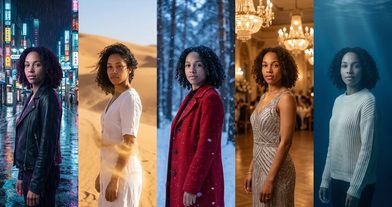
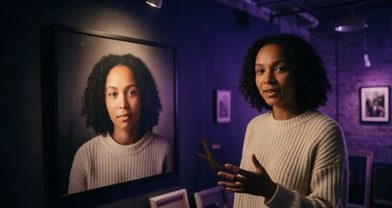
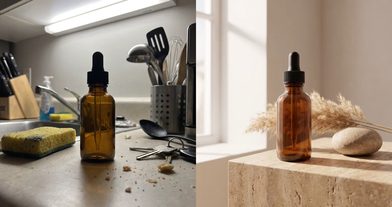
AI Video of Yourself: 4 Ways to Make One From a Single Selfie
You want yourself walking through Lisbon, explaining your product at a desk, and talking to camera in Spanish. You have one selfie and no film crew. That is enough, as long as you pick the right route for each shot.
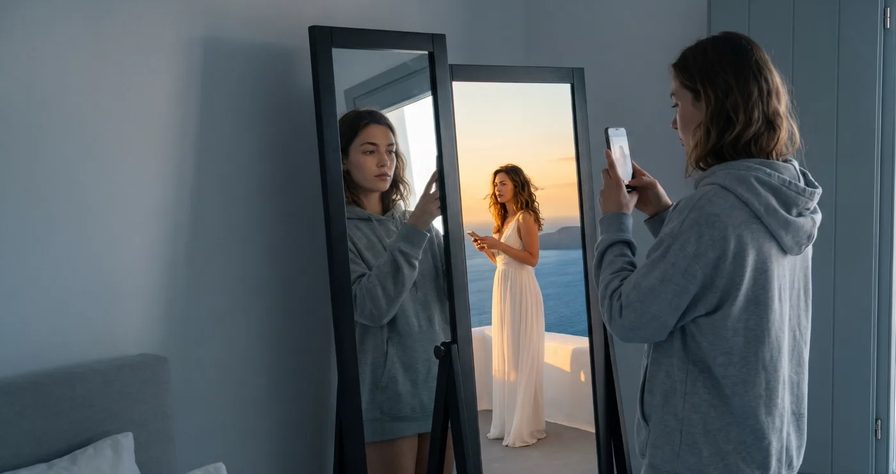
Scene select — 9 scenes
You want yourself walking through Lisbon, explaining your product at a desk, and talking to camera in Spanish. You have one selfie and no film crew. That is enough, as long as you pick the right route for each shot.
Which route fits your video?
| Route | You give | You get | Best for | Time shown in our tutorials |
|---|---|---|---|---|
| 1. Community workflow | Selfie (plus a product photo if the workflow asks) | A finished film from a tested prompt | Your first try, no prompt writing | About three or four minutes |
| 2. Your avatar + Seedance 2.5 | One photo and a 10 s voice line, once | You in any scene, saying your lines | Ads, a weekly series, an AI influencer | Avatar in a minute or two, a 15 s ad in about 5 min |
| 3. OmniHuman 2.0 | One photo plus your full recording | Your photo speaking your real audio | Explainers, updates, long talking heads | Not timed |
| 4. Translate a clip | A raw clip of you talking | The same reel in another language, your face and voice | Reaching new markets | 20 min or more per reel |
Rule of thumb: try it today, Route 1. A face you reuse for months, Route 2. Every word in your real voice, Route 3. One take, many languages, Route 4.
Step 0: the selfie checklist
Every route copies what is in your photo, including the flaws. OpenClips’ own advice is short: one clear subject, good light, a phone photo is enough. In the tutorials it is “head and shoulders, good light, facing the camera”. Here is the full list.
- Light: face a window in daylight. No hard shadow across the nose, no ring-light glare in the eyes.
- Framing: head and shoulders, camera at eye level, face fully visible.
- Expression: neutral, mouth relaxed and closed. A big grin gets copied into every shot.
- No filters: no beauty mode, no skin smoothing, no portrait blur. The model reads a filter as your real skin.
- Glasses: off, unless you wear them every day. Once they are in the reference, they tend to stay.
- Hair: off the eyes. A strand across the face becomes part of the face.
- Background: a plain wall, so nothing from your room drifts into the scene.
- File: send the original photo, not a screenshot or a tight crop. In our own runs, very small crops were rejected.
Route 1: one selfie into a community workflow (no prompt)
Watch: AI Video of Yourself From One Selfie: Seedance 2.5 on Your Phone. Skip to 1:14 to see the finished film starring the selfie from 0:37.
A community workflow is a film another creator already worked out: the prompt, the model and the settings are saved. You only add your photos. The tutorial says there are over 500 of them.
- Open OpenClips on your phone and swipe through the categories.
- Pick a workflow and watch the Seedance 2.5 example at the top.
- Tap You and take or upload your selfie.
- If the workflow has a product slot, add a clear product photo.
- Pick the format (9:16 for Reels and TikTok, 16:9 for YouTube, 1:1 for the feed) and the quality.
- Tap Make My Film. Seedance 2.5 renders it in about 3 to 4 minutes.
This is the fastest way to see your face in a real scene before you write a single prompt. When you find a look you like, open the workflow’s prompt and use it as the base for Route 2. If you build one worth repeating, share it and earn credits.
Route 2: make your avatar once, then put yourself in any scene
Watch: How to Make an AI Avatar Video of Yourself from One Photo. It starts at the photo step. At 1:58 the avatar speaks her lines in a 15-second perfume ad.
An AI avatar is a character made from one photo of a face. Once it exists, it keeps that face in every image and video you make. This is the route for anyone who will make more than a couple of videos.
Create the avatar (once):
- Open Generate, click the plus and choose a character.
- Take a photo with your camera or upload one. Fit your face in the oval and look at the lens.
- Read a short line out loud, about 10 seconds, so the character can speak like you.
- Give it a name, then click Create. In the tutorial it was ready in a minute or two.
Use it in Seedance 2.5:
- In the composer, pick Seedance 2.5. Your avatar is attached.
- Add a product photo if the video is an ad.
- Call yourself with @YourName in the prompt and write your spoken lines in quotes.
- Set vertical, a length and the resolution. The price is on the button. Generate.
The tutorial’s 15-second ad took about 5 minutes. These templates follow the same pattern. We did not render these exact lines for this post, so treat them as starting points.
@YourName walks toward the camera along a narrow cobbled street in Lisbon at golden hour,
wearing a cream linen shirt and light-blue jeans. Relaxed pace, glances at the lens and smiles.
Real phone video look, handheld at eye level, slight natural shake, soft warm light.
Audio: street ambience and footsteps. No background music.
Run this prompt →
@YourName stands at a bright kitchen counter holding the product from image 1 at chest height,
label facing the camera. They talk to the lens, warm and casual:
"I made this because nothing on the shelf worked for me. Two weeks in, I'm never going back."
Medium shot, static camera, soft window light. No background music.
Run this prompt →
@YourName sits at a wooden cafe table, types on a plain unbranded laptop, looks up and sips coffee.
Medium shot, slow push-in, morning window light.
Run this prompt →
Keep spoken lines short and casual, one or two sentences per clip. Write them in the language you want to hear. On price, test a short draft at the lowest resolution first, then render the keeper; the spec card below carries the starting price.
| Modality | Video |
|---|---|
| Length | 4s to 30s |
| Resolutions | 480p, 720p, 1080p |
| Audio | Available |
| References | Up to 30 |
| Price | from ⚡51 per render (from $0.052/s) |
Planning a long series? The Character Studio page also describes a fuller setup: a front shot, a three-quarter shot and a profile, plus consent recorded before upload. One front photo leaves the model guessing your profile, so the extra angles help when your videos turn your head a lot. Shoot all three the same day, same light, same hair, same top. The price is shown before you confirm.
No avatar yet? You can attach the raw selfie as the first image instead and open the prompt with: “Image 1 is the exact person: same face, hair and skin tone. Do not use the background or clothes from image 1.” Some Seedance providers block realistic faces in reference images. If your selfie is refused, create the avatar and use that.
Route 3: a talking photo in your real voice (OmniHuman 2.0)
Route 2 writes your lines into the prompt. Route 3 uses your actual recording, every pause and stress. OmniHuman 2.0 takes one image and one audio track and moves your face, head and hands to match. Full details and our tests are in the OmniHuman 2.0 guide.
- Record your script on your phone. Quiet room, no music under it, phone close to your mouth.
- In the video generator, pick Dreamina OmniHuman 2.0.
- Upload your selfie and the audio, add a short prompt, check the price and generate.
Write the prompt in one order: camera, emotion, speaking state, actions.
Static medium shot, slow push-in on the last sentence. Calm and friendly, warming into a smile at the end.
They talk directly to the camera with natural blinks, a small nod on the first line
and an open palm on the key line. Background stays still.
Two notes from our tests: ask for calm delivery, because it over-acts by default, and frame a little wider so teeth do not smear in close-ups. Test a short clip first.
Keep the same face in every photo and video
Watch: How to Make an AI Influencer: Same Face in Every Photo and Video. It starts where the photo becomes a talking video. At 2:32 you see four photos and four videos with one face.
The AI influencer tutorial shows the most reliable way to keep a face consistent: make the photo first, then turn it into a video.
- Attach your avatar in Create image, pick Gemini 3 Pro Image, and write the prompt like a photo brief: place, outfit, light. Portrait shape, top resolution. Each photo took under 2 minutes.
- Switch to Create video. Seedance 2.5 is picked. Attach the avatar again, then add the matching photo from your library.
- Write the lines in quotes, set the length and full HD. Each video took about 3 minutes.
Because the video starts from the photo, the post and the video match: same face, same outfit, same cafe. Most “that does not look like me” moments come from four habits:
- Missing reference: attach the avatar or selfie to every shot, not only the first.
- Changing words: keep the outfit and look written the same way in every prompt. Reword them and the result drifts.
- Outfit jumps: if the outfit changes mid-story, update it in every prompt after that point.
- Cuts that lose you: when you continue from another clip, start on a frame where your face is clear.
Need more than one take? See our consistent character guide and how to chain clips into a longer AI video.
Route 4: speak another language as yourself
Watch: AI Video Translation in Your Own Voice: Serbian to English & Spanish. At 1:52 the English reel plays with his face and voice, and at 2:07 one message turns it into Spanish.
In this tutorial, one raw clip in Serbian became finished reels in English and Spanish with the same face and his own cloned voice. It ran inside Claude, with OpenClips connected as a custom connector:
- On OpenClips, open your profile, then API and MCP, choose Claude and click Connect. ChatGPT, Cursor and other MCP tools connect the same way.
- In a new chat, attach your raw clip and a short brief: who you are, the story, the numbers, the one message.
- Approve the script, ask for the reel, and wait. A reel with B-roll usually takes 20 minutes or more.
- Ask for changes in plain words, then: “Now make it in Spanish.”
Prefer to stay in the browser? The AI Reel Maker builds a 9:16 reel from a photo, a voice note and a brief. In OpenClips’ words: “Your face comes from your photos and your voice from a clip of you talking.” Either way, you get the file and post it yourself.
Consent, privacy and disclosure
- Your face, or one you have permission for. Character Studio asks for written consent and a release for anyone else’s photos. The image-to-video page gives the same rule.
- You can take it back. Delete the avatar and the source photos, the avatar and its embeddings are deleted within 30 days.
- Label it where the platform asks. Meta and TikTok label realistic AI content, including AI people in ads. Check current rules before you post.
- Business use needs a paid plan. Commercial use is not included on Free.
Troubleshooting
| Symptom | Likely cause | Fix |
|---|---|---|
| Looks like a cousin, not you | Filtered, dark or low-angle selfie | Reshoot: window light, eye level, no filter |
| Same grin in every shot | Smiling in the reference | Use a neutral, closed-mouth photo |
| Glasses appear or vanish | Glasses in the reference | Shoot without them, or name them in every prompt |
| Face changes when you turn | One front photo only | Slower camera moves, or add three-quarter and profile shots |
| Selfie refused as a reference | Provider face filter | Create an avatar and attach that |
| Video does not match your post | Video started from text only | Make the photo first, then add it to the video |
| Talking photo over-acts | OmniHuman default style | Write “calm, natural delivery” |
| Teeth smear when talking | Close-up framing | Frame wider, medium shot |
One selfie, your voice, any scene. New to OpenClips? Start free with ⚡50 on signup, no card.
Sources, read on 29 October 2026: our four YouTube tutorials (AI video of yourself from one selfie, an AI avatar video from one photo, how to make an AI influencer, and AI video translation in your own voice), the OpenClips pages for Character Studio, Seedance 2.5, image to video, the AI Reel Maker and UGC Ads, an Adobe Community thread on real human faces in Seedance references, and Cinerads on AI ad disclosure requirements in 2026.