

Sign up and save up to 50% on a yearly plan.Sign up free →Black Friday: up to 50% off yearly plans.See the deal →

One video. 31 languages.

Mirage Translate AI video generator

Upload a video with speech and pick a language. Mirage Translate dubs it. Subtitles come translated too.

From $0.137 per render on MAX yearly

English to Japanese
Hero take

● Made with Mirage Translate

Straight off the model

Every example is one render, with the prompt that made it.

  • Mirage Translate example 1Video

    English to Japanese

    English to Japanese, keep the voice, with subtitles. Original first, then the translation.

    Verbatim prompt
    English to Japanese, keep the voice, with subtitles. Original first, then the translation.
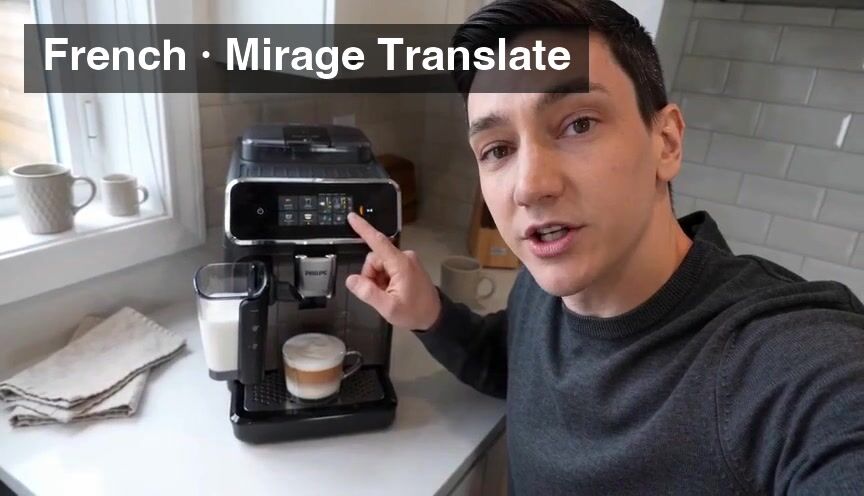
  • Mirage Translate example 2Video

    English to French

    English to French, keep the voice, with subtitles. Original first, then the translation.

    Verbatim prompt
    English to French, keep the voice, with subtitles. Original first, then the translation.
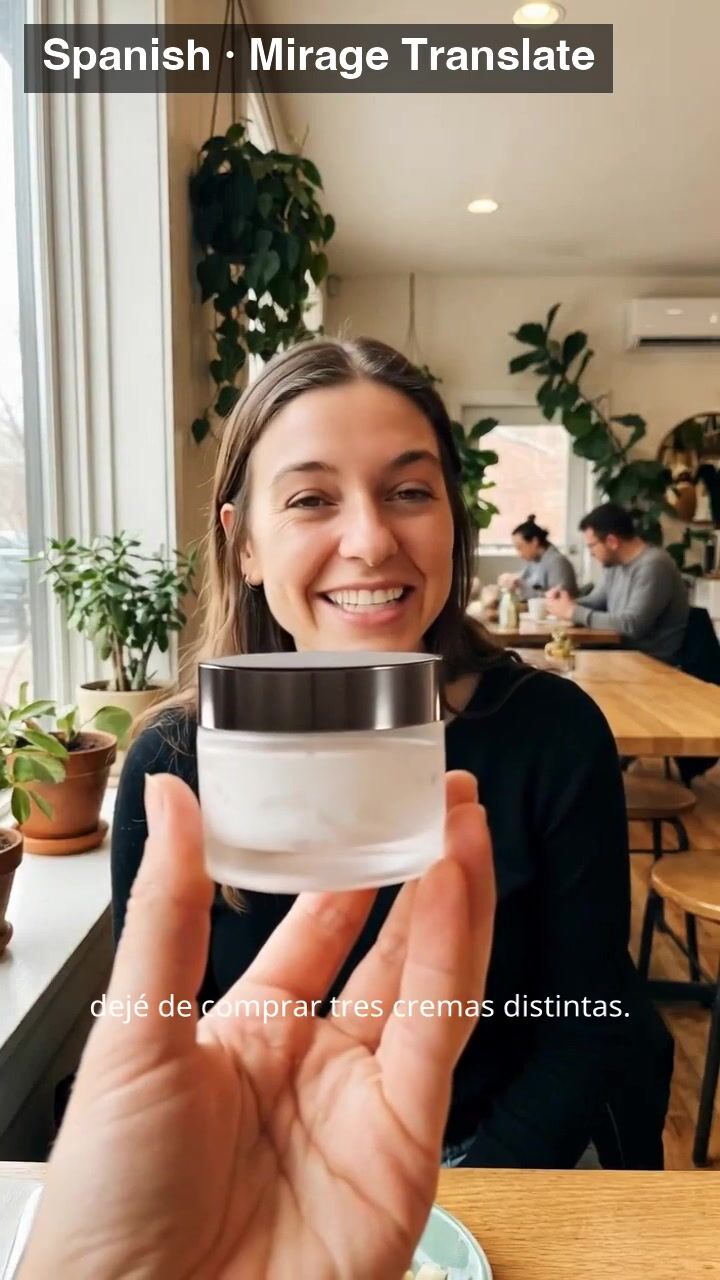
  • Mirage Translate example 3Video

    English to Spanish

    English to Spanish, keep the voice, with subtitles. Original first, then the translation.

    Verbatim prompt
    English to Spanish, keep the voice, with subtitles. Original first, then the translation.

● Use cases

What people make with Mirage Translate

Dub a video into one of 31 languages, with translated subtitles.

Video

English to Japanese

Verbatim prompt
English to Japanese, keep the voice, with subtitles. Original first, then the translation.
Video

English to French

Verbatim prompt
English to French, keep the voice, with subtitles. Original first, then the translation.
Video

English to Spanish

Verbatim prompt
English to Spanish, keep the voice, with subtitles. Original first, then the translation.

● Why people pick it

What is Mirage Translate good at?

01

25 languages in, 31 out

From English, Spanish, Japanese and more. Into 31 languages.

02

Three dubbing styles

Keep the emotion, keep the voice, or best quality.

03

Subtitles included

Translated subtitles are on by default. Switch them off for a clean dub.

04

No script needed

No prompt and no transcript. The video is the input.

05

Need matching lips?

Mirage Translate Lip-sync moves the speaker's mouth to fit.

● Side by side

How does Mirage Translate compare?

The closest video models on OpenClips, on the same credits.

SpecMirage TranslateMirage BlurMirage RemixMirage Translate Lip-sync
Made byMirage TranslateMirageMirage BlurMirageMirage RemixMirageMirage Translate Lip-syncMirage
PriceMirage Translatefrom 33 credits per renderMirage Blurfrom 11 credits per renderMirage Remixfrom 6 credits per renderMirage Translate Lip-syncfrom 70 credits per render
OutputMirage TranslateMP4Mirage BlurRASTERMirage RemixRASTERMirage Translate Lip-syncRASTER

Prices are the catalog's, quoted before every render.

● Specs

Mirage Translate specs

StatusLive in the app, the API and the MCP
Made byMirage
ModalityVideo
InputsOne video
Dubbing styleKeep the emotion · Keep the voice · Best quality
Source languageArabic · Bengali · Cantonese · Chinese · Dutch · English · Filipino · French · German · Greek · Indonesian · Italian · Japanese · Korean · Malay · Nepali · Polish · Portuguese · Romanian · Russian · Spanish · Thai · Turkish · Ukrainian · Vietnamese
SubtitlesOn / off
Target languageArabic · Burmese · Cantonese · Chinese · Danish · Dutch · English · Filipino · Finnish · French · German · Greek · Hebrew · Hindi · Indonesian · Italian · Japanese · Khmer · Korean · Lao · Malay · Norwegian · Polish · Portuguese · Russian · Spanish · Swahili · Swedish · Thai · Turkish · Vietnamese
OutputMP4
Pricefrom 33 credits per render · $0.137 per render on MAX yearly

● How it works

How do you use Mirage Translate on OpenClips?

01

Add your video

Pick one video with speech from your library or upload it.

02

Pick the languages

The language spoken now, and the one you want.

03

Pick the dubbing style

Keep the emotion, keep the voice, or best quality. Subtitles on or off.

04

Generate

The dubbed MP4 lands in your library.

● Tips

Tips for better results with Mirage Translate

  • Set the spoken language right

    Pick the language the speaker actually uses in the video.

  • Keep the voice for talking heads

    The dub sounds like the same person in the new language.

  • Clear speech dubs best

    Less music and noise under the voice gives a cleaner dub.

  • Faces on camera?

    Use Mirage Translate Lip-sync so the lips match the new words.

● Made for

What can you make with Mirage Translate?

Ad localizationCoursesTutorialsTestimonialsProduct demosPodcasts on videoSocial clipsWebinars

● Questions

Mirage Translate FAQ

Mirage Translate is an AI video translator by Mirage. It dubs the speech in a video into another language, keeps the speaker's voice or emotion, and adds translated subtitles. There is no script to write. It runs in the OpenClips app, the REST API and the MCP.

It translates from 25 languages: Arabic, Bengali, Cantonese, Chinese, Dutch, English, Filipino, French, German, Greek, Indonesian, Italian, Japanese, Korean, Malay, Nepali, Polish, Portuguese, Romanian, Russian, Spanish, Thai, Turkish, Ukrainian and Vietnamese. It dubs into 31: Arabic, Burmese, Cantonese, Chinese, Danish, Dutch, English, Filipino, Finnish, French, German, Greek, Hebrew, Hindi, Indonesian, Italian, Japanese, Khmer, Korean, Lao, Malay, Norwegian, Polish, Portuguese, Russian, Spanish, Swahili, Swedish, Thai, Turkish and Vietnamese.

Keep the emotion keeps the speaker's tone and energy. Keep the voice makes the dub sound like the same person. Best quality aims for the cleanest result.

Yes. Translated subtitles are on by default, and you can switch them off for a clean dub.

No. Mirage Translate changes the audio and the subtitles. To move the speaker's lips to fit the new language, use Mirage Translate Lip-sync.

Up to 10 minutes, one video per run.

Mirage Translate opens with your first purchase: any plan or credit pack. A new account still gets ⚡30 on signup with no card, for the models the free plan runs.

Mirage Translate costs from 33 credits per render, paid from your OpenClips credits. That is from $0.137 per render on MAX yearly. The price is shown before you generate.

Yes. Mirage Translate runs from the OpenClips app, the REST API and the MCP server, with the same settings and the same price.

Take your next video global

Pick a language. Keep the voice.

Translate a video

What is Mirage Translate?

Mirage Translate dubs a video into another language. Upload one video with speech, up to 10 minutes long, pick the language spoken in it and the language you want, and Mirage returns the same video with translated speech and translated subtitles. Choose to keep the speaker's emotion, keep their voice, or go for the best quality. There is no transcript to prepare and no prompt to write.

Translate a video into 31 languages

Mirage Translate dubs into Arabic, Burmese, Cantonese, Chinese, Danish, Dutch, English, Filipino, Finnish, French, German, Greek, Hebrew, Hindi, Indonesian, Italian, Japanese, Khmer, Korean, Lao, Malay, Norwegian, Polish, Portuguese, Russian, Spanish, Swahili, Swedish, Thai, Turkish and Vietnamese.

What to translate

  • Ads for new markets: one shoot, a version for every country.
  • Courses and tutorials: reach learners in their own language.
  • Founder videos and testimonials: keep the real voice in every version.

Dub with or without lip-sync

Mirage Translate changes the audio and the subtitles. When the speaker faces the camera and the lips must match the new words, use Mirage Translate Lip-sync.


● Where to go next

Related models