Sign up and save up to 50% on a yearly plan.Sign up free →Black Friday: up to 50% off yearly plans.See the deal →

Generate it. Edit it. Split it.

Seedream 5.5 AI image generator

Write a prompt or bring up to 10 images. Seedream 5.5 renders or edits. It can split one image into layers.

From $0.021 per image on MAX yearly

  • 8 aspect ratios
  • Up to 10 references
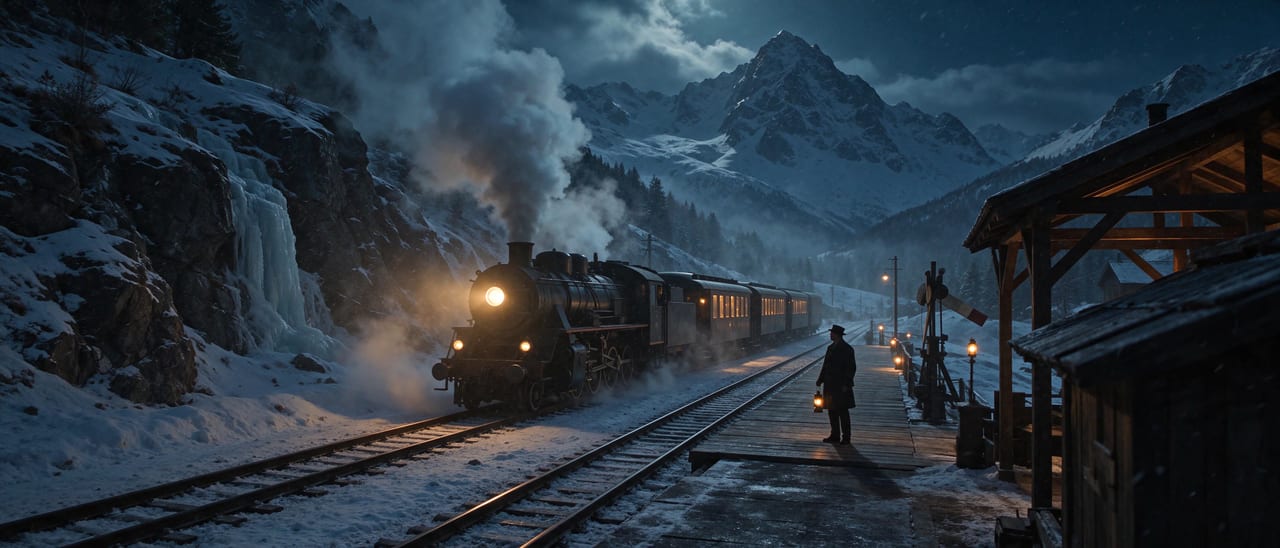
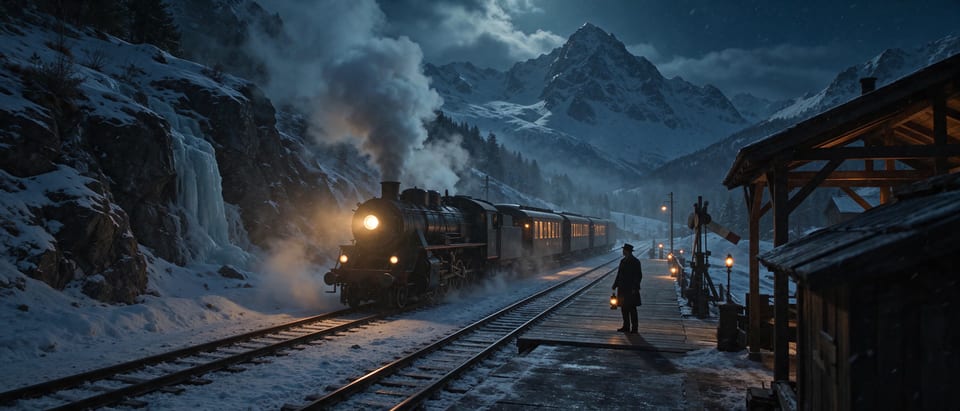
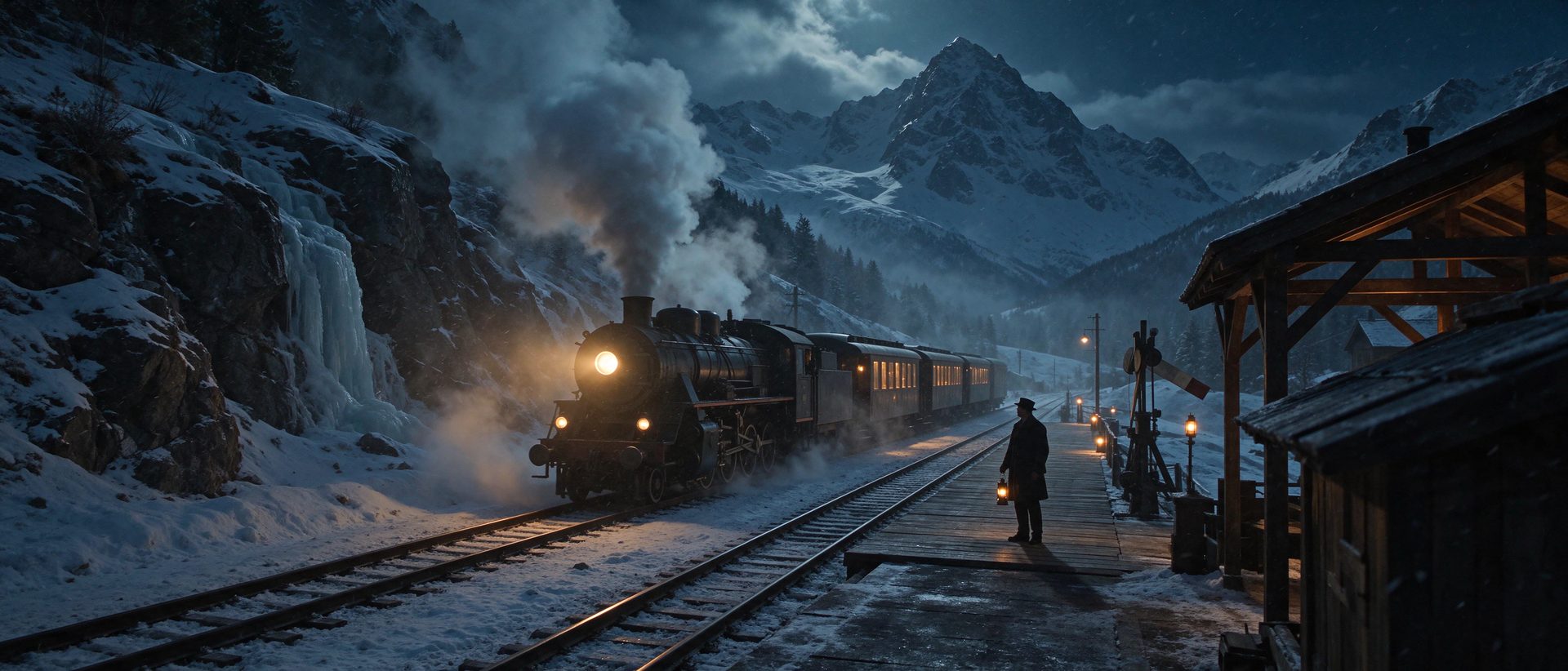
Night train crossing a snowy mountain pass
Hero take
  • 8 aspect ratios
  • Up to 10 references

● Made with Seedream 5.5

Straight off the model

Every example is one render, with the prompt that made it.

  • Seedream 5.5 example 1Image

    Night train crossing a snowy mountain pass

    Night train crossing a snowy mountain pass, wide anamorphic shot, warm amber light spilling from the carriage windows onto blue moonlit snow, a lone figure with a lantern on the small station platform in the foreground, drifting snow and low mist in the valley, steam rising from the engine, deep teal shadows, fine film grain, 35mm cinema still

    Verbatim prompt
    Night train crossing a snowy mountain pass, wide anamorphic shot, warm amber light spilling from the carriage windows onto blue moonlit snow, a lone figure with a lantern on the small station platform in the foreground, drifting snow and low mist in the valley, steam rising from the engine, deep teal shadows, fine film grain, 35mm cinema still

● Why people pick it

What is Seedream 5.5 good at?

01

Up to 10 reference images

Show the product, the person or the style to follow.

02

Split into layers

One image in. A base plus up to 29 transparent PNG layers.

03

Exact sizes

1K, 1.5K or 2K. Or type a size, like 1280x720.

04

Negative prompt

List what to keep out, up to 2,000 characters.

05

PNG or JPEG

Pick the file type per image.

● Use cases

What people make with Seedream 5.5

Product shots from a photo

Bring the packshot. Place it in a new scene.

Edits from plain words

Upload an image and describe the change.

Layers for designers

Split a finished image into separate, movable layers.

● Side by side

How does Seedream 5.5 compare?

The closest image models on OpenClips, on the same credits.

SpecSeedream 5.5GPT Image 2.6 FlareGPT Image 2.6 Sunburst
Made bySeedream 5.5BytePlusGPT Image 2.6 FlareOpenAIGPT Image 2.6 SunburstOpenAI
PriceSeedream 5.5from 5 credits per renderGPT Image 2.6 Flarefrom 2 credits per renderGPT Image 2.6 Sunburstfrom 2 credits per render
OutputSeedream 5.5PNGGPT Image 2.6 FlareRASTERGPT Image 2.6 SunburstRASTER

Prices are the catalog's, quoted before every render.

● Specs

Seedream 5.5 specs

StatusLive in the app, the API and the MCP
Made byByteDance
ModalityImage
InputsOptional prompt, up to 10 reference images
Aspect ratio1:1 · 4:3 · 3:4 · 16:9 · 9:16 · 3:2 · 2:3 · 21:9
Layer decompositionOn / off
Output formatpng · jpeg
OutputPNG
Pricefrom 5 credits per render · $0.021 per image on MAX yearly

● How it works

How do you use Seedream 5.5 on OpenClips?

01

Write a prompt

Describe the image or the edit. Optional for a layer split.

02

Add images

Up to 10 references. Exactly one for a layer split.

03

Pick the size

1K, 1.5K, 2K or an exact size.

04

Generate

The result lands in your library.

● Tips

Tips for better results with Seedream 5.5

  • Use the negative prompt

    Name what keeps sneaking in. Text, clutter, extra props.

  • One image for layers

    A layer split takes exactly one input image.

  • Say what each image is for

    Image 1 is the product. Image 2 is the style.

● Made for

What can you make with Seedream 5.5?

Product shotsImage editsLayered designsAd creativesSocial postsPackshotsConcept artBanners

● Questions

Seedream 5.5 FAQ

Seedream 5.5 is ByteDance's image model for generating and editing images. It works from a text prompt, up to 10 reference images, or both, and can split a finished image into layers. On OpenClips it runs in the app, the REST API and the MCP.

Yes. Upload the image and describe the change in the prompt. Add more images to show a product, a person or a style to bring in.

Give Seedream 5.5 one image and it returns the base image plus up to 29 separate layers as transparent PNGs, so you can move or replace each element in a design tool. A layer split takes exactly one image, and the prompt only names the elements to split.

1K, 1.5K or 2K, or an exact width by height, such as 1280x720, up to about 4.6 megapixels and any aspect ratio up to 16:1. Without a size, a generation renders at 2K.

Up to 10 per image.

Seedream 5.5 opens with your first purchase: any plan or credit pack. A new account still gets ⚡30 on signup with no card, for the models the free plan runs.

Seedream 5.5 costs from 5 credits per render, paid from your OpenClips credits. That is from $0.021 per image on MAX yearly. The price is shown before you generate.

Yes. Seedream 5.5 runs from the OpenClips app, the REST API and the MCP server, with the same settings and the same price.

Make your next image with Seedream 5.5

Prompt it, edit it or split it.

Generate with Seedream 5.5

What is Seedream 5.5?

Seedream 5.5 is ByteDance's image model for generating and editing images. Write a prompt, add up to 10 reference images, or both, and pick a size: 1K, 1.5K, 2K or an exact width by height. It can also split one finished image into a base and up to 29 transparent PNG layers. On OpenClips it runs in the app, through the REST API and through the MCP server.

Generate, edit or split

  • Generate: describe the image and let Seedream compose it.
  • Edit: upload an image and say what changes.
  • Reference: show the product, the person or the style to follow, up to 10 images.
  • Split into layers: turn one image into separate layers for a design tool.

Prompt guide

Say what each reference image is for: "Place the bottle from image 1 on the marble counter from image 2, morning window light." Use the negative prompt for what must stay out, such as text, clutter or extra props.

● Where to go next

Related models