AI Video Translation in Your Own Voice: Step by Step in Claude
AI video translation in your own voice turns one clip of you talking into a new reel in another language, with your face and a clone of your voice. On OpenClips you do it from a chat in Claude: one Serbian take became finished English and Spanish reels in the same conversation.
Scene select — 8 scenes
AI video translation in your own voice turns one clip of you talking into a new reel in another language, with your face and a clone of your voice. On OpenClips you do it from a chat: connect OpenClips to Claude, attach your raw clip, send a short brief, approve the script and the price, then ask for each new language in one message. In our walkthrough, one Serbian take became finished English and Spanish reels in the same conversation.
This is not subtitles on a finished file. For each language, the script is written for that language, and the reel is cut with B-roll, word-by-word captions and cards, spoken in your cloned voice. You get a reel that feels native to each market. If you sell a product rather than yourself, there is also a template that makes one creator ad per language (see UGC Multilingual below).
For the wider picture of putting yourself on camera with AI, see AI Video of Yourself: 4 Ways to Make One From a Single Selfie. This post goes deep on route four: translation.
How AI video translation works on OpenClips: the walkthrough
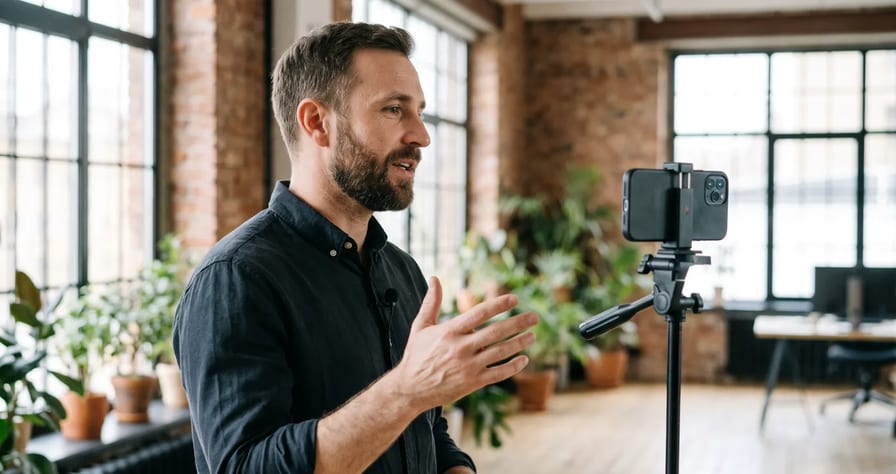
Marko recorded one take on his phone, in Serbian. He connected OpenClips to Claude, attached the clip, wrote a short brief and got back a finished English reel. One more message gave him Spanish.
| Time | What happens |
|---|---|
| 0:21 | One-minute setup: connect OpenClips to Claude |
| 0:59 | New chat on Opus 5.5, high or extra effort |
| 1:08 | Raw clip attached, short brief sent |
| 1:28 | Claude returns the script: hook, story, proof, close |
| 1:33 | Approval: “Love it. Make the video with the openclips.ai skill, generate explainer reel.” |
| 1:40 | Render note: a reel with B-roll editing usually takes 20 minutes or more |
| 1:52 | The English reel lands in the chat, his face and voice |
| 2:03 | Edit by chat: a full name and an Instagram card on screen |
| 2:11 | “Now, make it in Spanish” |
The AI Reel Maker page shows the same case from the other side: 7:58 of raw footage, “Three passes, plenty of retakes”, cut into a 1:11 reel in three languages.
Watch: AI Video Translation in Your Own Voice: Serbian to English & Spanish in Claude. From 0:21 you see the one-minute setup, and at 1:08 the four-part brief that drives the whole reel.
What to record (and what you can skip)
The source clip decides how good every language version looks. What the AI Reel Maker cases show you need:
| You have | Enough? | From the page |
|---|---|---|
| Several minutes of raw takes with stumbles | Yes | Marko’s 7:58 with “plenty of retakes”: the reel “Kept the best take of every line. Dropped the stumbles.” |
| One short phone clip of you talking | Yes, for face and voice | Tamara: “face and voice from one 20-second phone clip” |
| A photo plus a voice recording | Yes | Dan: face from a photo, “21 seconds of his voice” |
Recording checklist (editorial advice, not a platform requirement):
- Quiet room, no music under your voice. The voice is what gets cloned.
- Face in frame, lit from the front, phone at eye level.
- Say each key line at least twice. Retakes are fine; the edit keeps the best one.
- Speak in the language you speak best. Marko recorded in Serbian; English and Spanish came later.
- Have your numbers ready, with where they come from. The brief needs them.
When to translate and when to rebuild for a market
Translation is the cheap, fast way into a new market. It is not always the right one.
| Situation | Translate the reel | Rebuild from a new brief |
|---|---|---|
| The message is about you, your expertise or your story | Yes, your face and voice carry the trust | |
| You are testing whether a market responds at all | Yes, one message per language | |
| The offer, price or product differs by country | Yes | |
| The hook leans on a local joke, slang or a pun | Write a new hook in that language | |
| Your B-roll shows signs or places that read as “foreign” | Ask for new B-roll | |
| It is a product ad with a creator | Use UGC Multilingual (below) | |
| A local face matters more than yours | Use a different creator for that market |
The rule: if the viewer in the new market needs a different reason to care, write a new brief. If they need the same reason in their own words, translate.
UGC Multilingual: one product ad per language
The reel route starts from footage of you. The UGC Multilingual template on the UGC ads page starts from a product: “A creator-led film built from your product photo, in the language you pick.”
| You give | You get |
|---|---|
| A product page or product photos, and the product name | One creator-led film per language, not a subtitle track |
| Up to 2 creators, one required: a stock creator or your own avatar | 20 s or 30 s per film |
| The languages you want | 9:16 or 16:9, rendered at 720p |
| A story shape: testimonial, before/after, GRWM or problem/solution | Price quoted in the composer before you render |
Three things to know before you run it:
- The template writes the script. You pick the story shape and the creator; it does not take your own lines or stage directions. If you need exact words said, use the reel route instead.
- The product name is spoken and written in every language. Check how it sounds in each version before you post.
- The cost grows with each language you add. Start with two markets, see which one responds, then add more.
The language menu in the template has 56 languages today, among them English, Spanish, Portuguese, French, German, Italian, Dutch, Polish, Romanian, Turkish, Arabic, Hebrew, Hindi, Japanese, Korean, Mandarin Chinese, Indonesian, Vietnamese, Thai, Ukrainian, Russian, Serbian and Croatian. For the related single-language template, the page says UGC Creator is “lip-synced in six languages, voiced over in the other 82.”
Which route: if the face is yours and the reel is about you, use the reel route. If the ad is about a product and a creator recommends it, use UGC Multilingual. For what makes creator ads last, read AI UGC Ads: How to Make Ones That Last.
Step by step: translate a reel in Claude
- Connect OpenClips to Claude (once). In the app: profile icon, then API and MCP, choose Claude, click Connect, check the name and address, click Continue and approve. Or press Add to Claude on the MCP page. Connecting is free, and the connector lives in your Claude account, so it works on your phone too. ChatGPT, Cursor and other MCP apps connect the same way. More in Roll Camera From Chat.
- Open a new chat on Opus 5.5 with high or extra effort. The walkthrough recommends it for creative work.
- Attach the clip and send the brief: who you are, the story, the numbers and the one message. You can paste a link and Claude pulls brand colors, products and key facts from it.
- Read the script. It comes back as hook, story, proof and close. Fix facts now, not after the render.
- Approve the plan and the price. Script, scenes, languages: the price is on the button before anything renders.
- Wait about 20 minutes or more. Claude keeps working and shows the reel in the chat when it is ready.
- Edit by chat. A name card, a handle, a shorter close. Each change returns a new version.
- Ask for the next language, and see its script first. One message per language.
- Download and post it yourself. You get the 9:16 file, captions and a cover. OpenClips does not post for you.
Watch: the one-message language switch, from 2:11. One short message turns the finished English reel into Spanish.
Messages to paste in Claude
These are templates written for this guide. We have not rendered these exact messages; the walkthrough used Marko’s own brief. Fill in the brackets.
I attached one raw clip of me talking in [SOURCE LANGUAGE].
Who I am: [NAME], [ROLE], [ONE LINE OF CREDIBILITY].
The story: [WHAT HAPPENED, 2 TO 3 SENTENCES].
The numbers: [1 TO 3 REAL NUMBERS, WITH WHERE THEY COME FROM].
The one message: [THE SINGLE THING THE VIEWER SHOULD REMEMBER].
Audience: [WHO, WHICH COUNTRY].
Write a script for a 9 reel in [TARGET LANGUAGE]: hook, story, proof, close.
Keep my real takes where they fit. Do not add facts I did not give you.
Love it. Make the video with the openclips.ai skill, generate explainer reel.
9, captions on. Show me the price before you render.
Add my full name and my Instagram handle [@HANDLE] as an on-screen card
in the first 5 seconds. Keep everything else the same.
Now make it in [LANGUAGE] for viewers in [COUNTRY].
Translate the meaning, not word for word: write the line a native speaker would say.
Write prices in [CURRENCY] and dates in the local format.
Keep each line as short as the original; cut words before you cut ideas.
Translate the on-screen cards too. Keep my name and handle exactly as they are.
Show me the [LANGUAGE] script before you render.
Use the UGC Multilingual template for [PRODUCT NAME].
Product photo: attached. Creator: my avatar [AVATAR NAME].
Languages: [LANGUAGE 1], [LANGUAGE 2].
Story shape: testimonial. Length: 20 seconds. Format: 9.
Quote me the total price before you render.
Before you post: a 2-minute check per language
A wrong fact costs a whole render. A wrong word in a script costs nothing, so most of this happens before you approve.
- Hook: read the first line out loud, or have a native speaker read it. It decides the scroll.
- Numbers: currency, dates and units match the market, and every number is one you gave.
- Names: your name, brand and handle are spelled exactly the same in every version; the product name sounds right.
- Cards and captions: on-screen text is in the new language, not left in the original.
- Length: no line is rushed to fit a shot. If it is, ask for a shorter line.
- Label: add the platform’s AI label where it applies (next section).
Your voice, consent and AI labels
Consent first. The AI Reel Maker page is clear about whose face and voice you can use: “Your own, or a person who agreed to it.” Never translate a clip of someone who has not agreed to be cloned.
Labels follow the platform you post on. This is not legal advice, and the rules change, so check before you post:
- TikTok requires creators to label AI-generated or significantly edited content that shows realistic-looking scenes or people (its Community Guidelines on integrity and authenticity).
- YouTube asks for disclosure of realistic altered or synthetic content, including making a real person appear to say something they did not say. Its help page lists cloning your own voice for voice overs or dubs as a minor edit. A translated reel can include more than your voice, so read the full page.
- Meta uses an “AI info” label and requires advertisers to disclose digitally created or altered political or social issue ads in certain cases.
When in doubt, label it. A translated reel in your own voice is still synthetic speech.
What it costs: connecting is free. Renders use the same ⚡ credits as the composer, and the price is on the approve or Generate button before anything renders, so you approve every spend. UGC Multilingual is quoted in the composer and grows with each language. New accounts get ⚡30 once on signup. Commercial use (ads, client work, monetized channels) is on paid plans only. See pricing.
One clip, every market you sell in. New to OpenClips? Start free with ⚡30 on signup, no card.
Sources, read on 4 November 2026: our walkthrough “AI Video Translation in Your Own Voice” (transcript and description), the OpenClips AI Reel Maker, UGC ads, MCP and pricing pages, the OpenClips template catalog, YouTube Help on disclosing altered or synthetic content, TikTok’s Community Guidelines on integrity and authenticity, and Meta’s post on labeling AI-generated content.