Grok Imagine Video in 2026: What Grok’s AI Video Generation Can and Cannot Do
Grok Imagine is the video model people meet inside Grok and then try to use for work. It is fast, loud and genuinely good at some jobs, and there are things it will not do. Here is the line between them, on our own renders.
Scene select — 7 scenes
Grok Imagine is the video model most people meet by accident. It is attached to something they were already using, it answers fast, and the first clip is usually funnier than they expected. Then they try to use it for work, and the question stops being what it can do and starts being where it stops.
Disclose the bias first: we build OpenClips.AI, and Grok Imagine runs here beside the other cameras. Every number on this page is rendered from the catalog the composer bills against rather than typed by a writer, and every clip below is our own render with its verbatim brief printed underneath.
What Grok Imagine actually is
It is xAI’s generative model for pictures and motion, and it arrived as a consumer feature rather than a filmmaking tool. That origin explains the house style: saturated, confident, happy to render a joke at full commitment. It is the model you point at a scroll-stopper, not the one you point at a watch catalogue.
xAI documents the line itself, and those pages are the two worth trusting on what the model is. The model list, video versions included, sits in xAI’s developer docs, and so does the generation guide covering the video lane, clip editing and extending a clip from its final frame. Everything below is what it is like to actually work with, which the docs cannot tell you.
The sheets, straight from the catalog
Three records wear the Grok Imagine name here. Read the tables rather than any sentence a writer could get wrong.
Grok Imagine 1.5, the flagship
The one to reach for. It is the version our proof roll was shot on, and the renders further down are all its work.
| Modality | Video |
|---|---|
| Length | 1s to 15s |
| Resolutions | 480p, 720p, 1080p |
| Audio | None |
| References | Up to 1 |
| Price | from ⚡19 (from $0.08) |
Its home is the Grok Imagine 1.5 page, which carries the grid and the showcase strip.
Grok Imagine Video, the wider brief
A second video record with a different appetite for inputs. It rides the 1.5 page rather than owning one, and the composer lists it beside the flagship.
| Modality | Video |
|---|---|
| Length | 1s to 15s |
| Resolutions | 480p, 720p |
| Audio | None |
| References | Up to 8 |
| Price | from ⚡11 (from $0.05) |
Grok Imagine, the stills
The image half of the family, and the natural first step when a video render needs a frame to open on.
| Modality | Image |
|---|---|
| Resolutions | 1k, 2k |
| References | Up to 3 |
| Price | ⚡11 (from $0.05) |
The Grok Imagine image page carries its own sheet and grid.
What it is genuinely good at
Three jobs, and three of our own renders to argue the point. Each one carries the verbatim brief that made it and the settings it was sent with. What each one cost is the Price row in the sheet above, which is the floor the composer quotes on the button before you press it.
Loud, kinetic, impossible
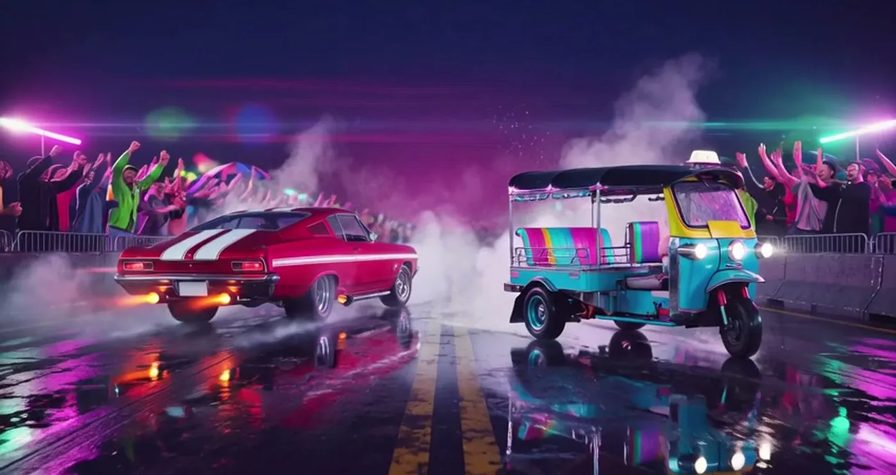
This is the job Grok Imagine was born for. Two vehicles that would never race each other, a wet strip, a crowd, and a colour grade with no interest in realism. The frame at the top of this page is this clip, standing still.
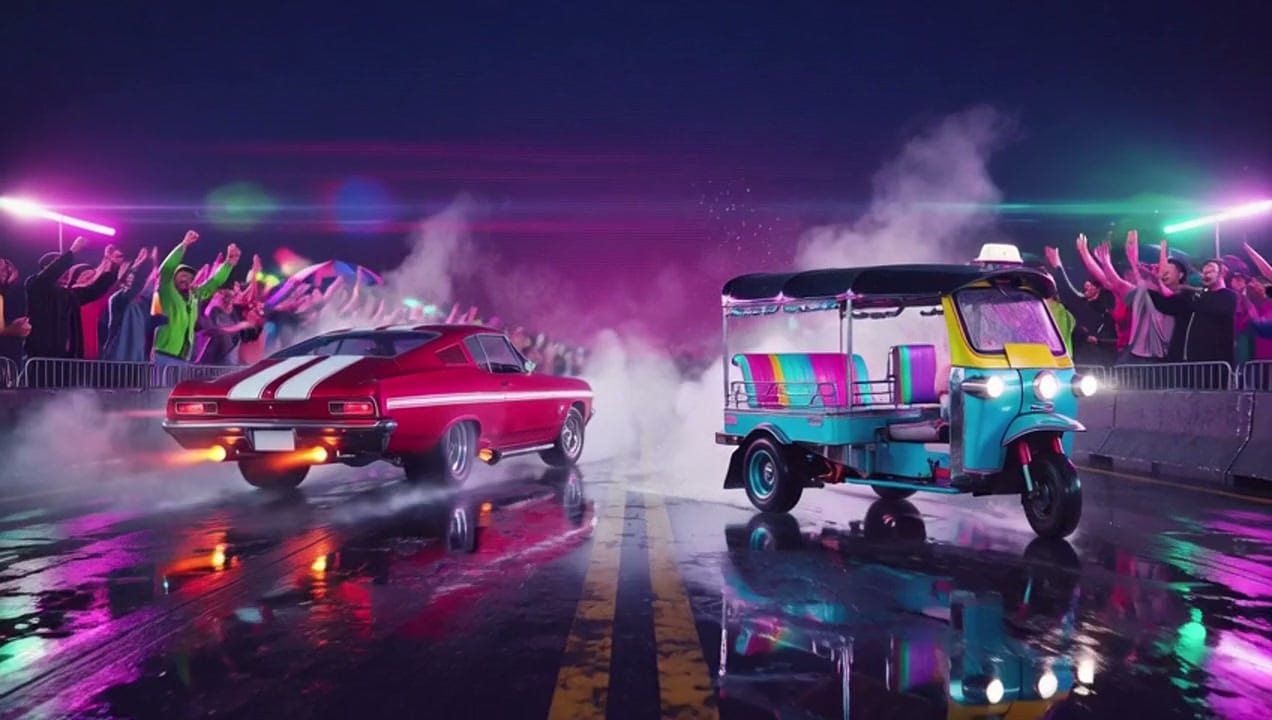
A neon-lit drag race between a vintage muscle car and a tuk-tuk on a rain-slick strip, wheels spin, the crowd roars, synthwave color gradeRun this prompt →
Feed-native verticals
The second job is the one that pays: a vertical clip with enough energy to survive a thumb. Note what the model does without being asked, which is commit. The fisheye is in the brief. The tongue is not.

A corgi in sunglasses bombs a hill on a skateboard past pastel houses, tongue flapping, fisheye lens, punchy saturated colorRun this prompt →
A person talking to camera
The benchmark brief we run across every video model, so the comparison stays fair. It holds a face, a kitchen and natural window light, and it is convincing right up to the point where you need her to say something specific.
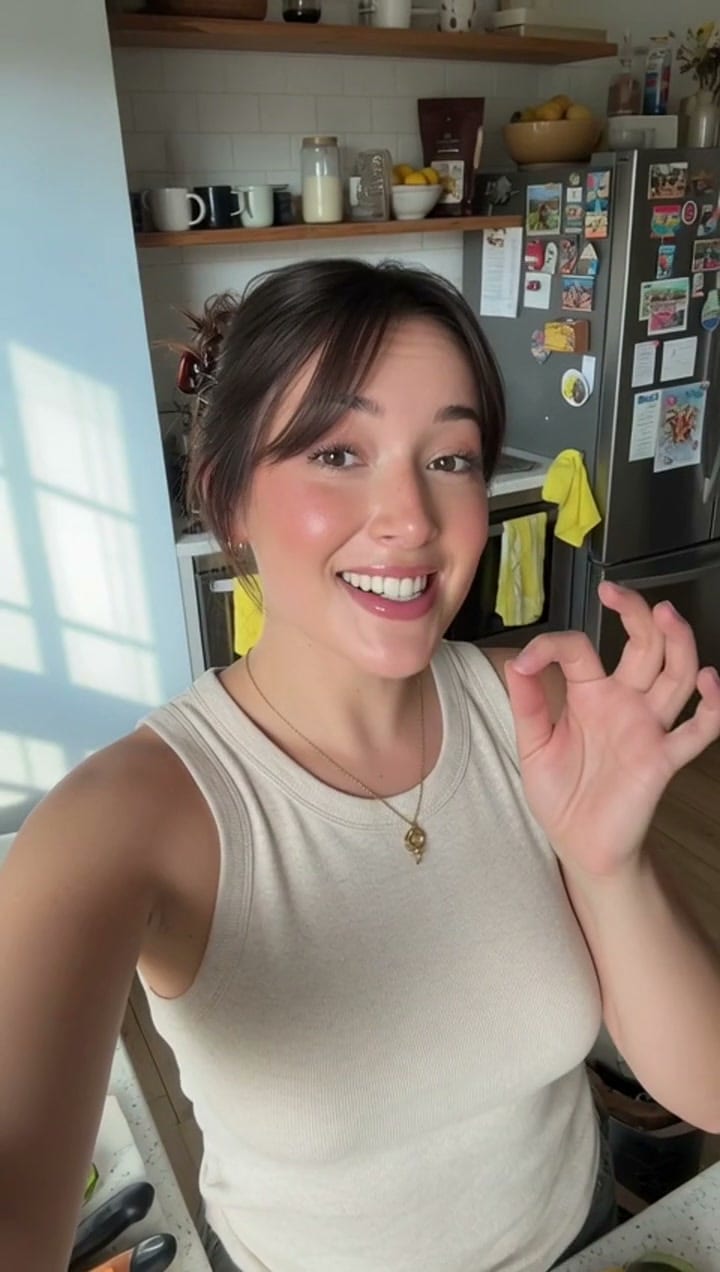
A woman in her late twenties talks straight into her phone camera in a bright kitchen, handheld selfie framing, natural window light, she smiles and gestures mid-sentence, casual creator energy, no on-screen captionsRun this prompt →
3
records under one name
1
picture before every clip
1
shot per render
What it cannot do
An honest guide names the failures. These are the four that decide whether Grok Imagine belongs in your job.
It will not start from nothing. The flagship is dispatched with a picture, so the composer asks for the frame before it will send. Draw the still, look at it, then pay for motion. That order is cheaper anyway, and the Grok Imagine image page is one way to draw it.
It will not carry the voice for you. The creator clip above is a person mid-sentence, and what comes back is a performance rather than a line reading. Check the Audio row in the sheet before you plan the edit, and cast the voice where you cast the rest of the soundtrack.
It will not build a scene. You get one continuous shot per render. A sequence with a beginning, a turn and an ending is still your edit, and a model that hands you a shot is not a model that hands you a story.
It will not respect small type. Logos, packaging copy and fine labels drift through motion, and the bolder the grade the more confidently they drift. If a label has to survive intact, lock the frame in an image model, then keep the camera move small.
When to reach for something else
Three cameras cover the briefs Grok Imagine is wrong for, and each page carries its own sheet and grid.
For a scripted spot with performance, the Veo 3.1 page is where to start. It is the one built for footage a client signs off, and it reads a shot list rather than a vibe.
For a long unbroken take with a whole kit of references, look at the Seedance 2.5 page. It is the model to point at a brief that carries a product, a colourway and a background at once.
For a still that has to move exactly the way you drew it, the Kling 3.0 page is the sheet to read. Human motion behaves, and a product label tends to survive the take.
Where to run it, and what it costs
xAI runs Grok Imagine inside its own apps on whatever plan you already hold there. On OpenClips.AI it runs on one balance beside the other cameras, which is the point of having it here: draw the frame on an image model, hand it to Grok Imagine for the motion, and never change tools or wallets in the middle of a job.
The Price row in each sheet above is the floor with its pack-rate dollar, computed from the catalog rather than typed. Free to try on the image models: ⚡50 lands on signup, no card, and the price shows on the button before you press it.
The short version
- Grok Imagine is an attention model. Bold, fast, funny, committed.
- Bring a picture. The flagship opens on a frame you approved.
- It hands you a shot. The sequence is your edit, every time.
- Small type does not survive. Lock labels in an image model first.
- Faithful is a different camera. Veo, Seedance and Kling take that brief.
Start on the Grok Imagine 1.5 page, or open the models roster and put the frame you just drew into motion.