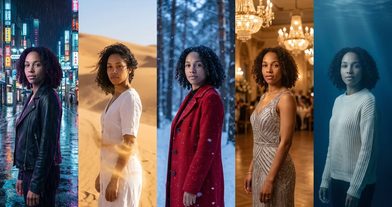
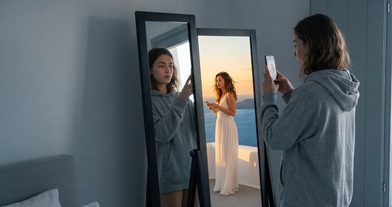
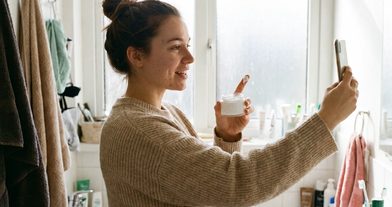
How to Create an AI Influencer in 2026 (Full Guide)
Give one made-up character a fixed face, voice and written description, save her once as a character, then attach that character to every post. Plan a mixed week, label the posts as AI and use the paid partnership label on brand deals.
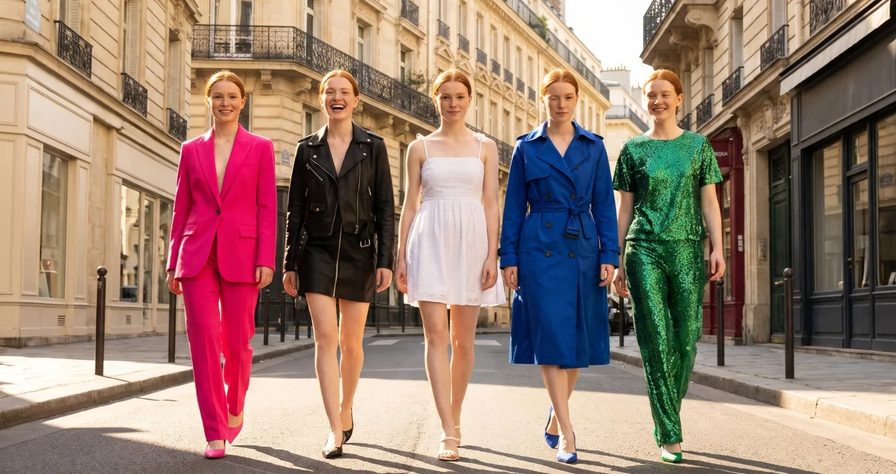
Scene select — 8 scenes
To create an AI influencer, give one made-up character a fixed face, voice and written description, save her once as a character, then attach that character to every post: photos with Gemini 3 Pro Image, talking videos with Seedance 2.5. Plan a mixed week before you render, label the posts as AI and use the paid partnership label on brand deals. On OpenClips the character costs ⚡25, and every photo and video shows its price on the Generate button.
That is the short version. The long version is the exact workflow from our own tutorial, where we built Rhea, a made-up creator with dark red hair, and posted her whole first week. Watch it first, then use this guide as the checklist with every prompt you need.
Watch: I Created an AI Influencer From Scratch (Full AI Influencer Tutorial) The setup that makes everything else work, her face, voice and description, runs from 1:42 to 3:44.
Step 1: define the persona before you make a face
Most AI influencer attempts stop at one nice photo. As the video puts it at 0:25, that is the easy part. The hard part is posting on Tuesday too, and still looking like herself. So start on paper.
Our short tutorial names three things an AI influencer needs (0:30): one character with the same face in every photo and video, a look people remember, and a story (the places she goes and the things she uses). Turn that into a one-page persona:
| Decide | Example (Rhea) | Why it matters |
|---|---|---|
| Niche | Slow mornings, coffee, Pilates, travel, skincare | Tells you which brands could pay her later |
| Signature look | Dark red hair in a low bun, light freckles, grey-blue eyes | One feature people remember at thumbnail size |
| Body and age | Mid-twenties, 1.72 m, slim adult build | The face photo cannot show this, so you write it |
| Voice | Warm, relaxed, “a girl talking to her phone on a slow morning” | Same voice in every talking video |
| Story | A camera roll full of mornings, a first brand deal | Gives every post a reason to exist |
Write the body and age line as a fixed description. You will paste it into the character later, word for word. This is the one Rhea uses:
A woman in her mid-twenties, 1.72 m tall, slim adult build, realistic adult proportions. Dark red hair in a low bun, light freckles, grey-blue eyes.
Step 2: make the face and a character sheet
If your influencer is not a real person, you first need a face. Make one hero portrait from text: front-facing, eye level, clean soft light, plain clothes, plain wall. This is the photo the character is built from, so boring is better than beautiful.
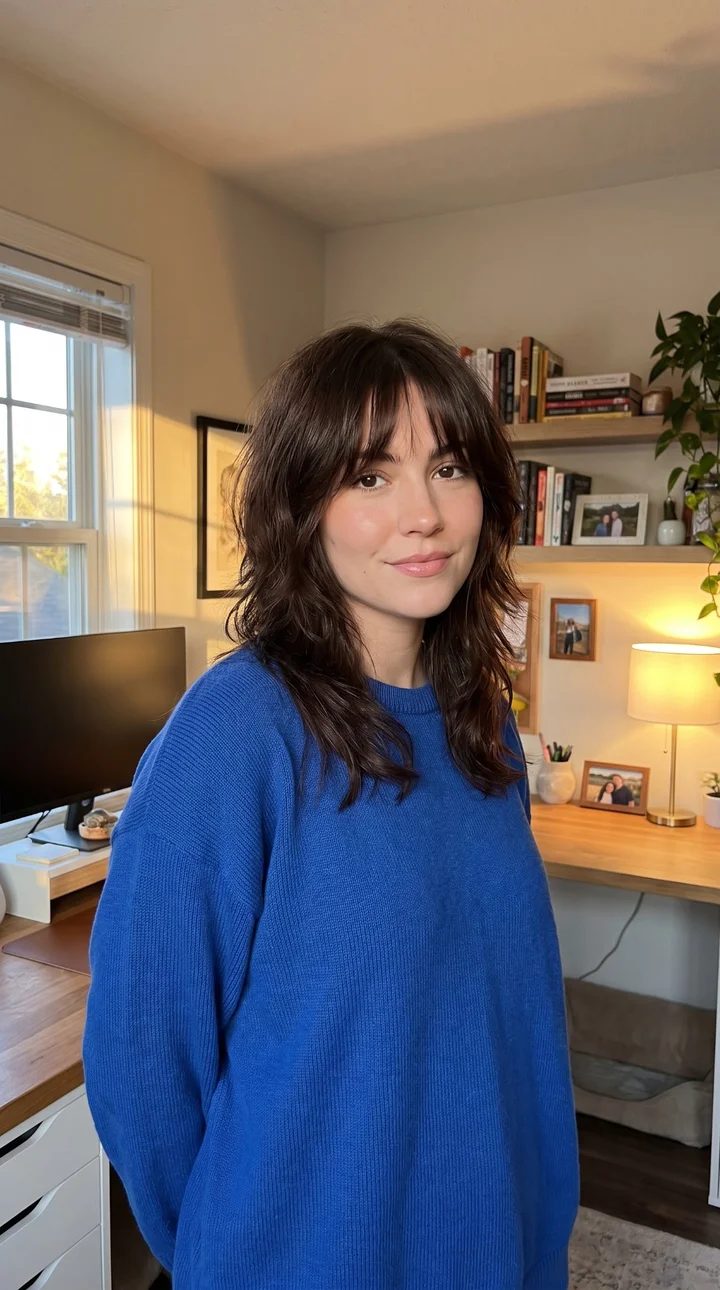
Photo of a made-up woman in her mid-twenties, [SIGNATURE LOOK: hair colour and style, eye colour, one distinct feature], realistic adult proportions. Head and shoulders, front-facing at eye level, looking straight into the lens with a calm, soft smile. Plain [COLOUR] t-shirt. Plain light grey wall behind her, soft even daylight from a window in front of her. A real photograph with true skin texture and natural colours.Run this prompt →
Then give the model the angles it cannot guess. Rhea started with three photos, front, side and one in between, and later got a full-body photo too (3:12). Attach your hero portrait as Image 1 and run a sheet:
Character reference sheet of the woman in Image 1, same face, same hair, same skin tone, exactly as in Image 1. Plain light grey studio background, soft even light. Four full-length views side by side, left to right: front view, three-quarter view, side profile, back view. She stands relaxed with her arms at her sides, wearing a plain white t-shirt, light-wash jeans and white sneakers. [BODY LINE: mid-twenties, height, build, realistic adult proportions.] Sharp, clean, evenly lit, a real photograph.Run this prompt →
Use Gemini 3 Pro Image at 16:9 and 2K for the sheet; the card below has its price. Both prompts above are templates we have not rendered in this exact form, so check that the face matches before you move on. For the deeper theory of why references beat descriptions, see how to keep the same character in AI video.
| Modality | Image |
|---|---|
| Resolutions | 1K, 2K, 4K |
| References | Up to 11 |
| Price | from ⚡31 (from $0.128) |
Step 3: save her as a character on OpenClips
This is the step that makes her an influencer and not a pile of similar-looking strangers. The flow in the OpenClips characters help guide is the one the video follows from 1:54:
- Open Library, then Characters (on a phone: Creations, then Characters) and press Upload a photo and voice.
- Add one clear photo of her face, in good light, looking at the camera, and press Check my files. Rhea’s front photo was enough.
- Add a voice, or skip it. Upload a short recording or record one in the app, with only one voice and no music. Rhea is not a real person, so there was nobody to record. The video designed a voice in ElevenLabs, made three, and kept the one that sounded right (2:09). You can also press Continue without a voice.
- Name her and press Create. From then on she is just @Rhea in any prompt. In the video it cost ⚡25 and took about a minute.
- Open the character and add the description from Step 1, then the extra angles from Step 2, labelled as three-quarter, side and full body. The Character Studio page gives the same advice: start with a front shot, add a three-quarter and a profile, because more angles keep the face steady.
To use her, open Create, press the plus beside the prompt and choose A character. If that option is missing, the model you picked does not take characters, so press Change and pick another one.
There is also a Looks option: dress her once and she wears that exact outfit in every shot (3:28). Use it for a uniform or a mascot. A lifestyle influencer changes clothes daily, so write the outfit into each prompt instead.
If the influencer is you, not a made-up person, follow how to make an AI video of yourself. Character Studio records consent before any photo uploads, and someone else’s face needs their written consent and release.
Step 4: make consistent photos in different outfits and places
Tuesday in the video is a photo dump: a cafe, Pilates, a golden-hour walk and a lazy sofa afternoon (5:42). The short tutorial shows the same flow on a phone.
Watch: How to Make an AI Influencer for Instagram (Photos + Talking Video) From 0:45 it taps Create image, attaches the character with the plus, switches to Gemini 3 Pro Image and sets portrait and 2K, with the price on the button at 1:20.
The settings: Gemini 3 Pro Image, 4:5, 2K. Check them before you press. The first cafe photo in the video came out 4:3 and 1K because nobody checked (6:58), and the model renders 1:1 when no ratio is set. Instagram’s feed wants 4:5.
Every photo prompt has five parts: who she is, where she is, what she is doing, what she is wearing, and who is taking the picture. The last one matters most. “Taken by a friend across the table with a phone” is what stops it looking like a studio shoot. And give her hands something to do; that is what makes a photo stop looking posed.
Candid photo of @[NAME], a woman in her mid-twenties with realistic adult proportions, [WHERE: sitting at a small round marble table in a cafe in the morning]. [WHAT SHE IS DOING: she looks out toward frame-left and laughs, one hand around a cappuccino cup]. [OUTFIT: navy and white striped long-sleeve top, small gold earrings], [SIGNATURE HAIR]. Taken by a friend across the table with a phone, natural daylight from the street side, a real photograph with true colours.Run this prompt →
For a full-length photo, repeat her height and “realistic adult proportions” in the prompt, because the model sees her whole body. This template follows the structure of the four Tuesday prompts in the video’s description, which were rendered there; our bracketed version has not been rendered as written.
Step 5: make her talk (talking videos with speech)
Monday in the video is her first talking post (3:46). The model is Seedance 2.5: it makes picture and sound in one render, her voice and the room around her, and when you tag @Rhea it takes her face from the character instead of inventing one.
| Modality | Video |
|---|---|
| Length | 4s to 30s |
| Resolutions | 480p, 720p, 1080p |
| Audio | Available |
| References | Up to 30 |
| Price | from ⚡51 per render (from $0.052/s) |
Settings: 9:16, a short clip (enough for one sentence), sound on. Two habits from the video save the most credits:
- Write it as a tiny shot list, second by second, and count the hands. OpenClips’ model notes say Seedance 2.5 moves far less than 2.0, so write the motion out beat by beat, one small action each. A selfie leaves one free hand, because the other holds the phone. Say so, or you may get a third arm.
- Draft first. Draft at the lowest resolution for less than half the price of the final. If a hand is in a weird place or the line gets cut, fix the prompt and draft again. Only then render the final. The video’s final went to the top resolution; we render finals at the middle one, which is plenty for a phone and costs well under half as much.
Want the video to match a post? The short tutorial adds her cafe photo from the library as well as the character, so the clip continues the photo (1:47). Its tip: make the photo first, then turn it into a video.
Phone-camera selfie POV in [PLACE AND TIME: a bright apartment kitchen in the morning]. @[NAME], a woman in her mid-twenties, stands frame-centre; [BACKGROUND: a plain cream wall] behind her, soft daylight from a window off frame-left. The phone is held at arm's length in her phone hand, outside the frame, and she looks into the lens. Her free hand holds [OBJECT: a white coffee mug] at chest height, fingers around the body of the mug.
0-1 s: she looks into the lens and smiles.
1-8 s: she says exactly this line and nothing else, warm and relaxed: "[LINE, about 20 words]"
8-10 s: she slowly lifts the mug a little toward the lens and holds her smile; the camera stays on her face and the mug.
Her two hands, and only hers; both arms run unbroken from visible shoulders. [OUTFIT], [SIGNATURE HAIR]. Real handheld smartphone footage with a slight natural sway, real-time speed. Sound: her voice, a quiet room, a soft clink of the mug on the last beat.
Run this prompt →
This is a template built on the Monday prompt in the video’s description (rendered at 5:28); our bracketed version has not been rendered. Keep spoken lines in English: OpenClips’ model notes say Seedance 2.5’s native speech is reliable in English only. Write lines the way she talks, short and casual.
Step 6: plan the week, then post
Rhea’s week is a content mix on purpose. If she posted seven selfies in a row, nobody would follow her (1:20). Each day was also made a different way: with our own prompt, with a community workflow someone already built and tested, or with the Director, the AI agent inside OpenClips that picks the model and writes the prompt for you.
| Day | Post | How it was made | Credits in the video |
|---|---|---|---|
| Mon | Talking selfie, “hi, I’m Rhea” | Own prompt, Seedance 2.5 | ⚡126 draft + ⚡686 final |
| Tue | Photo dump, 4 photos | Own prompts, Gemini 3 Pro Image | ⚡31 a photo |
| Wed | Skincare UGC with a made-up serum | Workflow: Skincare Routine UGC | ⚡429, pack shot included |
| Thu | Night fashion film on a subway platform | Workflow: Subway Platform Fashion Film | ⚡349 for 3 steps |
| Fri | 15 s day in Paris | Workflow: Day in the Life in Paris (Chic) | ⚡419 |
| Sat | First brand deal, a necklace | Workflow: Jewellery Unboxing | ⚡31 necklace photo + ⚡837 for the film step |
| Sun | “Are you real?” answer | Director, Seedance 2.5 | ⚡16 chat + ⚡279 |
The counter ended at ⚡3,472 for the whole week, and a few workflows that did not make the cut cost extra, so leave room for tries. Monday is the easy saving: the same draft plus a final at the middle resolution is ⚡405 instead of ⚡812. Three lessons from the workflow days:
- Pick the middle resolution on workflows. The Paris and Subway workflow pages open at the top one; the video switched down, which is less than half the price.
- A workflow checks your photo. Friday’s Paris workflow rejected a screenshot from a video. A real, straight-on face photo in clean light went through (11:18).
- Products get their own reference. The skincare and jewellery workflows make a clean product image first, so the label or the pendant stays the same in every shot.
OpenClips does not post for you. Download the files and publish them from the Instagram or TikTok app.
Step 7: monetization and disclosure
How an AI influencer earns is the same as any creator: brand deals, gifted products, affiliate links, or making UGC-style content for brands. Four rules keep it clean.
Never put a real brand on her without a deal. Rhea’s serum and necklace were invented for the channel (8:29). When a real brand sends a piece, you upload their product photo. For the ad side, read AI UGC ads that last, which covers why an AI person should never pose as a real customer. Commercial use is not on the Free plan.
Use the paid partnership label. Instagram’s help centre says branded content needs the paid partnership label when a brand pays you, when you post a gifted or loaned product, and when the post has an affiliate link. Posts about your own products do not need it.
Keep the face made up, or yours. TikTok does not allow AI content that uses the likeness of an adult private person without their permission, or of anyone under 18, even when it is labeled. A face invented from text, like the one in Step 2, avoids that problem.
Label her as AI. The platforms are explicit:
- TikTok requires creators to label AI-generated or significantly edited content that shows realistic-looking scenes or people, and says unlabeled content may be removed, restricted or labeled. When you post a video, tap More options and turn on the AI-generated content setting. TikTok’s help page says the setting won’t affect distribution as long as the video follows its Community Guidelines. You can also say it in text, a hashtag sticker or the description.
- Instagram and Facebook: Meta has said it requires people to use its disclosure tool when they post organic photorealistic video or realistic-sounding audio that was digitally created or altered, and may apply penalties if they do not. Meta shows these as “AI info” labels, added when someone discloses or when Meta detects industry-standard AI signals.
- OpenClips images and videos carry C2PA Content Credentials that mark them as AI-generated. TikTok says it may auto-label uploads that carry them, and an auto label cannot be removed from the post.
Rhea’s Sunday post answers it herself: “Honestly? No. I’m made with AI.” Being upfront can be part of the charm, and it puts the label in the content, not only in a setting.
Make the face once and the rest of the week gets easier: create your character in Character Studio.
New to OpenClips? Start free, ⚡30 on signup, no card.
Sources
Read on 9 November 2026:
- OpenClips on YouTube, “I Created an AI Influencer From Scratch” (transcript, chapters and prompts in the description) and “How to Make an AI Influencer for Instagram (Photos + Talking Video)”
- OpenClips model data and price previews for Gemini 3 Pro Image, Seedance 2.5 and character creation
- OpenClips Help: Characters, Add a voice to your character, Put your character in a video, What the Free plan includes; OpenClips Pricing
- OpenClips Character Studio and Enterprise pages
- OpenClips community workflows: Subway Platform Fashion Film, Day in the Life in Paris (Chic), Jewellery Unboxing
- TikTok Support, “About AI-generated content”
- TikTok Community Guidelines, Integrity and Authenticity (effective 24 September 2026)
- Meta Newsroom, “Labeling AI-Generated Images on Facebook, Instagram and Threads”
- Meta Transparency Center, “Labeling AI Content”
- Instagram Help Centre, “What is considered branded content”