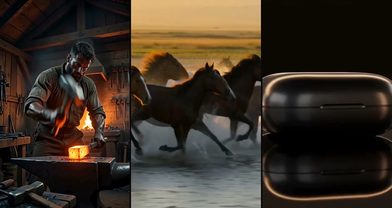
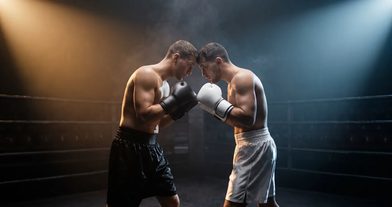
What Is Seedance 2.5? Features, Prompts and Price (2026)
Seedance 2.5 is ByteDance’s newest video model, built for one long take. Use it when a story needs several beats without a cut, or when one person and one product must stay identical for the whole clip.
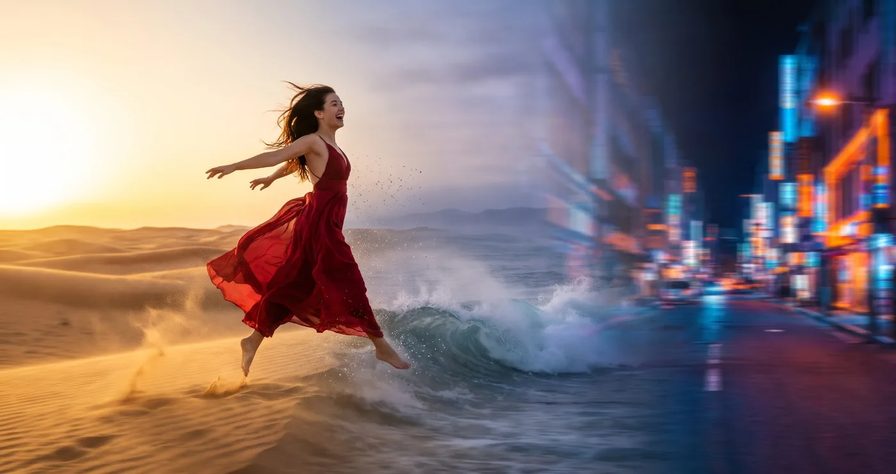
Scene select — 8 scenes
Seedance 2.5 is ByteDance’s newest video model, built for one long take, with a reference shelf deep enough for a whole product kit on OpenClips. Use it when a story needs several beats without a cut, or when one person and one product must stay identical for the whole clip.
It is one of the most popular video models on OpenClips, and also one of the easiest to waste credits on. Below: what changed from Seedance 2.0, what it costs, how to write a prompt it follows, four ad prompts to copy, and the mistakes we keep seeing in our own renders.
What is Seedance 2.5?
Seedance 2.5 comes from ByteDance’s Seed team. Its release note, dated 31 July 2026, names two headline changes: single-pass generation gets twice as long, and one request can carry images, video clips and audio clips as references. ByteDance also added timestamp-level editing, multi-round extension and green screen editing. On BytePlus ModelArk it is listed as Dreamina Seedance 2.5.
What the OpenClips composer gives you today:
| Modality | Video |
|---|---|
| Length | 4s to 30s |
| Resolutions | 480p, 720p, 1080p |
| Audio | Available |
| References | Up to 30 |
| Price | from ⚡51 per render (from $0.052/s) |
| Setting | Seedance 2.5 on OpenClips |
|---|---|
| Aspect ratio | 16:9, 9:16, 1:1, 4:3, 3:4, 21:9, adaptive |
| Images | A first frame, a first and last frame, or a set of references |
| Sound | On or off, same price |
| Negative prompt | Yes, a separate field |
| Render time | A few minutes in the catalog estimate |
Two limits to know before you plan a project: the composer attaches images only (no video or audio references), and ByteDance’s timestamp editing of a finished take, extension and green screen have no field there yet. Timestamps inside your prompt do work; that is how you direct the take.
Seedance 2.5 vs Seedance 2.0
The short version: 2.5 holds a longer take and more references, while 2.0 is cheaper and keeps the higher top resolution. Our full guide to the older model is What Is Seedance 2.0.
| Modality | Video |
|---|---|
| Length | 4s to 15s |
| Resolutions | 480p, 720p, 1080p, 4K |
| Audio | Available |
| References | Up to 9 |
| Price | from ⚡33 per render (from $0.034/s) |
| Seedance 2.5 | Seedance 2.0 | |
|---|---|---|
| Timestamps in the prompt | Yes, whole seconds | No, it reads “Shot 1, Shot 2” |
| Multi-view images of one subject | Supported | Not recommended |
The BytePlus prompt guide also warns that the two models have visibly different looks. The same prompt and reference can come out in two styles, so mixing clips from both in one ad can show a jump.
Watch: Seedance 2.5 vs 2.0 for AI Product Ads: I Tested Both (Every Prompt) from 10:23, a 20-second serum routine at the bathroom sink on 2.5, with no cut, then why a deep reference shelf beats a shallow one when a person, outfit, product and room all have to match.
In that test, 2.0 matched or beat 2.5 on short face-and-product shots for about a third less. Here is how we pick:
| Your shot | Pick |
|---|---|
| A short shot, a face and a product, fine detail | Seedance 2.0 |
| A deliverable at the highest resolution | Seedance 2.0 |
| A story with several beats and no cut | Seedance 2.5 |
| A person, outfit, product and room that all have to match | Seedance 2.5 |
| Spoken lines in a language other than English | Neither on its own: voice it separately |
Weighing other models? See What Is Kling 4.0 and Seedance 2.5 vs Veo 3.1 vs Kling 3.0.
What it does well, and where it slips
Long takes with an order of events are the point of this model. This 15-second render came from one plain paragraph that listed nine events in order, with no timestamps and a one-line sound note.
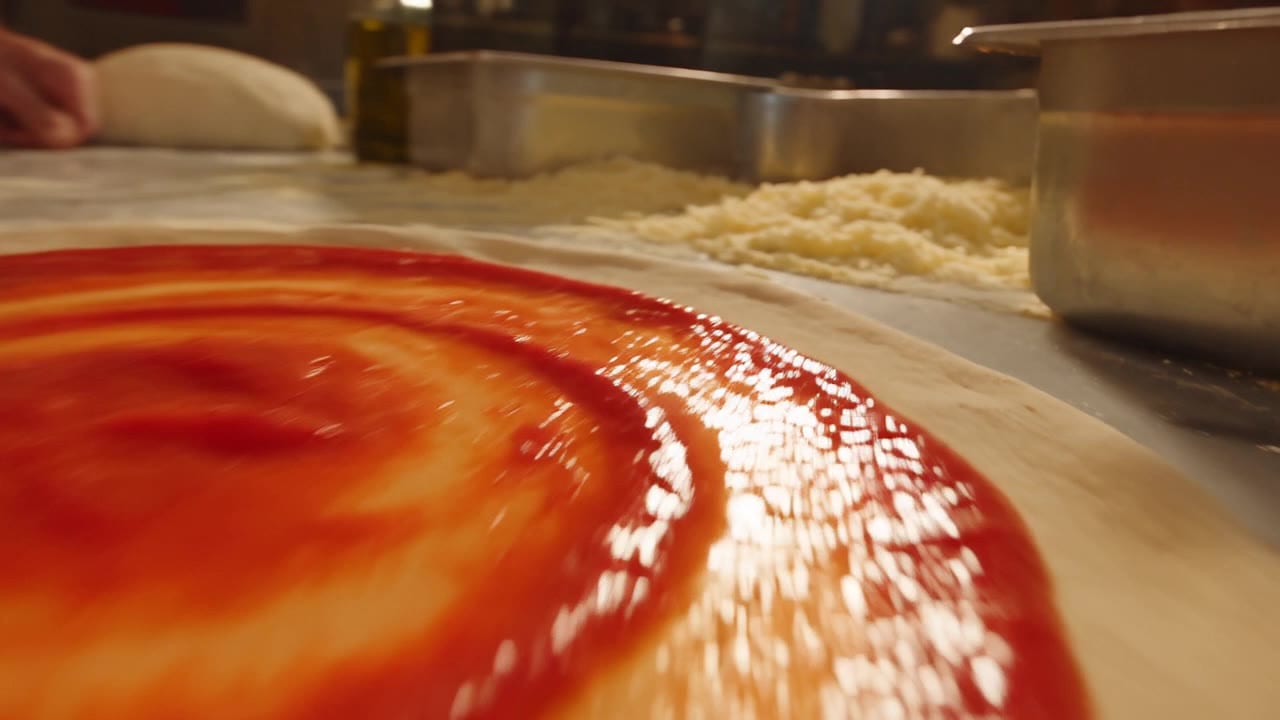
Every beat landed, with sound from the same pass: dough stretched by hand, sauce, cheese, the wood oven, the peel and a cheese pull at the table, in the order the prompt wrote them. Look at the first two seconds, though: the prompt said “the drone races in”, so the model put a drone in the shot. The fix is in the mistakes section below.
Where it slips:
- Too much inside each beat. Long prompts that pack several actions into every time range get cut short: the model keeps the face and the product, but drops whole beats. Beat count alone is not the problem: in our MiniMax H3 vs Seedance 2.5 tests, five- and six-beat long takes landed on the first try. What breaks a take is crowding each beat.
- It moves less than 2.0. Write the motion out beat by beat, and lock the camera in words, because there is no camera-lock field.
- Crowds. In the same MiniMax comparison, every prompt with a crowd of strangers failed, 4 of 4. ByteDance itself says scenes where several subjects interact are still unstable. Keep ads to one to three people.
- Complex physics. ByteDance says the physics of complex motion still needs work. Slow, ordinary actions hold up best.
- Words on screen. BytePlus notes that letters can be swapped, added or dropped. Give the text as an image instead, or ask for it letter by letter.
- Speech outside English. ByteDance’s own showcase includes French dialogue, but OpenClips’ model notes say only English is reliable; Serbian and Croatian came out as invented words. Voice other languages separately.
Seedance 2.5 price on OpenClips
The card above shows the from-price, and the Seedance 2.5 model page prices every length and resolution. Sound off does not lower the price, and reference images do not raise it.
How we use it:
- Draft at the lowest resolution for less than half the price. Check beat order, hands and the ending.
- Deliver at the middle resolution, our default for ads and social. Judge label text here, not on the draft.
- The top resolution only for the rare hero shot. It costs about 2.5 times the middle one.
The exact price is always on the Generate button before you press it. Seedance 2.5 opens with your first purchase: a plan, or a credit pack (the smallest is $10 for ⚡800). What one clip costs on each yearly plan is in Cheapest AI Video Generator 2026. Teams on yearly Team MAX start with 30 days of unlimited Seedance 2.5.
How to write a Seedance 2.5 prompt
ByteDance’s prompt guide for 2.5 suggests four parts, and they match what works for us:
- Name every image by upload order and say what it is for: “Image 1 is the woman”, “Image 2 is the product”. Do not rely on a name written inside the picture.
- One sentence that sums up the shot: subject, place, event, style, camera.
- A timeline in whole seconds, no gaps: 0-2s, 2-5s, 5-9s. Too little in a range and it improvises; too much and it drops beats or adds cuts.
- What stays the same for the whole take: people, clothes, counts, the product, the camera, the sound.
Three more rules from the guide:
- Describe what you want, not what you do not want. The guide supports negatives for subtitles and audio (“No subtitles.”, “No music.”); everything else works better written positively.
- A first-frame image sets the aspect ratio. For a first and last frame, use two images with the same aspect ratio, or the last one gets stretched.
- More references is not always better. The shelf is deep, but the guide says 1 to 8 subjects give the best results, and 9 to 12 get less stable. Use the extra slots for more angles of the same few subjects.
Watch: How to Make an AI Commercial With Seedance 2.5 (One Product Link) from 1:27, the four-part Seedance 2.5 prompt (what it is, lock the avatar and product, shot list with timings, style and sound) on a real 15-second commercial.
For a recurring person, save them once in Character Studio and call them with @ in the prompt (see How to Keep the Same Character in AI Video). The cross-model version of this structure is The Video Prompt Formula. If you would rather brief in plain words from Claude or ChatGPT, the OpenClips MCP drafts the shot list and shows the ⚡ quote before anything renders.
Four Seedance 2.5 prompts for ads
These are templates: we have not rendered these exact prompts, so treat them as starting points. Every product move is a slow human hand, every beat holds one action, and every take starts with a still second. Each card’s title carries its settings.
1. The product hero. Your product photo as first frame, aspect ratio adaptive (it follows the photo), sound on. Draft at the lowest resolution first.
Image 1 is the first frame: a glass serum bottle with a white dropper cap standing on a pale marble bathroom shelf in soft morning light.

0-2s: The bottle stands on the shelf. The camera holds still.
2-5s: A woman's right hand enters from frame right, her fingers close around the bottle and lift it slowly.
5-8s: Her left hand unscrews the dropper cap and lifts it. One clear drop falls back into the bottle.
8-11s: Her left hand lowers the dropper back in and turns the cap closed.
11-13s: Her right hand sets the bottle down on the same spot, label facing the lens, and both hands leave the frame.
13-15s: The camera pushes in slowly until the label sits in the center of the frame, and holds.

The bottle keeps the exact shape, cap, color and label from Image 1 in every second. One bottle, one pair of hands. Soft window light, shallow depth of field.
Sound: quiet bathroom room tone, a soft glass tap when the bottle is lifted and set down, the cap turning. No music. No subtitles.
Run this prompt →
2. UGC talking to camera. A photo of the person and a photo of the product as references, sound on.
Image 1 is the woman: use her face, hair and clothing, not the image background.
Image 2 is the product, a tube of hand cream: keep its shape, color and label exactly, not the image background.

A 10-second vertical UGC clip in one take: the woman from Image 1 recommends the hand cream from Image 2 at her kitchen table, talking straight to the lens.

0-1s: She sits still and looks into the lens. The tube rests on the table in front of her.
1-4s: She picks up the tube with her right hand and holds it next to her face, label toward the lens.
4-8s: The woman says in natural American English: "This is the one hand cream I actually finish."
8-10s: Still holding the tube in her right hand, she squeezes a small dot of cream onto the back of her left hand and smiles.

Steady eye-level framing from across the table, warm daylight from a window on frame left. She is the only person in the shot.
Sound: her voice close and clear, a quiet kitchen, the soft click of the cap. No music. No subtitles.
Run this prompt →
3. The one-take story. A photo of the person and a photo of the product as references, sound on. Draft at the lowest resolution, then deliver. Four short stages after a still start, one change each.
Image 1 is the man: use his face, hair and clothing, not the image background.
Image 2 is the product, a matte black pour-over kettle: keep its shape, color and handle exactly, not the image background.

One continuous 30-second take in a small sunny apartment kitchen: the man from Image 1 makes his first coffee of the day with the kettle from Image 2, and the camera never cuts.

0-2s: Wide shot. He stands still at the counter in a grey T-shirt. The kettle rests on the stove. A white mug with a pour-over dripper on top and a small saucer beside it stand on the counter.
2-10s: He lifts the kettle by its handle, pours water slowly in circles into the dripper, and sets the kettle back on the stove.
10-18s: He lifts the dripper off the mug onto a small saucer and wraps both hands around the mug. The camera drifts slowly closer.
18-26s: He carries the mug to the window, leans on the sill and takes one slow sip.
26-30s: He turns his head to the lens and smiles a little. The camera stops and holds, the kettle visible on the stove behind him.

For the whole take: the same man and grey T-shirt, one kettle, one mug, nobody else in the apartment. Handheld camera at chest height, soft morning light.
Sound: water pouring, coffee dripping, birds outside. No music. No speech. No subtitles.
Run this prompt →
4. The label you cannot get wrong. First and last frame: two photos from the same shoot, same aspect ratio; the last is your clean product photo. The take ends on your real photo, so the label is yours letter for letter.
Image 1 is the first frame: a woman's hand rests beside a glass jar of honey on a wooden breakfast table, the label turned away from the camera. Image 2 is the last frame: the same jar, label facing the camera. The video ends exactly on Image 2, in one slow continuous move.

0-1s: Hold on Image 1.
1-4s: The woman's hand slowly turns the jar a quarter turn so the label faces the camera, then leaves the frame.
4-6s: The camera glides slowly toward the jar.
6-8s: The camera settles into the framing of Image 2 and holds.

Keep the jar, lid and label exactly as in Image 2. Warm morning light.
Sound: a soft clink of glass on wood, quiet room tone. No music. No subtitles.
Run this prompt →
Other placements need other shapes: see the aspect ratio cheat sheet.
Common Seedance 2.5 mistakes and how to fix them
An action in the first second. The model often starts on the result of that action. Give the first second to stillness.
Watch: Seedance 2.5 Prompt Tip: Why It Skips Your Motion the whole Short is about 30 seconds; at 0:15 she explains why the model starts on the result of the first action, and how a still first second fixes it.
Crowded beats. Give each time range one change and an end state. If a beat really matters, split the film into two 15-second takes: the pair costs about the same as one 30-second take, so it costs almost nothing extra. For joining them without a seam, see How to Make Longer AI Videos.
Naming the gear. “The drone races in” put a drone in our pizzeria shot. Write the point of view instead: “we are the camera, gliding in through the door”.
Typing the label text. Attach the product photo and say “keep the label exactly”, or end on your own photo as the last frame (Prompt 4). For a short word on screen, the guide suggests asking for its letters one by one, in order.
Judging small text on a draft. Check labels at delivery resolution before you call a take bad.
Mixing up people. Bind each image in upload order, upload people in the order they first appear, and give each person a side of the frame.
Subtitles you did not ask for. “No subtitles” helps but does not always win. The guide says repeating a line’s words, or attaching an emotion to single words, can trigger them. Write each line once, in the form: The woman’s line (calm): “Text here.”
Music after “No music”. List the words you mean (music, background music, score, melody) and put the sound rule at both the start and the end of the prompt.
Strong emotion words. BytePlus notes that words like “fanatical” or “extremely shocked” can make eyes glow. Use a calmer word such as “amazed”, or describe what the face does.
The clicks, from opening the model to downloading the take, are in the Creator Handbook: How to use Seedance.
Ready to roll your first long take? Open Seedance 2.5 on OpenClips.
New to OpenClips? Start free, ⚡30 on signup, no card.
Sources
All read on 9 November 2026.
- OpenClips, Seedance 2.5 model page (specs, prices, composer limits, plan rule)
- OpenClips model catalog and composer price grid for Seedance 2.5 and Seedance 2.0
- OpenClips pricing (plans, packs, signup grant, commercial use, Team MAX)
- ByteDance Seed, “Introducing Seedance 2.5”
- BytePlus ModelArk, Dreamina Seedance 2.5 prompt guide
- OpenClips blog, Cheapest AI Video Generator 2026
- OpenClips blog, MiniMax H3 vs Seedance 2.5
- OpenClips blog, What Is Seedance 2.0
- OpenClips on YouTube: Seedance 2.5 vs 2.0 for AI Product Ads, How to Make an AI Commercial With Seedance 2.5, Seedance 2.5 Prompt Tip: Why It Skips Your Motion