How to Make Longer AI Videos: 30 Seconds in One Pass, 60+ Without a Seam
You have a 30-second ad in your head. The model gives you a short clip, so you render several and line them up, and on clip two the face is different. Here is how to start long, write in beats, and chain without a visible seam.

Scene select — 7 scenes
You have a 30-second ad in your head. The model gives you a short clip. So you render six clips and line them up, and on clip two the face is different and the street is somewhere else.
This guide shows you how to avoid that: which model to pick for your target length, a real 30-second prompt you can copy, a step-by-step recipe for 60 seconds, and the editing tricks that hide a join.
Why AI video breaks on the seam
Every generation starts from noise. Unless you give the model something to hold, a second clip invents a new face, new light and a new background, even when your text describes the same person.
We tested it on Kling 3.0. Two short clips, the same character description word for word, written as two back-to-back beats: walking, then stopping at the railing. No reference image, no start frame.
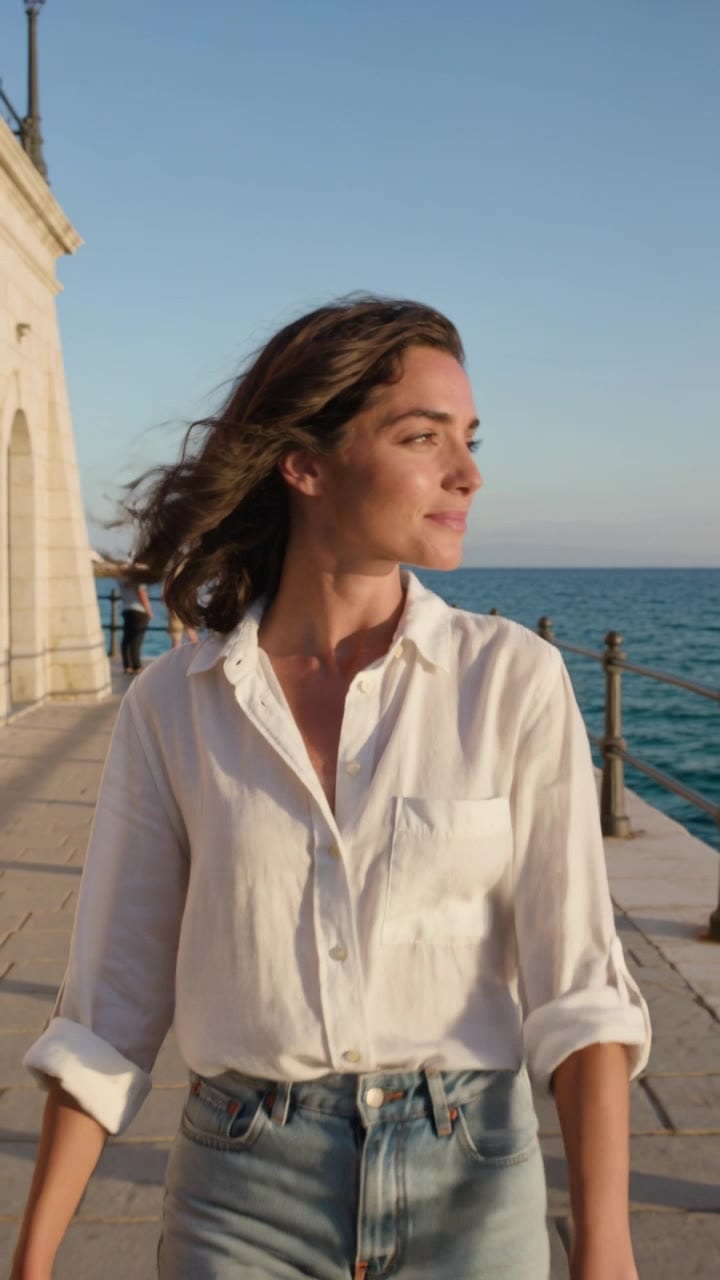
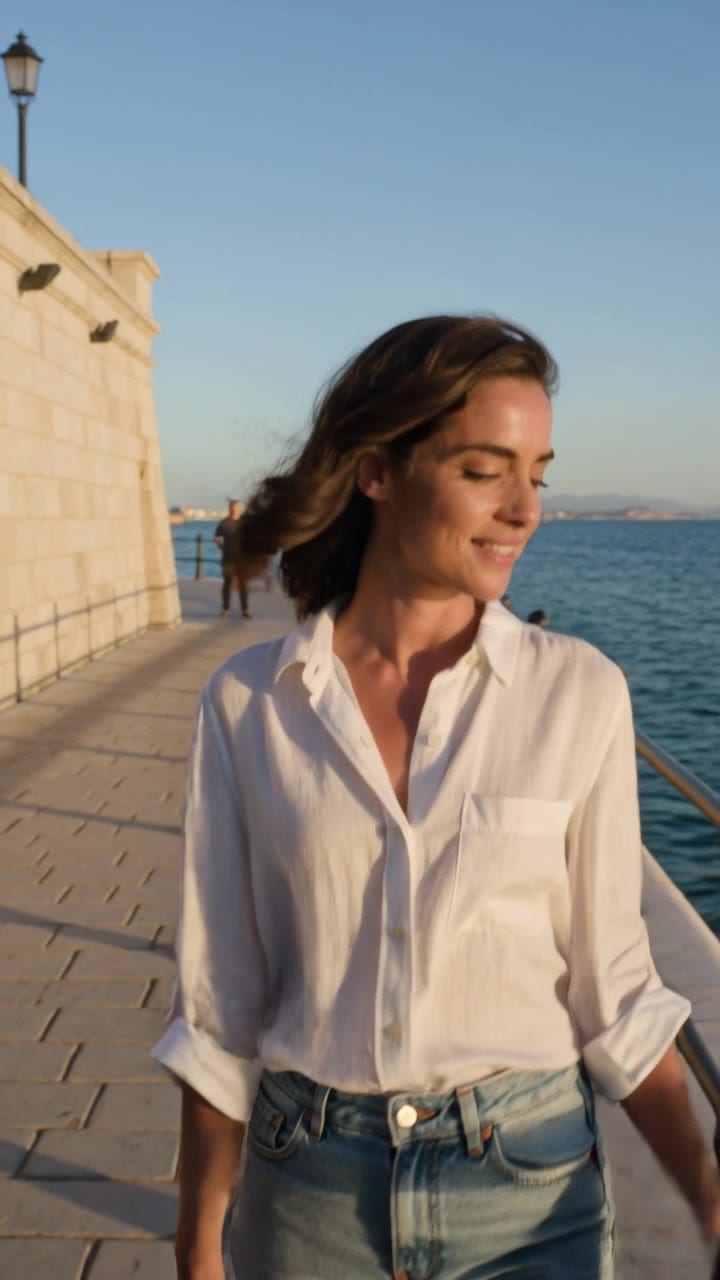
Clip 1 ends on her smiling at the lens next to an arched tower. Clip 2 opens closer, in profile, with a longer face, lighter hair and a square fort wall. Same character text, two people, two places.
Text alone does not lock a person. That is the whole problem, and every fix below gives the model something stronger than text.
Pick your route by target length
| You want | Route | Seams |
|---|---|---|
| One beat, a few seconds | One pass on any video model | 0 |
| Half a minute | One pass on a long-take model, or a multi-shot pass if you want cuts with dialogue | 0 |
| A minute or two of one person talking | One pass on OmniHuman 2.0 with your voice track | 0 |
| Past one pass, with action or a moving camera | Chain blocks (Route 3 below) | 1 to 3 |
| Several minutes | Plan scenes, render each as its own block, cut between them like a film | Many, on purpose |
The long-take models on OpenClips, with their length and starting price straight from the catalog:
| Modality | Video |
|---|---|
| Length | 4s to 30s |
| Resolutions | 480p, 720p, 1080p |
| Audio | Available |
| References | Up to 30 |
| Price | from ⚡51 per render (from $0.052/s) |
| Modality | Video |
|---|---|
| Length | 2s to 30s |
| Resolutions | 480P, 720P, 1080P |
| Audio | Available |
| References | Up to 10 |
| Price | from ⚡21 per render (from $0.042/s) |
| Modality | Video |
|---|---|
| Length | 5s to 20s |
| Resolutions | HD, FHD |
| Audio | Available |
| References | Up to 10 |
| Price | from ⚡153 per render (from $0.126/s) |
And a short-clip model for comparison:
| Modality | Video |
|---|---|
| Length | 3s to 15s |
| Resolutions | 720p, 1080p, 4k |
| Audio | Available |
| References | Up to 1 |
| Price | from ⚡46 per render (from $0.063/s) |
What half a minute costs
Billing is per second on every video model, and the price shows on the Generate button before you render. One wallet covers all of them.
The honest read: chaining short clips is often cheaper per second than one long pass, but each seam is a risk you pay for in re-renders. If one re-roll of a short clip fixes your seam, chaining wins on price. If it takes two, a single long pass was usually the cheaper route. Draft at the lowest resolution first, and pay for the higher one only on the take you keep.
Route 1: one pass, zero cuts
The cleanest seam is the one you never make. Here is a 30-second Seedance 2.5 render, one generation:
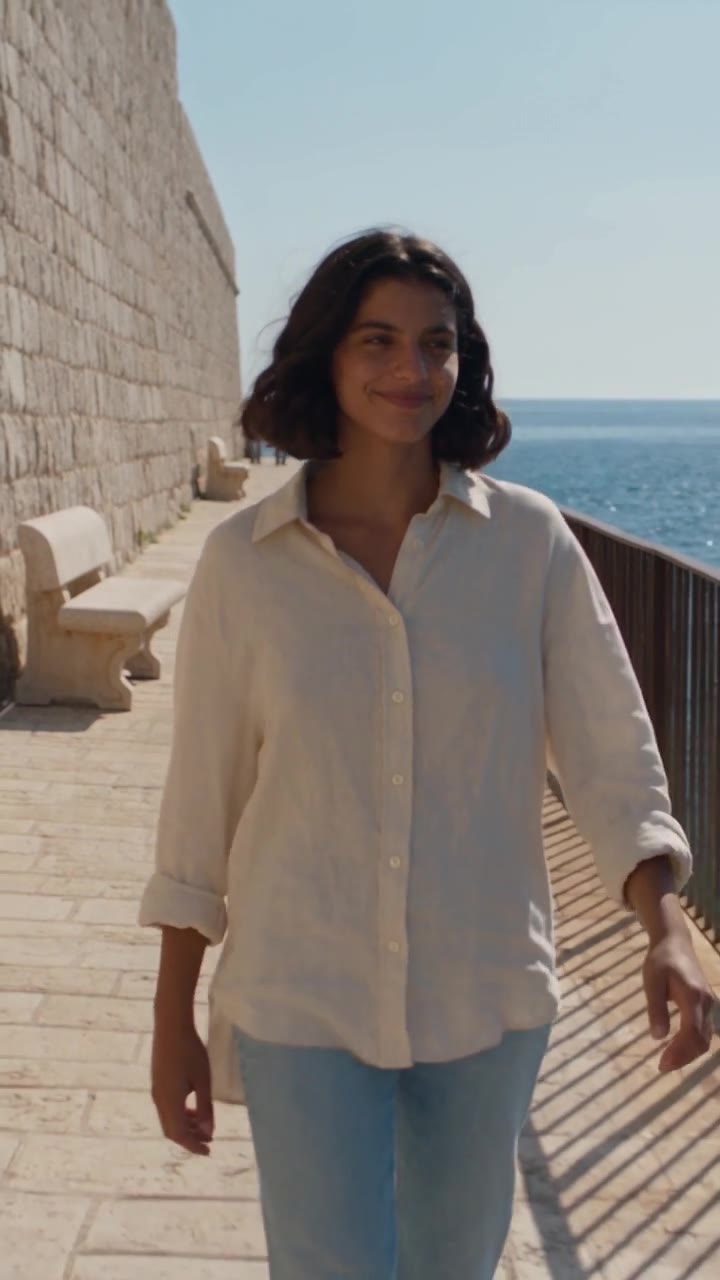
One generation, no cuts. The same woman walks the promenade, leans on the railing at about 0:15, laughs, and walks back to the lens.
The full prompt (trimmed)
This is the real prompt behind that clip, shortened only in the description lines:
30-second vertical photoreal video, ONE continuous take from the first frame to the last, the camera never cuts. A woman in her late twenties with shoulder-length wavy dark-brown hair, wearing a cream linen shirt and light-blue jeans, walks along a sunny seaside promenade paved with pale stone. A pale limestone wall runs along frame left; a low dark metal railing and the calm blue sea are on frame right. Exactly one woman in the foreground, her two arms and two hands only.
Camera: steady backward tracking shot at eye level, medium shot from the waist up, keeping her centred; it slows to a stop when she stops, and resumes when she walks again.
0-3 s: she walks toward the lens at an easy pace; the sea breeze lifts her hair. 3-6 s: she glances toward the sea on frame right. 6-9 s: she looks back into the lens with a small relaxed smile, still walking. 9-12 s: she passes the stone bench on frame left. 12-15 s: she steps toward the railing on frame right. 15-18 s: she stops at the railing and rests both forearms on it. 18-21 s: she looks out at the sea; the breeze moves her hair across her cheek. 21-24 s: she turns her face to the lens and laughs softly. 24-27 s: she pushes off the railing and walks toward the lens again. 27-30 s: she walks closer until framed from the chest up and holds a small smile. END STATE: she stands centred, chest-up, smiling at the lens; the camera holds on her to the last frame.
Sound: footsteps on stone, small waves on rocks, wind, distant gulls. No spoken words.
Negative prompt: hard cut, scene change, jump cut, second woman, face change, extra hands, warped face.
Run this prompt →
Swap in your own person and place, and render a draft at the lowest resolution first before you pay for the final.
Why it holds for the whole take
- A beat every 3 seconds. Ten short lines, one action each. A long clip with a two-line prompt wanders or freezes.
- One camera path, described once, including what it does when she stops.
- Geography in frame-left and frame-right terms, so the wall and the sea never swap sides.
- An END STATE. The model knows what the last frame looks like, and so do you if you want to chain from it.
- A sound line for every second, so the audio does not go silent or invent speech.
One honest limit: keep the beats physically ordinary. In one of our own long Seedance passes, a brief packed with stunts came back as the person simply walking from start to finish. The render reported success. Check frames across every beat before you call a long clip done.
Route 2: cuts inside one clip
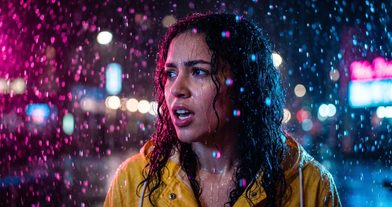
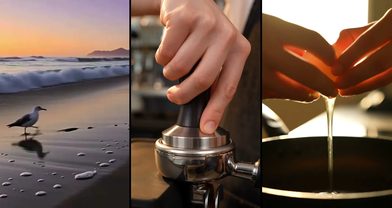
Sometimes you want cuts, just not seams. Ask for them inside one generation and the model keeps everyone consistent across them. FLUX 3 gave us four shots and two lines of dialogue in one clip:
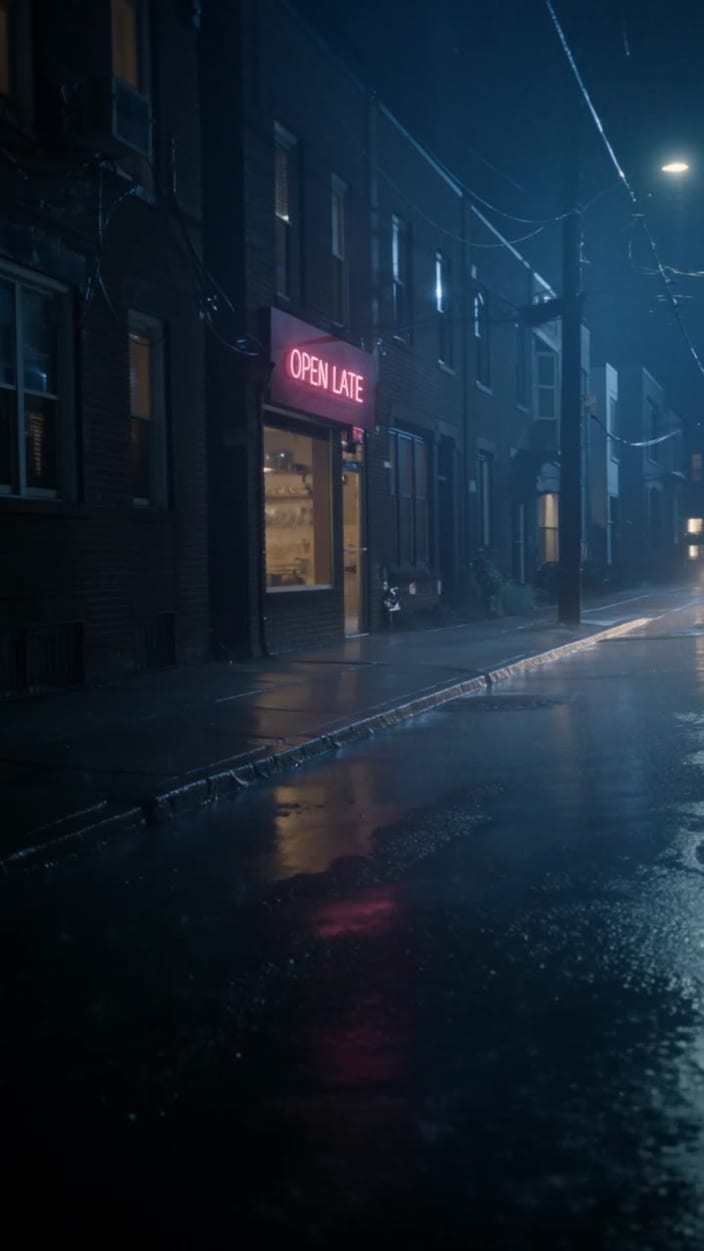
One generation, four shots: the rainy street with an “OPEN LATE” sign, the counter, a close-up of the barista, a close-up of the customer in the yellow raincoat sipping by the window.
Write it the same way as above, but with one camera setup per time block (“0-5s: exterior wide shot… 5-11s: inside, medium shot across the counter…”) and the spoken lines in quotes with the speaker named. The full prompt is in our FLUX 3 guide.
Route 3: chain a 60-second video, step by step
Past one pass, you join clips. This recipe uses two long Seedance 2.5 clips with one seam.
- Make one hero image of your person in the exact outfit. This is your reference for every clip.
- Write clip 1 with a chain-friendly END STATE. The person centred, in frame, mid-movement or calmly holding. Never end on an empty frame, a whip pan or a close-up of an object.
- Render clip 1 and check it. Pull a frame every 5 seconds. Are all beats there?
- Grab the last frame. Any editor can export it, or run
ffmpeg -sseof -0.25 -i clip1.mp4 -frames:v 1 last.jpg. - Write clip 2. Paste the character, place and camera blocks word for word from clip 1. Make its first beat the END STATE of clip 1, then continue the story.
- Render clip 2 from the last frame. Same pose, same light, same place.
- If the face drifts, re-render clip 2 with two images instead: the last frame (scene) and your hero image (person), named in the prompt as image 1 and image 2.
- Join in the edit. Trim the first fraction of a second off clip 2 so the shared frame plays once, then apply the tricks below.
The rule that saves most chains: keep a person in every chain frame. We once continued from a frame with no one in it, and the next clip invented a different woman. With no face to start from, the model has nothing to hold.
Some models also have an extend mode that continues an existing clip. Outside OpenClips, Google’s Flow can extend Veo clips from their last second, and third-party guides report totals past two minutes.
Five editing tricks that hide a join
- Cut on action. Join in the middle of a step, a turn or a head movement. The eye follows the motion and misses small changes.
- Run one sound bed across the seam. Each AI clip makes its own ambience, and a jump in wind or crowd noise gives the cut away. Lay one continuous ambience track over both clips.
- Use L and J cuts. Let clip 1’s audio carry a moment into clip 2 (L cut), or start clip 2’s sound just before its picture (J cut). The ear smooths what the eye might catch.
- Cover it with a cutaway. A cheap detail shot (hands on the railing, waves, a coffee cup) placed over the join hides almost any mismatch.
- Grade both clips together. Match brightness and colour across the seam. Small shifts in skin tone read as a different person.
Start long, write in beats, chain from a frame with a person in it. New to OpenClips? Start free with ⚡50 on signup, no card.
Sources, read on 22 October 2026: Atlas Cloud’s Veo 3.1 length guide, eachlabs on Veo extend, Magic Hour’s extend guide, a Hugging Face forum thread, FilmDaft on character consistency, No Film School on J and L cuts, and PremiumBeat on editing cuts. Plus our own lessons from real runs.