Sign up and save up to 25% on a yearly plan.Sign up free →
Pricing, save up to 25% on yearly plans
IMAGESeven toolsPruna AI

Pruna P-Image Draft at the speed
you think.

Seven image tools. One lab built for speed. Start at the price of a draft.

Free account · ⚡50 on signup · No card

● Made with Pruna P-Image

Stills, edits and type

Every frame here came out of the P-Image line. The prompt is the one Pruna received.

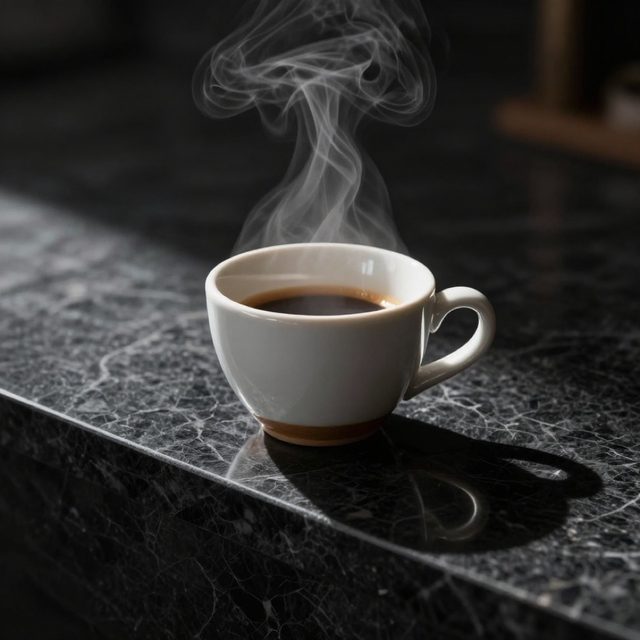
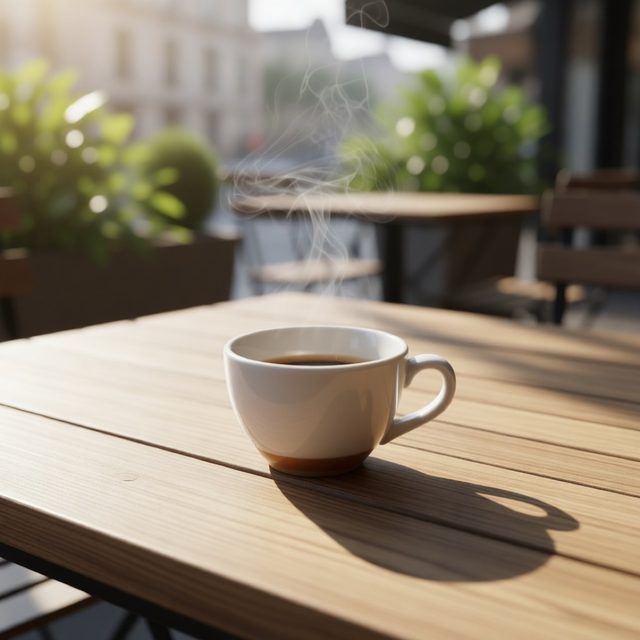
Espresso on black marble

Espresso on black marble

Pruna P-Image

“A ceramic espresso cup on a slab of black marble, steam rising, single hard light from the left, deep shadows, crisp detail, product photography”

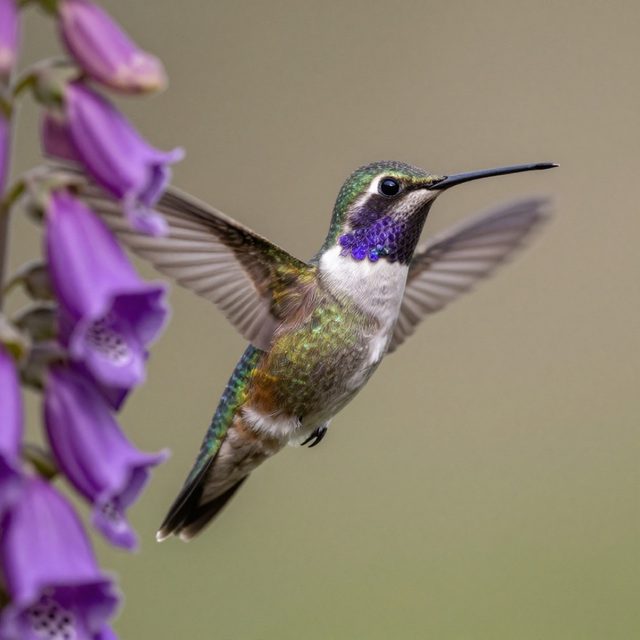
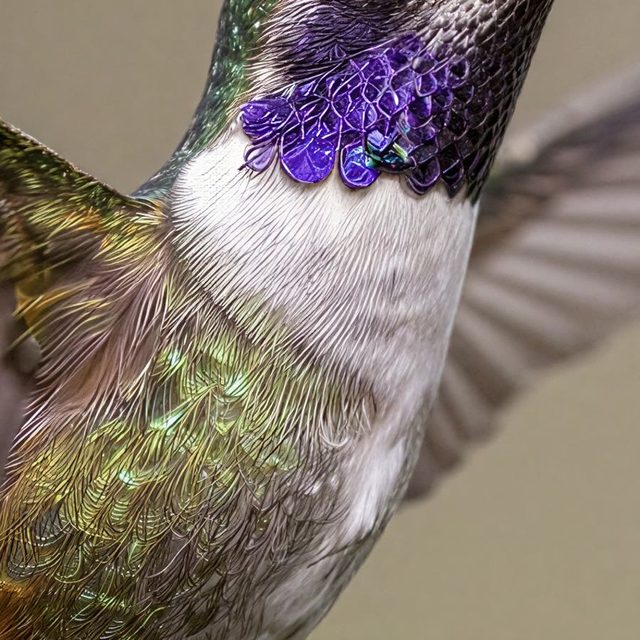
Hummingbird and foxglove

Hummingbird and foxglove

Pruna P-Image

“Macro shot of a hummingbird with iridescent feathers hovering beside a violet foxglove flower, soft bokeh background, morning light”

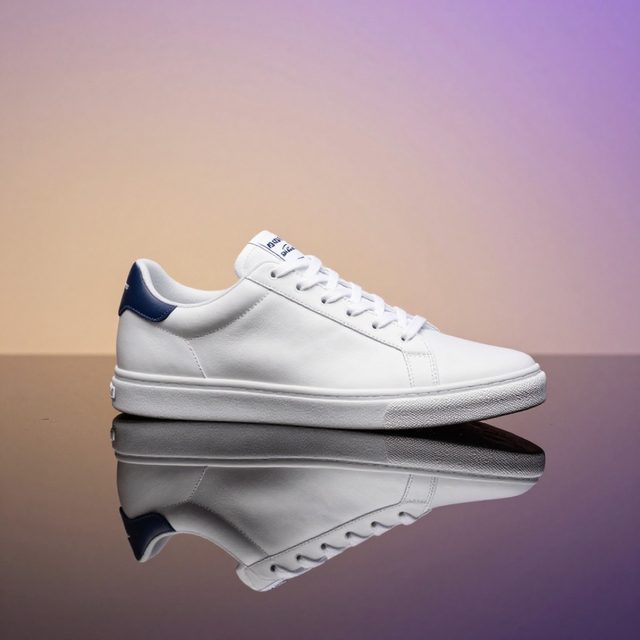
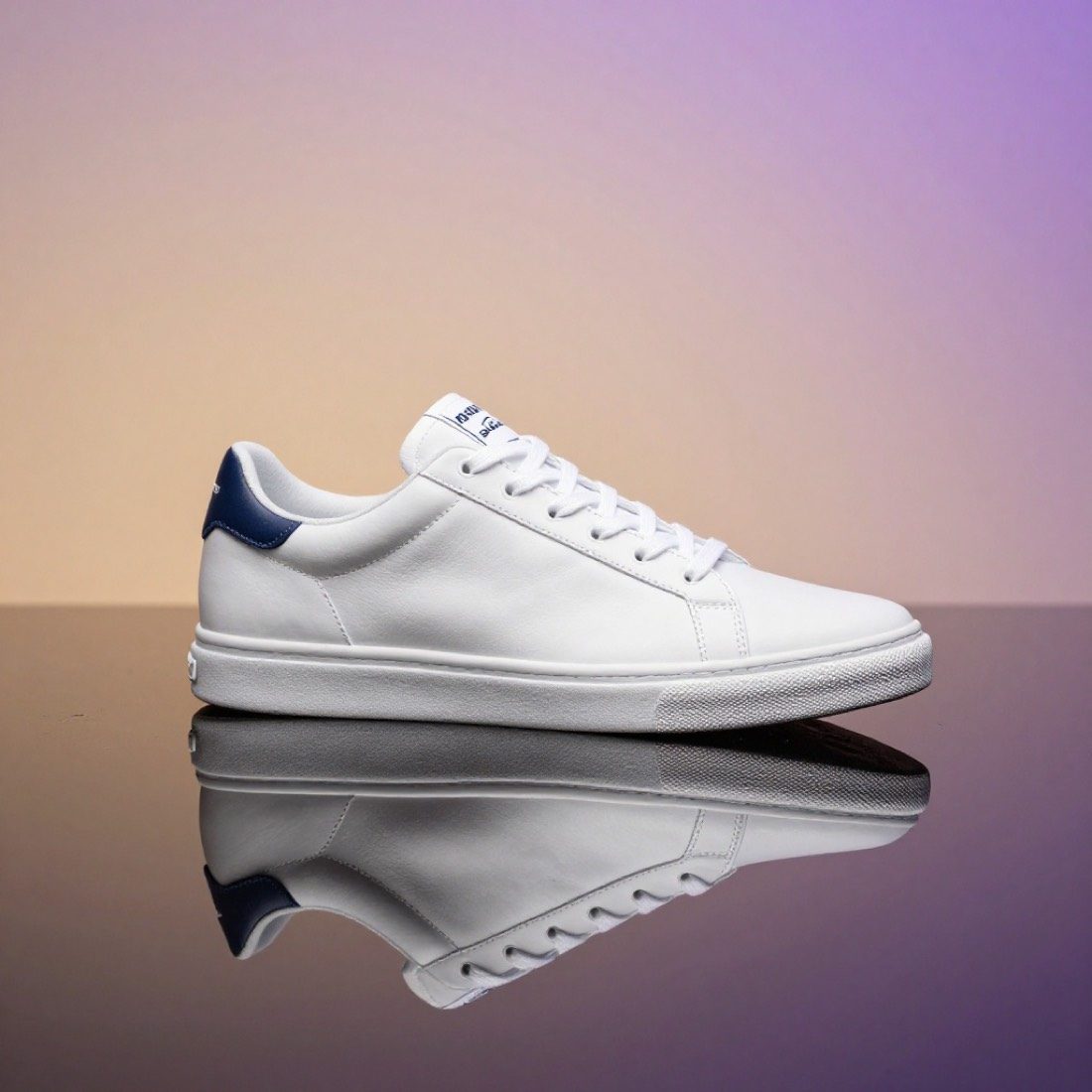
Sneaker over water

Sneaker over water

Pruna P-Image

“Unbranded generic minimalist sneaker floating above shallow pool of water, perfect reflection, soft violet to amber gradient backdrop, no logos, no text, studio product shot.”

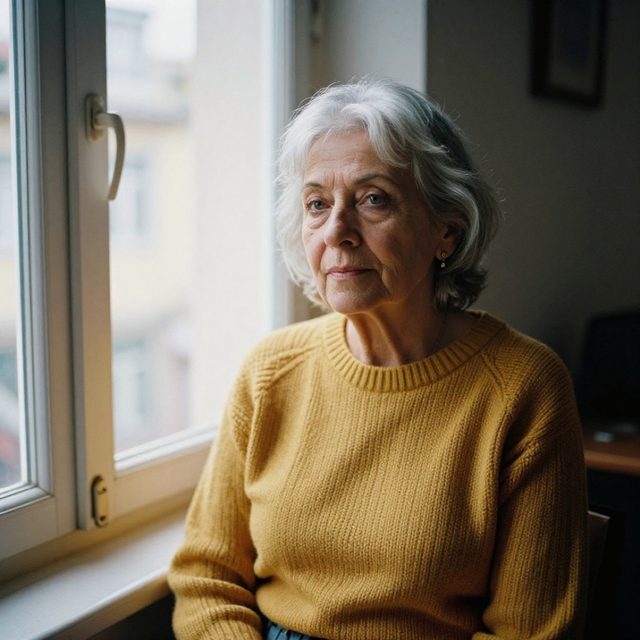
By the window in Lisbon

By the window in Lisbon

Pruna P-Image

“Portrait of a woman in her sixties with silver hair and a mustard knit sweater, sitting by a window in a Lisbon apartment, natural light, 85mm, film grain”

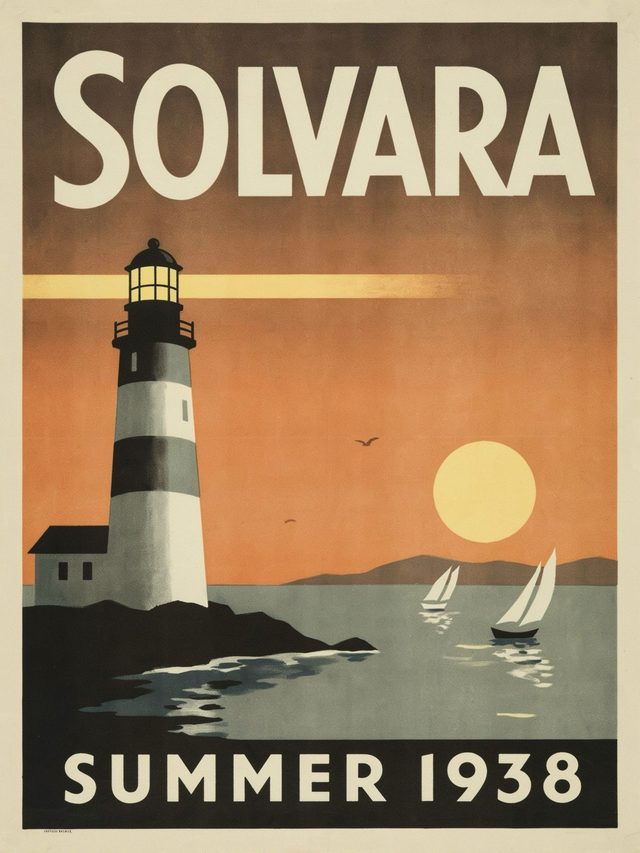
Travel poster, SOLVARA

Travel poster, SOLVARA

Pruna P-Image Ideogram

“Vintage travel poster for fictional island "SOLVARA", with bold art deco lettering "SOLVARA" at the top and "SUMMER 1938" at the bottom, stylized lighthouse and sailboats, warm sunset palette”

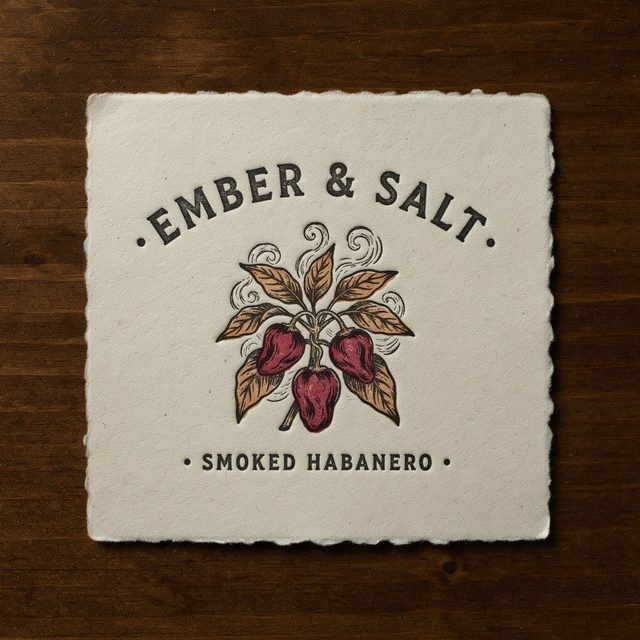
Hot sauce label

Hot sauce label

Pruna P-Image Ideogram

“Product label for fictional craft hot sauce brand "EMBER & SALT", hand-drawn chili illustration, text "EMBER & SALT" and "SMOKED HABANERO", cream paper texture, letterpress style”

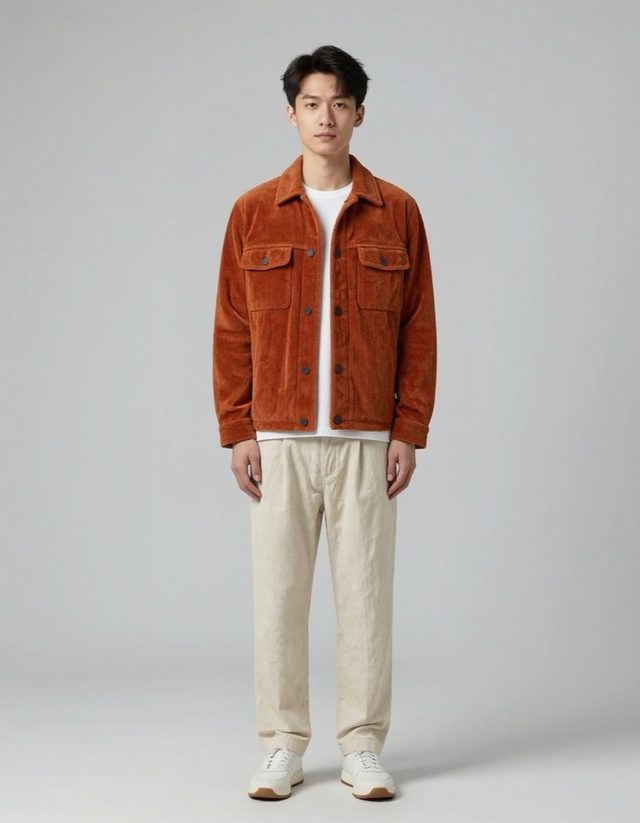
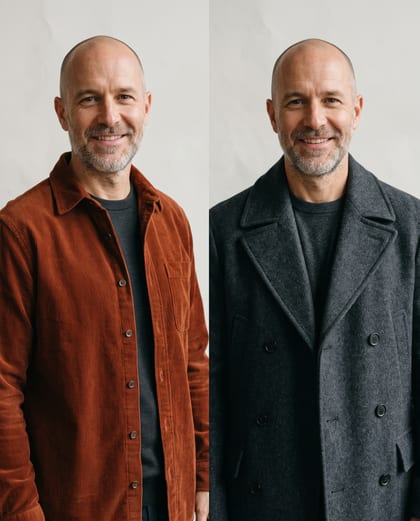
Dressed in both

Dressed in both

Pruna P-Image Try-On

“Dress the person in the jacket and the trousers”

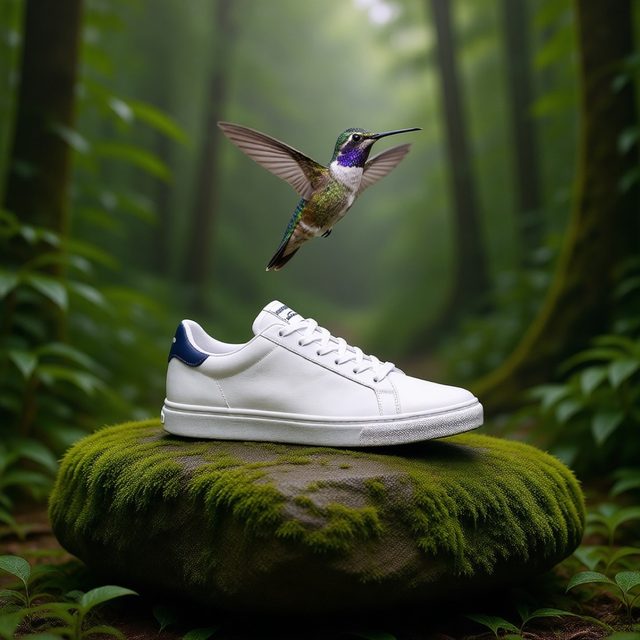
Two photos, one scene

Two photos, one scene

Pruna P-Image Edit

“Put the sneaker on a moss-covered rock in a rainforest, the hummingbird hovering just above it, keep the sneaker unchanged”

● The line

Seven tools, one family

What each one takes, and what it hands back.

  • Text to image

    P-Image

    Write it, get it. Preset ratios or a custom canvas. ⚡2 a render.

  • Edit and combine

    P-Image Edit

    The first photo is the one that changes. The rest feed it. Turbo is on unless you turn it off.

  • Your own style

    P-Image LoRA

    Train a style once on Pruna. Pin the weights. Every render wears it.

  • Edits in your style

    P-Image Edit LoRA

    The edit tool with a trained edit LoRA on top. Same photos in, your look out.

  • Type that reads

    P-Image Ideogram

    Built by Pruna with Ideogram. More thinking, sharper letters. You pick the level.

  • Virtual try-on

    P-Image Try-On

    The first photo is the person. The rest are what they wear. Add a pose last if you want one.

  • Upscale

    P-Image Upscale

    Say the megapixels you need. Optionally push detail or realism on the way up.

● Any frame

Every frame you can ask for

Preset ratios, or a canvas you size yourself.

  • 16:9
  • 1:1
  • 9:16
  • 4:3
  • 3:4
  • 3:2
  • 2:3
  • Custom

● Three moves

How do you use Pruna P-Image on OpenClips?

01

Pick the tool

Generate, edit, style, type, dress or upscale.

02

Give it the inputs

A prompt, the photos, or both.

03

Read the quote, then render

The composer prices it before it runs.

Every P-Image tool, priced

ModelSpecs⚡
Pruna P-Imagep-imageText to image on Pruna’s own model.16:9 1:1 9:16 4:3 3:4 3:2 2:3 custom⚡2from $0.01Generate →
Pruna P-Image LoRAp-image-loraP-Image with your own trained LoRA style on top.16:9 1:1 9:16 4:3 3:4 3:2 2:3 custom⚡2from $0.01Generate →
Pruna P-Image Editp-image-editEdit one photo, or combine several into one.match_input_image 1:1 16:9 9:16 4:3 3:4 3:2 2:3⚡3from $0.02Generate →
Pruna P-Image Edit LoRAp-image-edit-loraP-Image Edit with a trained edit LoRA on top.match_input_image 1:1 16:9 9:16 4:3 3:4 3:2 2:3⚡3from $0.02Generate →
Pruna P-Image Ideogramp-image-ideogramType that reads. Built by Pruna with Ideogram.1K / 2K · 1:1 16:9 9:16 4:3 3:4 3:2 2:3 custom⚡14from $0.09Generate →
Pruna P-Image Try-Onp-image-try-onDress a person in the garments you upload.⚡23from $0.14Generate →
Pruna P-Image Upscalep-image-upscaleUpscale one image to a set megapixel count.⚡3from $0.02Generate →

● The sheet

Pruna P-Image
model parameters

Modality
image
Aspect ratios
16:9, 1:1, 9:16, 4:3, 3:4, 3:2, 2:3, custom
Audio
Silent

Read from the live catalog. The composer quotes your exact render before it runs.

● What it covers

Briefs it lands

Fast, cheap, and many of them.

Concept roundsAd variationsProduct editsLookbooksPosters and labelsBrand stylesPrint-size upscalesSocial stills

● Quoted first

What a Pruna P-Image render costs

Pruna P-Image

From ⚡2 (from $0.01).

Priced per render, never per month. Each tool on this page has its own rate, listed above. The composer shows the exact ⚡ before you press it. A free account starts with ⚡50. Packs start at $10/800⚡.

● OpenClips MCP

Drive Pruna P-Image from your AI agent

No console and no syntax. Your agent briefs the model through the OpenClips MCP server.

Server addresshttps://mcp.openclips.ai
ClaudeClaude CodeChatGPTCursorVS CodeGrokHermes agentOpenClawOther MCP client
  1. Step 01

    Name the tool

    Generate, edit, try-on, upscale.

  2. Step 02

    Hand it the inputs

    Prompt and photos.

  3. Step 03

    Read the quote back

    The server prices it first.

● Director's notes

Tips for best results with Pruna P-Image

Four habits that save a re-roll.

  • Draft wide, then narrow

    It is cheap enough to ask for ten. Keep two.

    Volume first

  • Order the photos

    On edit and try-on, the first photo is the subject.

    Subject first

  • Spend thinking on words

    On Ideogram, raise the level when the text must be exact.

    Type needs thought

  • Upscale last

    Pick the keeper, then take it to size.

    Size at the end

● Questions

Frequently asked questions

Pruna AI's own text-to-image model, built for speed and low cost. On OpenClips it heads a line of seven image tools.

A model lab with research hubs in Munich and Paris. It builds its own performance models and publishes an open-source optimisation framework.

Yes. P-Image Edit takes up to 5 photos. The first one is the one that changes.

Yes. P-Image Try-On dresses the person in the first photo in the garments that follow. A pose can go last.

It is Pruna's typography model, built in collaboration with Ideogram. It runs on OpenClips as a P-Image tool.

⚡2 for text to image. Each tool has its own rate, from ⚡3 for an edit to ⚡23 for a try-on. A free account opens with ⚡50. Packs start at $10/800⚡.

● Version history

What changed in each Pruna release?

Newest first, straight off the roster.

  1. Pruna P-Image

    Vendor states no date

    image · Live on OpenClips

    Text to image on Pruna’s own model.

  2. Pruna P-Video

    video · Live on OpenClips

    Text, image or audio to video, fast.

  3. Pruna P-Video 2

    Vendor states no date

    video · Live on OpenClips

    The quality successor to P-Video, with lip-sync.

● The receipts

Where do these Pruna P-Image facts come from?

Every link goes to the vendor's own page.

Ten drafts before lunch

One prompt. One render. Then the next.

Generate with Pruna P-Image

Free account · ⚡50 on signup · No card

A lab that ships speed

Pruna AI builds its own performance models and optimises everyone else's. P-Image is the result on stills. It is priced to draft with: ⚡2 a render on OpenClips.

One page, seven tools

Text to image is the start. The same line edits and combines photos, pins a trained LoRA style, sets type that reads, dresses a person in your garments and upscales to a target size. Each tool is its own model with its own rate. Each is a row on this page.

When to reach for it

Volume. Concept rounds. The fortieth variation of a product shot. Take a slower model when the frame is final. Browse the whole models roster, or see motion on Pruna P-Video.
● Where to go next

Related models