
GuideMarketing Studio
Make an ad from a product link
The short answer
Open Marketing Studio, pick a ready-made ad and paste your product link under Add your product. OpenClips takes the photos and the name from the page, and you press Generate to make the ad.
On this page6 sections
Before you start
What you need
- A link to your product’s page, or a few photos of it.
- An OpenClips account on a plan that includes Marketing Studio.
Who can use it
Creator, Pro and MAX.
What it costs
Each ad is priced on its own, in credits. See every price
Steps
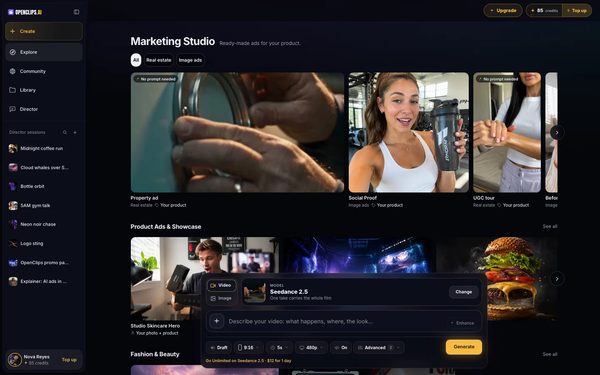
Open Marketing Studio
Press Explore in the App menu. Marketing Studio opens with its ready-made ads.
On a phone: Tap Explore in the menu. Marketing Studio opens with its ready-made ads.
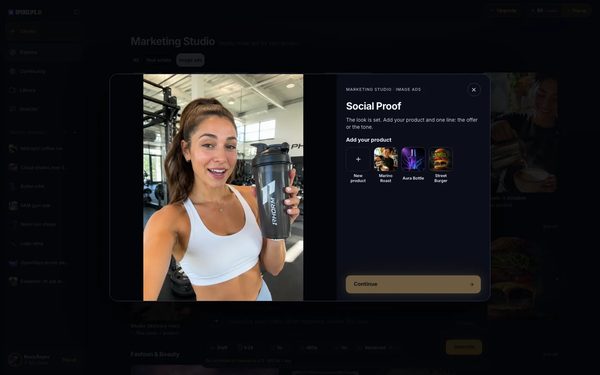
Pick an ad
Press Image ads in the row at the top, or stay on All. Press an ad to open it. It plays, with Add your product beside it.
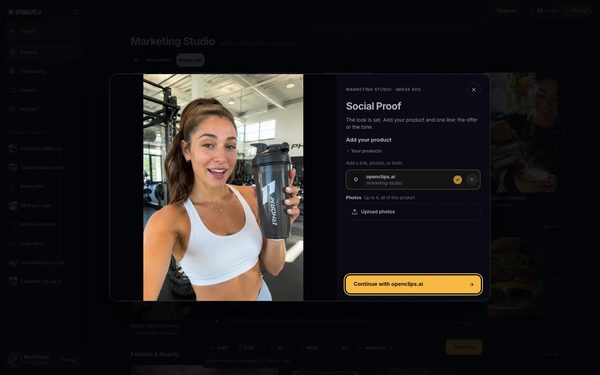
Paste your product link
Under Add your product, press New product if you have products saved. Paste the link to your product’s page in the box and press Add. OpenClips takes the photos and the name from the page.

Continue to the composer
Press Continue. The composer opens with the ad, and your product is in Your product.

Write one line and press Generate
An image ad asks for one line: the offer or the tone. Write it in the prompt, then press Generate.


What you get
Your ad, made with your product. It lands in your Library under Creations.
Tips and limits
- Press a shelf in the row at the top of Marketing Studio to see only its ads.
- The ads that say No prompt needed write their own words. You add only your product.
- See what a product ad can be on the Product videos page.
If something goes wrong
- We couldn’t read that page. Check the link, or add photos. shows under the link: the page didn’t answer. Check the link, or press Upload photos.
- The ad shows Make this ad with your product and a list of plans: your plan doesn’t include Marketing Studio. See Templates and the plan they need.
- The video failed: a failed render gives its credits back.Fix
Questions
What happens when I paste a product link?
OpenClips reads the page in the background and takes your product’s photos and name from it. You don’t wait for it.
Can I make an ad without a link?
Yes. Under Add your product, press Upload photos instead, up to four photos of the same product.
Does the product stay saved?
Yes. Your products are kept, and the next ad offers them under Add your product.
Which plan do I need?
A plan that includes Marketing Studio. See Templates and the plan they need.
Related
Steps checked in the app Updated