
Top up credits
The short answer
Press Top up next to your balance, press Buy on a pack and pay at checkout. The credits land in your balance and are yours to keep, on any plan.
On this page6 sections
Before you start
What you need
- An OpenClips account.
- A card to pay with.
Who can use it
Every plan: Free, Starter, Creator, Pro and MAX.
Models marked with a lock unlock with your first purchase.
You can top up on any plan, the free plan included.
What it costs
From ⚡2 a clip. See every price
That is what making a video costs. A top-up is a payment for credits, and each pack shows its price before you buy:
| Top-up | Credits |
|---|---|
| $10 | ⚡800 |
| $25 | ⚡2,000 |
| $50 | ⚡4,000 |
| $100 | ⚡8,000 |
| $200 | ⚡16,000 |
On a paid plan, packs can cost less. The checkout shows the exact amount before you pay.
Steps
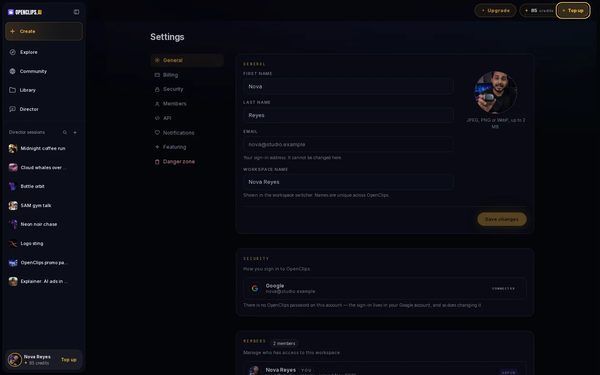
Open Top up
Press Top up next to your balance in the top bar. The Plans sheet opens on Top up credits.
On a phone: Tap + next to your balance. The Plans sheet opens on Credits.
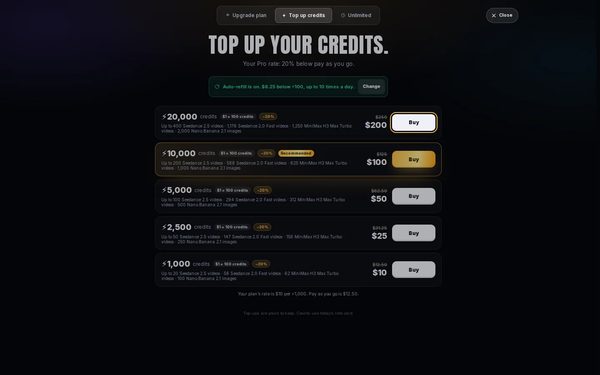
Pick a pack
Each pack shows its credits and its price. Press Buy on the one you want.
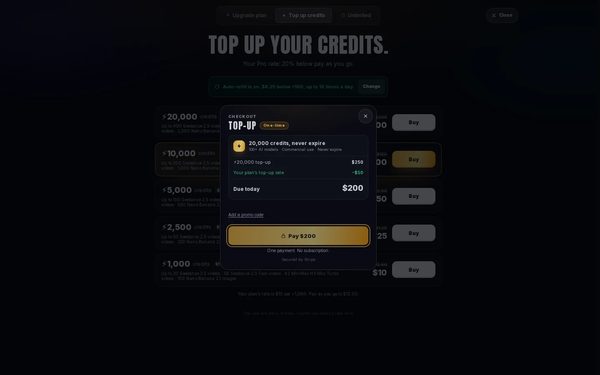
Pay
The checkout shows what is Due today. If the checkout asks for a card, enter it, then press Pay. To use a code, press Add a promo code first.
Find your credits
Your new credits show in your balance once the payment goes through.


What you get
More credits in your balance, yours to keep.
Tips and limits
- On a paid plan, the Top up credits tab shows your plan’s rate, which can be below pay as you go.
- Turn on Auto-refill to top up on its own when your balance runs low. See Turn on Auto-refill.
If something goes wrong
- The button says Top Up instead of Generate: your balance is too low for that video. Top up, then press Generate again.
- A video failed and took credits.Fix
Questions
Do top-up credits expire?
No. Credits you top up are yours to keep, even if your plan ends. See How credits work.
Can I top up without a plan?
Yes. You can top up on any plan, the free plan included.
Can I use a promotion code?
Yes. Press Add a promo code at checkout, before you pay.
Is a top-up a subscription?
No. The checkout says One payment. No subscription. Nothing is charged again unless you turn on Auto-refill.
Related
Steps checked in the app Updated