
GuideImages
Upscale an image
The short answer
To upscale an image, open its menu in your Library, choose Edit image, pick an upscale and press Run. The bigger copy lands in your Library under Creations, and the original stays as it is.
On this page6 sections
Before you start
What you need
- A finished image in your Library, or a photo on your device.
- An OpenClips account.
Who can use it
Every plan: Free, Starter, Creator, Pro and MAX.
Models marked with a lock unlock with your first purchase.
What it costs
From ⚡1 an image. See every price
That is the price to make an image. Each upscale shows its own price beside it, and Run shows it again before you press it.
Steps

Open your Library
Press Library in the App menu. Your images are under Creations.
On a phone: Open the menu and tap Library. Your images are under Creations.
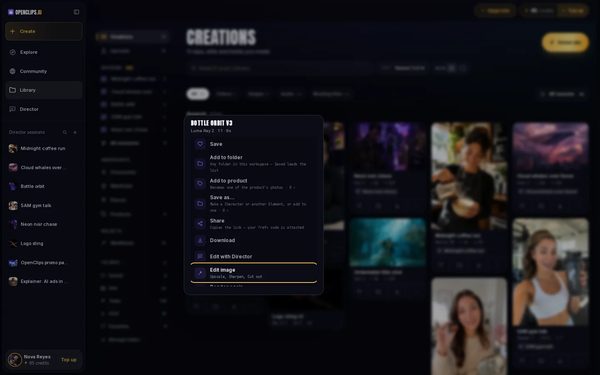
Open the image's menu
Press ⋯ on the image’s card.
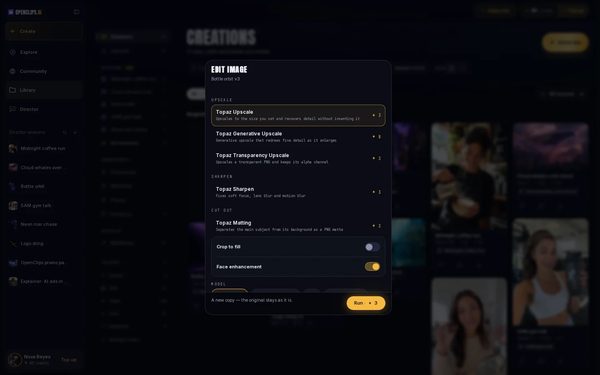
Choose Edit image
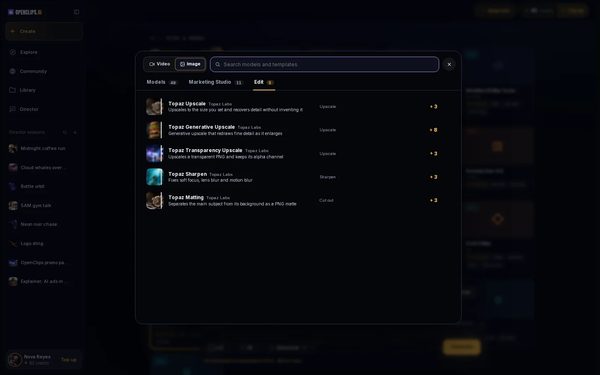
Choose Edit image. The sheet lists the edits for this image by kind, each with what it does and its price.
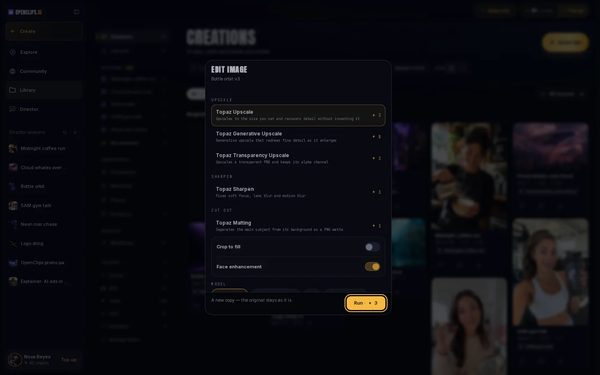
Upscale the image
Under Upscale, pick one and fill in the settings the upscale asks for. Then press Run.
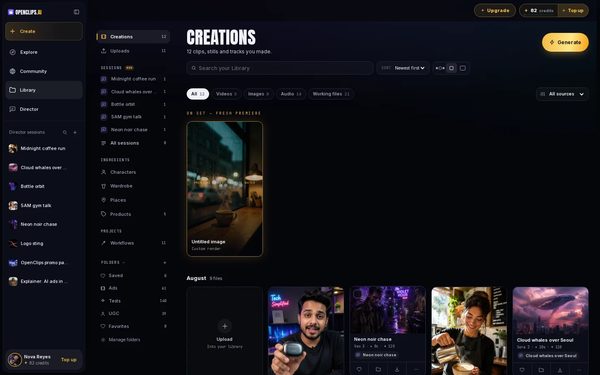
Find the copy in your Library
The new copy appears first in your Library, under Creations. The original stays as it is.
For a photo on your device, pick an upscale in Create
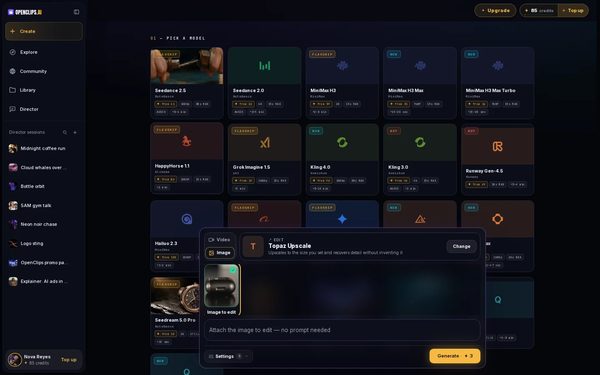
Press Create, choose Image and press Change on the model card. Open Edit and pick an upscale.
On a phone: Tap Create in the menu, then Change. Tap Image at the top, open Edit and pick an upscale.
Add your photo
Press Add photo, choose Upload and pick your photo. Then press Generate. The bigger copy lands in your Library under Creations.


What you get
A bigger, sharper copy of your image, in your Library under Creations. The original stays as it is.
Tips and limits
- An upscale works on a finished image. Wait for a render to finish before you upscale it.
- The Edit image sheet lists every edit the image can take, not only upscales.
- To change what is in the picture, see Edit a photo.
If something goes wrong
- An upscale won’t run: the line beside Run says which setting it still needs.
- The line beside Run says Not enough credits: your balance is too low for this upscale. Top up, then press Run again.
Questions
Does an upscale change my original image?
No. Edit image makes a new copy, and the original stays as it is. Both are in your Library.
Why don't I see Edit image on a card?
The image must be finished. A card that is still rendering, or that failed, has no Edit image, and neither does an image no edit can take yet.
Which upscale should I pick?
Each row in Edit image says what that upscale does and shows its price. Pick the one whose line fits your image.
Related
Steps checked in the app Updated