
Use a prompt from the community
The short answer
Open a clip in Community and press Use this prompt, and the composer opens with the clip’s prompt in the box and its model chosen. Change any word you like, then press Generate.
On this page6 sections
Before you start
What you need
- A clip you like in Community.
- An OpenClips account. You can open the composer without one, and you sign up when you press Generate.
Who can use it
Every plan: Free, Starter, Creator, Pro and MAX.
Models marked with a lock unlock with your first purchase.
What it costs
From ⚡2 a clip. See every price
The Generate button shows the exact price before you press it. It depends on the model, the length and the quality.
Steps
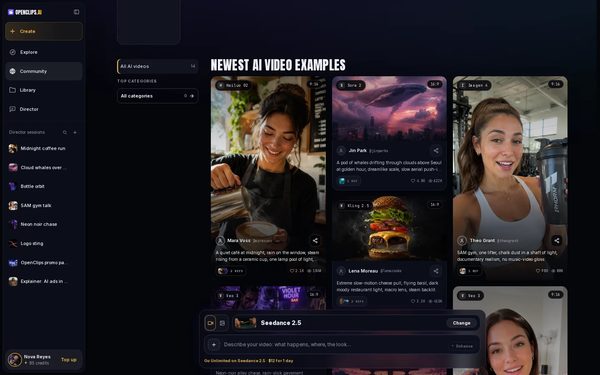
Open Community
Press Community in the App menu.
On a phone: Tap the menu, then Community.
Open a clip
Press a clip you like. Its page plays the clip and shows the prompt that made it.

Press Use this prompt
On the clip’s page, press Use this prompt.
Read or change the words
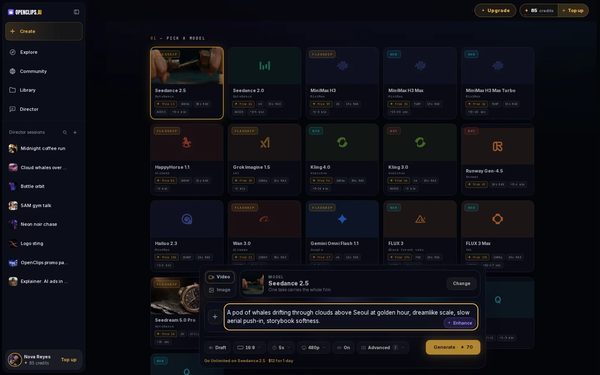
The composer opens with the clip’s prompt in the box and the clip’s model chosen, and a message says what carried over. Read the prompt, and change any word you like.
Press Generate
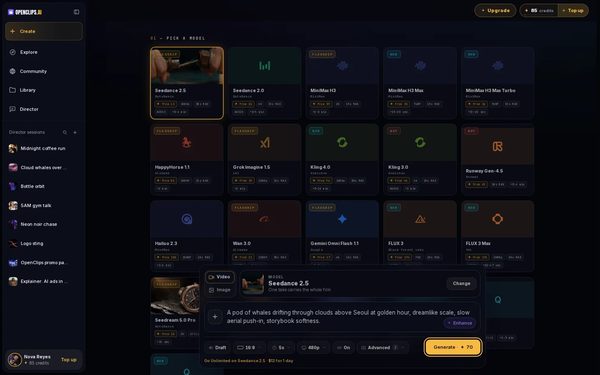
Press Generate. The button shows the exact price in credits before you press it.


What you get
Your own video from the clip’s prompt, in your Library under Creations.
Tips and limits
- The copy button beside a clip’s prompt copies its words, to paste wherever you like.
- Change one part at a time, like the subject, the action or the camera, to keep the look you liked.
If something goes wrong
- The button says Top Up instead of Generate: your balance is too low for this video.
- The composer says Attach an image to use this model: that model starts from a picture. Pick another model, or add a picture to the composer.
Questions
Can I change the prompt?
Yes. The prompt opens in the box like one you typed. Change any word in it before you press Generate.
Can I use a prompt without an account?
Yes. Use this prompt opens the composer for anyone, and you create an account when you press Generate.
Why does a clip show Recreate workflow instead?
That clip was made by a workflow, which runs several steps from your photo. See Run a workflow.
Related
Steps checked in the app Updated