NewOpenClips MCP is live.Your AI video studio, inside any AI chat.See how it works →
Pricing
IMAGELiteralOpenAI

GPT Image 2.5It edits one thing.

You stop re-editing the same frame. GPT Image 2.5 changes one thing. The rest stays exactly as it was.

  • Text to image
  • Reference fidelity
  • Multi-turn editing
  • Transparent backgrounds
  • Up to 50% lower latency

Free account · 50 on signup · No card

The set

GPT Image 2.5 renders

Four briefs, four jobs. Concept, cinema, narrative and a wide one.

An orchestra inside an orange peel

An orchestra inside an orange peel

GPT Image 2.5

The peel opens. A full orchestra plays inside it.

A rainstorm boxed in gallery glass

A rainstorm boxed in glass

GPT Image 2.5

A gallery, and one cube with its own weather.

One red umbrella, one kaiju

One red umbrella, one kaiju

GPT Image 2.5

Two people laugh under an umbrella. The city behind them does not.

A duel in the neon greenhouse

A duel in the neon greenhouse

GPT Image 2.5

Two swordsmen, wet stone, and a garden lit in neon.

What changed

What is GPT Image 2.5 good at?

01

References that survive

It preserves the subjects in your reference photos.

02

Edits that stay put

It changes what you asked for. The rest of the frame holds.

03

Turn after turn

Earlier edits stay consistent. Each new edit builds on the last.

04

Layouts, transparent included

It handles more complex layouts. Transparent backgrounds are among them.

05

The style you named

It reflects a visual style more closely than 2.0 did.

06

Light and texture

More natural lighting. Richer textures out of the box.

Two ways in

GPT Image 2.5 text to image

Write every clause. Subject, layout, style, words. OpenAI states it reflects a named visual style more closely. It handles more complex layouts. Transparent backgrounds are among them. Same rate card runs on Sunburst when the brief wants tighter control.

GPT Image 2.5 image to image

Attach the photo whose subject must survive. OpenAI states it preserves those subjects. It edits only what you asked for. Earlier edits hold across the turns that follow. A photoreal retouch belongs on Nano Banana instead.

The sheet

Flare against Sunburst

Flare for most briefs. Sunburst when the edits have to hold tight. Below: one brief on each.

SpecGPT Image 2.5 FlareGPT Image 2.5 Sunburst
OpenAI's own framingThe default choice for most applicationsBuilt for premium visual workflows
SpeedHigher quality than GPT Image 2 at 50% lower latencyTighter control across a run of edits
Cast it forCreator and social content, product experiencesProduction-ready campaign creative
And forVisual search, rapid prototyping, high-volume generationPolished product imagery
Where it runsThe OpenAI APIThe OpenAI API
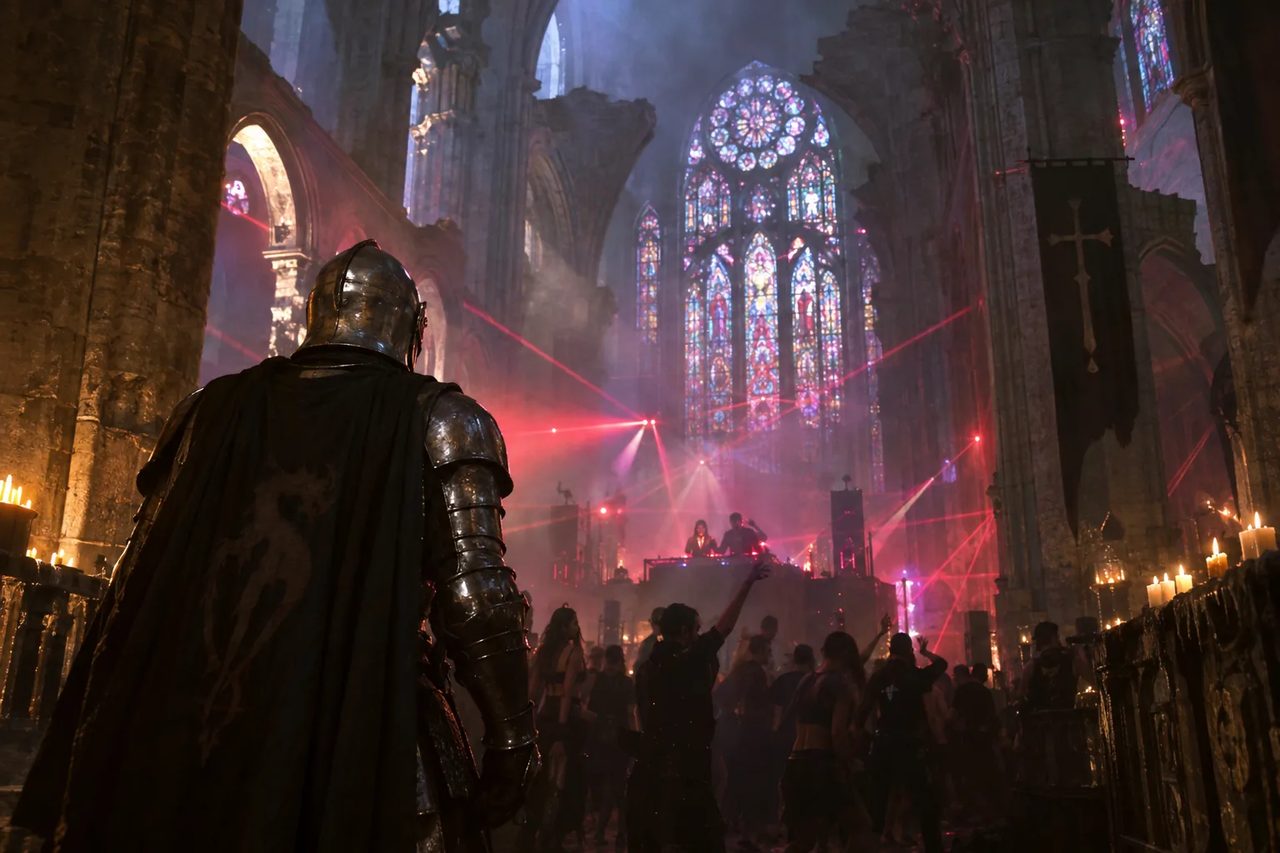
Cathedral rave, knight in the nave

Flare

The cathedral rave

GPT Image 2.5

Cool side. Same nave, colder beams, more of the crowd.

Cathedral rave, knight in the nave

Sunburst

The cathedral rave

GPT Image 2.5

Warm side. Candlelight holds and the lasers read red.

The gravity museum atrium

Flare

The gravity museum

GPT Image 2.5

Same room, tighter stance, a different mass in frame.

The gravity museum atrium

Sunburst

The gravity museum

GPT Image 2.5

Wide atrium, one mass centred over the pool.

Words in the frame

Packshots with real label copy

Brand names, headlines and label text. Set where the brief put them.

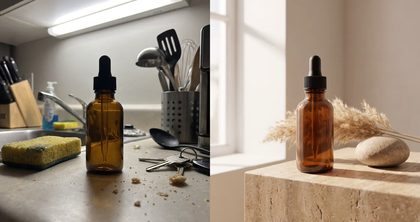
The serum in silver rings

The serum in silver rings

GPT Image 2.5

Brand name set on the bottle. Rings and droplets around it.

Obsidian Noir on the rock

Obsidian Noir on the rock

GPT Image 2.5

Label copy in frame. Smoke, wet stone, one hard light.

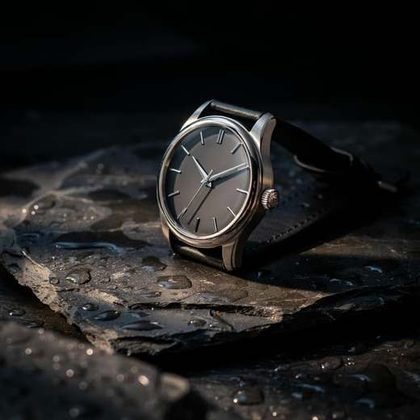
The watch in the splash

The watch in the splash

GPT Image 2.5

Frozen water, black ground, the dial still readable.

Silver ink, one clean line

Silver ink, one clean line

GPT Image 2.5

Headline copy on the block. The pen draws the line itself.

The tea caddy in morning light

The tea caddy in morning light

GPT Image 2.5

Caddy, cup and leaf. Steam, and the light doing the work.

Headphones on a lit plinth

Headphones on a lit plinth

GPT Image 2.5

A product on a plinth at dusk, edge lit from under.

The sneaker under glass

The sneaker under glass

GPT Image 2.5

One shoe, planted. Glass, moss and leaf around it.

A box of planets

A box of planets

GPT Image 2.5

Eight pralines, eight worlds, one presentation box.

How to

How do you use GPT Image 2.5 on OpenClips?

01

Write the brief

Name the subject, the layout and the words. One clause each.

02

Attach what must not change

Reference photos ride along. It keeps the subject you gave it.

03

Edit, then edit again

Change one thing per turn. The price shows before every render.

Every format

GPT Image 2.5 image examples

Concept, interior, narrative and atmosphere. Landscape and portrait from one composer.

  • Five biomes behind brass windowsConcept

    Five biomes behind brass

    GPT Image 2.5

    Jungle, arctic, desert, ocean and moon, one cabinet.

  • Inside the clock, mid-chaseAction

    Inside the clock, mid chase

    GPT Image 2.5

    Brass gears, a hat, and someone already running.

  • Arrivals, under a city of spiresInterior

    Arrivals, under a city of spires

    GPT Image 2.5

    A station concourse, and a skyline that does not belong to it.

  • The tailor cutting a jacket from cloudCraft

    The tailor cutting cloud

    GPT Image 2.5

    A jacket cut from weather, on the bench and on the stand.

  • The monastery watches it arriveWide

    The monastery watches it arrive

    GPT Image 2.5

    Monks on the terrace. The ship holds over the peaks.

  • A living room under the planetsInterior

    A living room under the planets

    GPT Image 2.5

    An ordinary sofa. Jupiter overhead, and Saturn beside it.

  • Two riders, two moonsWide

    Two riders, two moons

    GPT Image 2.5

    A red plain at dusk. Two silhouettes, one rover.

  • A violin frozen into a glacierSurreal

    A violin frozen into a glacier

    GPT Image 2.5

    A concert instrument left in the ice, lit like a landscape.

  • The street the water keptAtmosphere

    The street the water kept

    GPT Image 2.5

    A lamp still burning. A figure walking the seabed.

  • A barbecue, and the kraken behind itNarrative

    A barbecue, and the kraken behind it

    GPT Image 2.5

    Burgers on the grill. Tentacles on the skyline.

  • The tomb that opens on starsAdventure

    The tomb that opens on stars

    GPT Image 2.5

    Two lanterns, one doorway, and a galaxy behind it.

  • Ironing the desert flatSurreal

    Ironing the desert flat

    GPT Image 2.5

    Someone presses a dune. The crease is the point.

  • The dinner the ghosts still attendCinematic

    The dinner the ghosts still attend

    GPT Image 2.5

    Candles, cut glass, and the guests nobody seated.

  • A ballerina in the buried streetCinematic

    A ballerina in the buried street

    GPT Image 2.5

    Cars under snow. One dancer, mid line.

  • The tree that holds the cavern upWide

    The tree that holds the cavern up

    GPT Image 2.5

    Torches, rope bridges, and roots the size of a street.

The sheet

GPT Image 2.5 model parameters

Status
Live in the composer
Resolutions
1024×1024 · 1024×1536 · 1536×1024 · 2048×1152 · 2048×2048 · 2160×3840 · 3840×2160
Aspect ratios
Not published
Input
Text, or text with reference photos
Editing
Multi-turn. Earlier edits hold across the run
Reference photos
Subjects are preserved
Transparent backgrounds
Yes, and more complex layouts
Latency
Up to 50% lower than Images 2.0
API tiers
Flare, the default choice. Sunburst for premium workflows
Provenance
C2PA metadata and invisible watermarking
Vendor
OpenAI

Vendor claims from the 8 September 2026 announcement. OpenClips defaults arrive with the catalog id.

What it is cast for

Briefs that survive an edit

The jobs OpenAI names. And the ones it wins.

Campaign creativeProduct imagerySocial contentProduct experiencesVisual searchRapid prototypesHigh-volume runsTransparent backgrounds

Quoted first

What a GPT Image 2.5 render costs

Most used

Flare

Per render · gpt-image-2.5-flare

43

$0.43 at pack rate

The default tier. Same price, sooner.

Sunburst

Per render · gpt-image-2.5-sunburst

43

$0.43 at pack rate

The quality tier, when the edits have to hold.

Priced per render, never per month. Both tiers cost the same, so the choice is speed against control. The composer shows the exact ⚡ on the button before you press it. A free account starts with ⚡50. Packs start at $10/1,000⚡.

OpenClips MCP

Drive OpenAI image models from your AI agent

No console and no syntax. Your agent briefs the model through the OpenClips MCP server. One sentence is the brief.

Server addresshttps://mcp.openclips.ai
ClaudeClaude CodeChatGPTCursorVS CodeGrokHermes agentOpenClawOther MCP client
  1. Step 01

    Say it in plain words

    One sentence is the brief. Subject, layout, style.

  2. Step 02

    Your agent writes the edit

    The canvas and the ⚡ quote. Drafted and queued for you.

  3. Step 03

    The frame lands in your library

    Download it, remix it, or ship it. Credits settle automatically.

Director's notes

Tips for best results with GPT Image 2.5

Four habits that keep an edit an edit.

  • Name the change, not the frame

    It edits only what you asked. Say that one thing.

    One change per turn

  • Give it the subject to keep

    Reference photos hold their subjects. Attach the one that matters.

    Bring the reference

  • Build across turns

    Each edit builds on the last. Quality holds over the run.

    Keep the thread

  • Ask for the transparent plate

    It handles complex layouts. Transparent backgrounds are among them.

    Say transparent

From the blog

Read before you render

Questions

Frequently asked questions

OpenAI's image model, announced on 8 September 2026 as its new state of the art. The pitch is sharper details, more precise editing and faster generation. In practice that reads as more natural lighting, richer textures, and reference photos whose subjects survive the render.

Yes. Both tiers ride the composer as of 9 September 2026. Flare is the default for most work. Sunburst is the tighter multi-turn tier. Same wallet, same library, same reference envelope as every other image model on the roster.

OpenAI states image generation latency is reduced by up to 50% compared with Images 2.0. That is the vendor figure, and it is the only speed number this page carries. Wall-clock time on OpenClips also depends on queue and canvas, and the composer reports the render as it runs.

That is the headline change. OpenAI states it is better at editing only what you asked for, keeping the rest of the details the same, even with more complex subjects and backgrounds. Say what changes, not what to preserve.

Yes. Across a longer conversation it follows specific editing instructions more reliably. Earlier changes are more likely to stay consistent, each new edit builds on the work already done, and image quality does not degrade over the run.

Yes. OpenAI states the model can handle more complex layouts including transparent backgrounds, and that it is better at reflecting visual styles. Useful when the frame has to sit on a product page or inside another layout.

Flare is the default choice for most applications, and OpenAI positions it for creator and social content, product experiences, visual search, rapid prototyping and high-volume generation. Sunburst is for premium visual workflows that want tighter control across edits, such as production-ready campaign creative or polished product imagery.

Any WIDTH×HEIGHT the size field accepts, within the vendor bounds: edges divisible by 16, longest edge up to 3840 pixels, aspect within 3:1, total pixels between 655,360 and 8,294,400. Seven presets sit in the composer for the common canvases: 1024×1024, 1024×1536, 1536×1024, 2048×1152, 2048×2048, 2160×3840 and 3840×2160.

One flat ⚡ per render, size and quality tier included. The composer quotes the exact number on the button before you press it. A free account starts with ⚡50.

OpenAI states it continues to use C2PA metadata and invisible watermarking. That is provenance data attached to the file, not a visible mark across the frame.

It stays live beside the 2.5 pair. Same composer, same wallet, same library. Pick it when you need the older model's exact behaviour on a run. The composer chip switches between the three without moving anything else.

Version history

What changed in each GPT Image release?

Newest first, straight off the roster.

  1. GPT Image 2.5

    image · Live on OpenClips

    Sharper detail, more precise editing, faster renders.

  2. GPT Image 2

    image · Live on OpenClips

    Precise instruction-based generation.

The receipts

Where do these GPT Image 2.5 facts come from?

Every link goes to the vendor's own page.

Change one thing

Leave everything else exactly where it was.

Generate with GPT Image 2.5

⚡50 on signup. No card. The price shows before every render.

The edit that stays an edit

Most image models re-render the whole frame when you ask for one change. GPT Image 2.5 is better at editing only what you asked for, keeping the rest of the details the same, even with complex subjects and backgrounds.

That holds across a conversation. Earlier changes stay consistent, each new edit builds on the work already done, and quality does not degrade over the run. Your ⚡50 signup grant covers the first pass on a live model.

What OpenAI shipped

Sharper details, more precise editing, faster generation. More natural lighting and richer textures. Better preservation of the subjects in your reference photos. More complex layouts, transparent backgrounds included, and closer adherence to a visual style. Latency is down by up to 50% against Images 2.0.

Two models reach the API. Flare is the default for most work. Sunburst is the premium tier for workflows that need tighter control across edits.

What the composer offers

Free-form size on the wire, with seven presets sitting on the field for the common canvases (1024×1024, 1024×1536, 1536×1024, 2048×1152, 2048×2048, 2160×3840, 3840×2160). Any WIDTH×HEIGHT works within the vendor's own bounds: edges divisible by 16, longest edge up to 3840, aspect within 3:1. One flat ⚡ per render, size and quality tier included.

Sketch, Templates and image comments are features of OpenAI's own app, not of OpenClips. What arrives here is the model.

Where it sits on the roster

Flare is the flagship version and the composer's default choice. Sunburst rides beneath it as a Variant. Same page, same rate card, same reference envelope, for briefs that want tighter control across a multi-turn edit. Every take lands in one library, and one balance covers the whole models roster.

Where to go next

Related models