
Create an API key
The short answer
To create an API key, open Manage account from your name in the App menu, choose API and press Create new key. Name it after your app, press Create key, and copy it right away, because OpenClips shows it only once.
On this page6 sections
Before you start
What you need
- An OpenClips account.
- The app or script that will use the key.
Who can use it
Every plan: Free, Starter, Creator, Pro and MAX.
Models marked with a lock unlock with your first purchase.
That is who can make a video.
What it costs
From ⚡2 a clip. See every price
That is what making a video costs. Creating a key costs nothing.
Steps
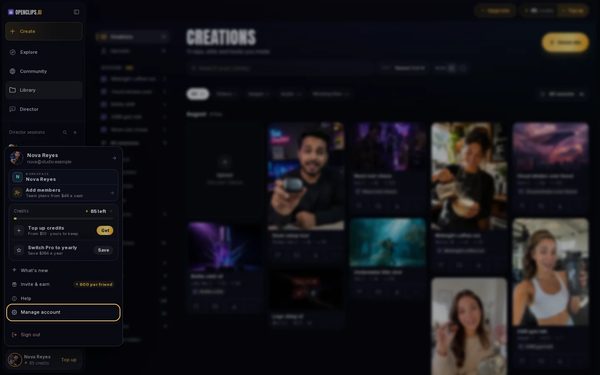
Open your account settings
Press your name at the bottom of the App menu, then Manage account.
On a phone: Open the menu, tap your name at the bottom, then tap Manage account.
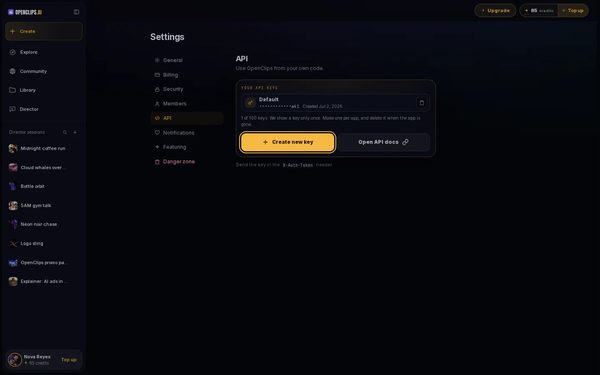
Open API
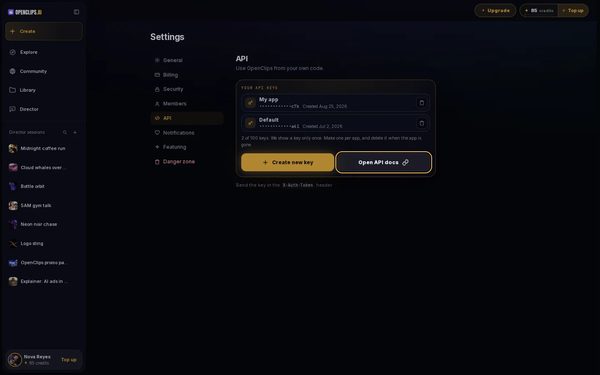
In the Settings menu, press API. Your API keys lists the keys you have.
On a phone: In the row of settings at the top, tap API. Your API keys lists the keys you have.
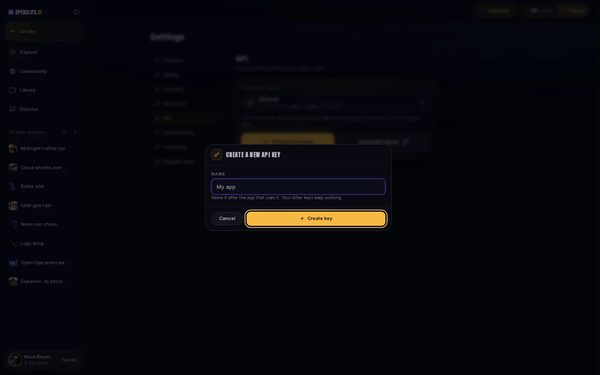
Name the key
Press Create new key. Under Name, name it after the app that will use it. Press Create key.
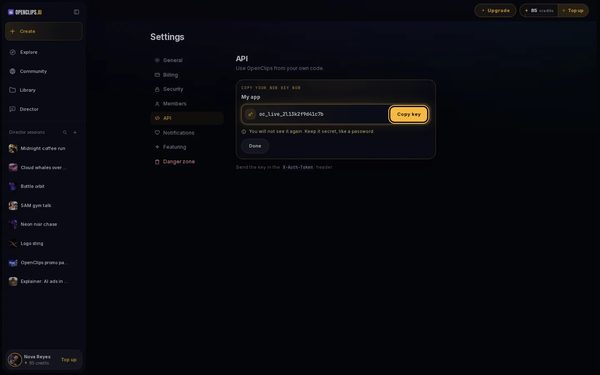
Copy it now
Under Copy your new key now, press Copy key and keep the key somewhere safe. Once you press Done, OpenClips never shows it again.
Use it in your app
Send the key in the
X-Auth-Tokenheader of each request. Open API docs opens the API’s docs.


What you get
A named key in Your API keys that your app sends with its requests. The list shows its name, its last few characters and the day you made it.
Tips and limits
- Make one key per app. When an app is gone, delete its key.
- Keep a key secret, like a password.
- To delete a key, press its bin, then Delete key. Apps that use it stop working right away. Your other keys keep working.
If something goes wrong
- Create new key is greyed out: you have as many keys as you can. Delete one to create another.
- You lost a key: OpenClips can’t show it again. Delete it and create a new one.
Questions
Do I need an API key to use OpenClips in ChatGPT or Claude?
No. ChatGPT, Claude and Cursor connect through the OpenClips MCP server, without a key. See Make videos in ChatGPT or Make videos in Claude.
I lost my key. Can I see it again?
No. OpenClips shows a key only once. Delete the lost key and create a new one.
What can I do with an API key?
Use OpenClips from your own code. Open API docs, beside Create new key, lists the requests.
Related
Steps checked in the app Updated