
GuideVideo
Make a video from text
The short answer
Open Create, choose Video, describe what happens in the prompt and press Generate. On a model that starts from words, nothing else is needed, and the video lands in your Library under Creations.
On this page6 sections
Before you start
What you need
- An idea for one scene, in your own words. You don’t need a photo.
- An OpenClips account. You can start without one and sign up when you press Generate.
Who can use it
Every plan: Free, Starter, Creator, Pro and MAX.
Models marked with a lock unlock with your first purchase.
What it costs
From ⚡2 a clip. See every price
The Generate button shows the exact price before you press it. It depends on the model, the length and the quality.
Steps
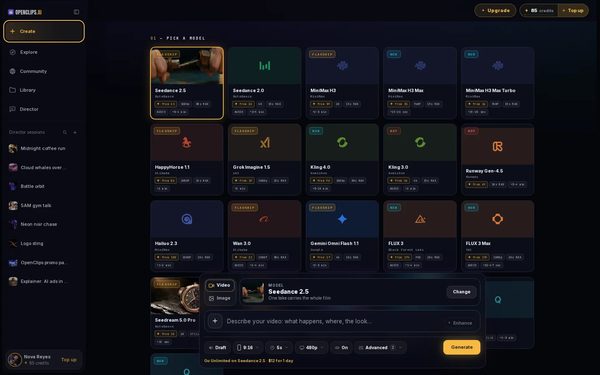
Open Create
Press Create in the App menu, then choose Video beside the model card.
On a phone: Tap Create in the menu. The full-screen Create video composer opens.
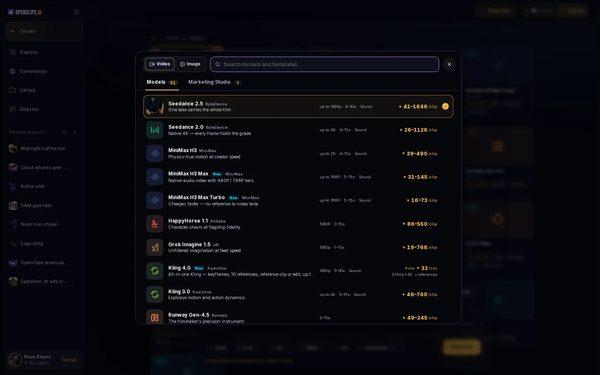
Pick a model that starts from words
Press Change on the model card and pick a model from Models. Each model shows its price.
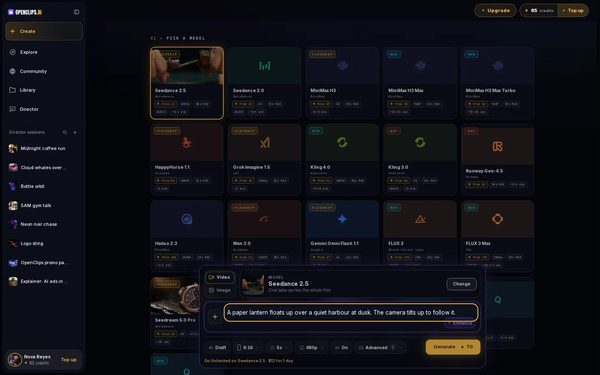
Describe the scene
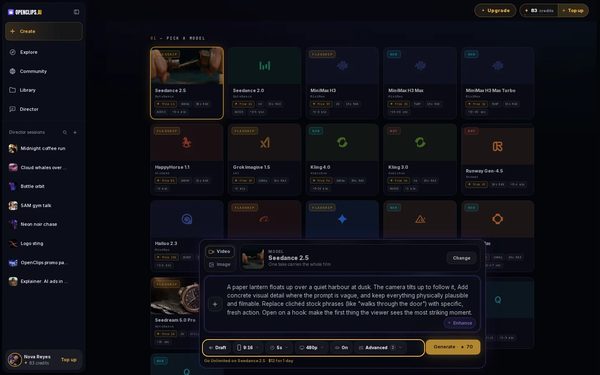
Write what happens in the prompt: who or what is in the shot, what they do, where, and how it looks. For example: “A paper lantern floats up over a quiet harbour at dusk. The camera tilts up to follow it.”
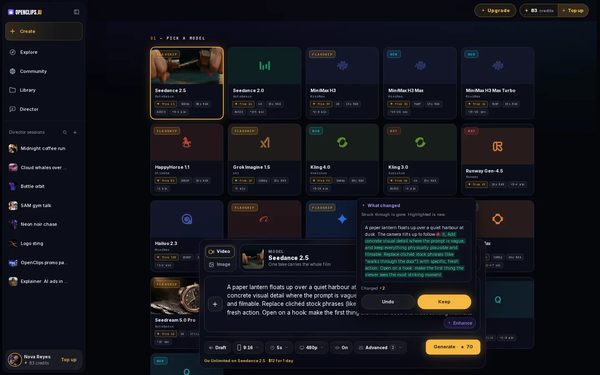
Let Enhance sharpen it
Press Enhance, tick what to fix and press Enhance again. The box shows what changed. Press Keep, or Undo to go back to your own words.
Set shape, length, quality and sound
Use the pills under the prompt to set the shape, the length in seconds, the quality and the sound. Every option shows its own price.
On a phone: Use the tiles Shape, Length, Quality and Sound.
Press Generate
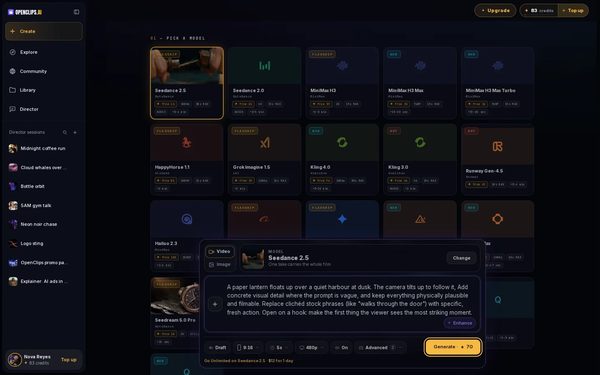
Press Generate. The button shows the exact price before you press it, and credits are taken only when the render starts.
Find it in your Library
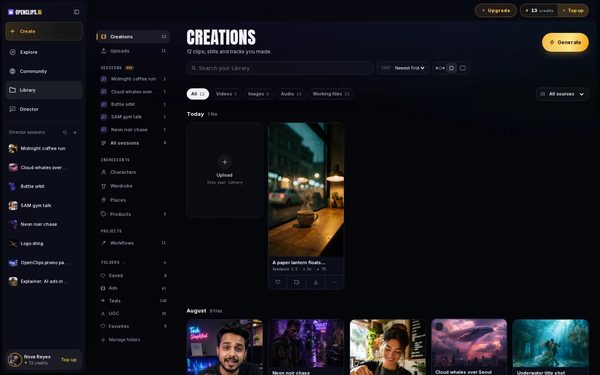
Your video lands in your Library, under Creations. While it renders, its card says how long that model usually takes.


What you get
A short video of the scene you wrote, in your Library under Creations.
Tips and limits
- Write one scene per prompt. For a longer story, make one video per scene.
- A model that can’t make what a setting asks for greys that option out and says why.
- Choose length, format and quality lists what every model offers.
- See what words alone can make on the Text to Video page.
If something goes wrong
- The video failed: a failed render gives its credits back.Fix
- The button says Top Up instead of Generate: your balance is too low for this video.
Questions
Can every model make a video from words alone?
No. Some models start only from a photo or a clip. To start on a photo of your own, see Animate a photo.
What should a good prompt say?
Say who or what is in the shot, what happens, where it happens and how it looks. Name the camera move and the light. One scene per prompt works best.
Does Enhance cost credits?
Yes. The box shows what one rewrite holds before you press Enhance, and you pay what it uses. Undo takes the rewrite back.
Can I try it without an account?
Yes. Write your prompt on the Text to Video page and press its button. OpenClips asks you to sign up when you press Generate.
Related
Steps checked in the app Updated