Christmas Video Ads 2026: AI Holiday Ads From One Photo
Build your Christmas 2026 ads in November and run them from Tuesday 1 December. From one product photo you can make seven ads that cover the whole season: four statics and three videos, with a calendar that changes the message as each deadline passes.
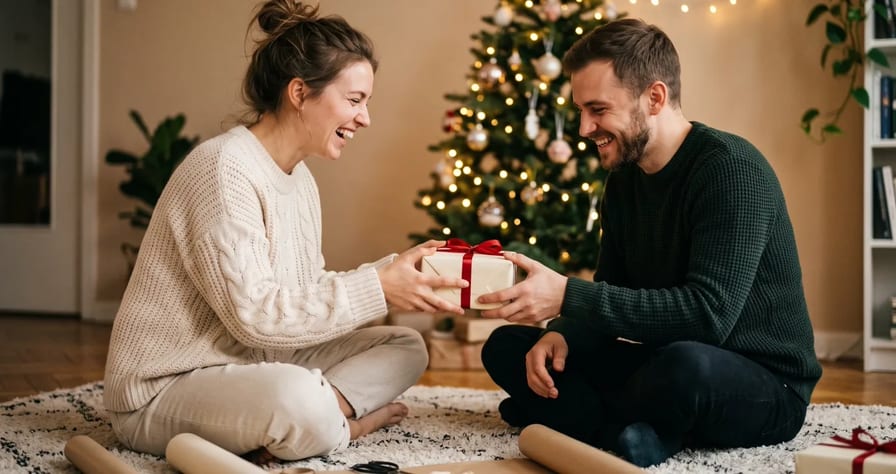
Scene select — 7 scenes
Build your Christmas 2026 ads in November and run them from Tuesday 1 December: in Bank of America’s 2026 Holiday Spending Survey, 29% of Americans plan to do most of their holiday shopping in early to mid December, against 17% on Black Friday. From one product photo you can make seven ads that cover the whole season: four statics (gift guide, order-by cutoff, digital gift card, after-Christmas sale) and three videos (unboxing, “gift for her” UGC, cozy lifestyle). The exact price shows on the Generate button before every render.
This follows our Black Friday video ads playbook, which covers hooks, the ten-variant test plan and Meta testing. Everything there still applies. This post covers what changes for Christmas: the dates, the gift angle, the prompts and the settings.
The Christmas 2026 ad calendar
People start looking early and buy late. NRF’s survey of 8,094 adults found that 43% start browsing and buying before November, yet 64% are likely to wait until Thanksgiving weekend to do most of their shopping. Bank of America’s survey shows the biggest push moving into December. So your ads need to be live for the whole stretch, and the message has to change as each deadline passes.
The shipping dates are USPS’s recommended send-by dates for the contiguous US. They are recommendations, not guarantees. Put your own carrier and warehouse dates in your ads.
| Dates (2026) | What runs | Ads to have ready |
|---|---|---|
| Wed 4 to Sun 15 Nov | Build the Christmas set while Black Friday tests run | 4 gift statics, 1 unboxing, 1 lifestyle clip |
| Mon 16 to Thu 26 Nov | Make the UGC clips, schedule December ads | 2 UGC clips, one gift-guide static per person |
| Fri 27 to Mon 30 Nov | Black Friday and Cyber Monday: run the BF plan | Offer cuts from the BF post |
| Tue 1 to Sun 13 Dec | Main gift push | Gift guide, unboxing, UGC, lifestyle |
| Mon 14 to Thu 17 Dec | Shipping cutoff (USPS Ground Advantage: 17 Dec) | “Order by” static, 4:5 and 9:16 |
| Fri 18 to Sat 19 Dec | Last express orders (Priority Mail 18 Dec, Express 19 Dec) | Same static, new date |
| Sun 20 to Thu 24 Dec | Last-minute gifts: digital gift cards, local pickup | Gift card static |
| Fri 25 Dec | Pause sale ads | One warm brand static, optional |
| Sat 26 Dec to Sun 3 Jan | After-Christmas sale, “spend your gift card” | Sale static, product video re-cut |
Two more numbers shape the last two weeks. Gift cards top wish lists in NRF’s survey, at 47%, so a “spend your gift card” ad from 26 December reaches people with fresh money for you. And in Bank of America’s survey only 14% plan to buy gifts directly through social media, down from 35% in 2025. Your ad’s job is to send people to your store page, so the link and the deadline matter more than the vibe.
Seven Christmas ads from one product photo
Start with one sharp photo: product front-facing, label readable, plain background. Attach the same file as Image 1 in every prompt, so the product looks identical across the set.
| # | Ad | Runs | Route A: Marketing Studio | Route B: model and format |
|---|---|---|---|---|
| 1 | Gift-guide static (“Gifts for him”) | 1 to 13 Dec | Gift & Occasion | Nano Banana Pro, 4:5 + 9:16 |
| 2 | Order-by cutoff static | 14 to 19 Dec | Offer / Promo | Nano Banana Pro, 4:5 + 9:16 |
| 3 | Digital gift card static | 20 to 24 Dec | Seasonal Moment | Nano Banana Pro, 4:5 + 9:16 |
| 4 | After-Christmas sale static | 26 Dec to 3 Jan | Offer / Promo | Nano Banana Pro, 4:5 |
| 5 | Christmas-morning unboxing | 1 to 17 Dec | Unboxing (UGC) | Seedance 2.5, 9:16 |
| 6 | “Gift for her / him” UGC | 1 to 19 Dec | Unboxing or UGC Ads | Seedance 2.5, 9:16 |
| 7 | Cozy lifestyle clip | All season | Golden hour | MiniMax H3, 9:16 + 1:1 |
The exact settings for each Route B ad are in the title of its prompt card below.
Sizes. 4:5 for feed statics, 9:16 for Stories and Reels. Neither Seedance 2.5 nor MiniMax H3 offers 4:5, so render feed video in 1:1. Every placement is in our aspect ratio cheat sheet.
Which route? Marketing Studio (Route A) when you want a finished ad without writing prompts. A model with a prompt (Route B) when you want control over the scene, the text and the cost of each piece.
Route A: the Holiday gifting templates in Marketing Studio
We checked Marketing Studio on 4 November. There is no Christmas group, but there is Holiday gifting (“Sold as the thing you buy for someone else”) with six templates:
| Template | Type | Use it for |
|---|---|---|
| Gift & Occasion | Image | Ad 1, the gift-guide static |
| Seasonal Moment | Image | Ad 3, or a Christmas-day static |
| Bundle & Combo | Image | Gift sets and bundles |
| Unboxing | UGC video, 15 s | Ad 5, unboxing by a creator |
| Golden hour | Cinematic Short, 10 s | Ad 7, a warm mood film |
| Emotional narrative | Cinematic, 15 or 30 s | A short gift story |
For the cutoff and sale ads, open the Flash sale group (“One offer. One deadline. One reason to tap.”): Offer / Promo, Street sale, Instagram Live ad, Kinetic copy and Bundle & Combo.
- Open Marketing Studio, paste your product link or click Photo, and add a few words: “wool scarf, Christmas gift for her”.
- Click Find My Templates, then filter by Holiday gifting.
- Pick a template and a size, and type the moment in one line: “Christmas morning, she opens it by the tree”.
- Check the price on the Generate button, then generate. Click Change to try the next template with the same product.
Watch: How to Make Product Videos Without the Product (AI Video Ads From a Link or One Photo). From 0:14 a product link becomes a How-to ad, and at 1:12 one photo becomes a Lifestyle montage: the same flow you use for Holiday gifting.
Marketing Studio is included from the Creator plan, per our pricing page.
Route B: four Christmas statics with Nano Banana Pro
Settings for all four: Nano Banana Pro, aspect 4:5, then run again at 9:16. The mid resolution is enough for any feed; the top one adds cost and nothing a feed can show. Nano Banana Pro sets headlines of three to six words cleanly, so keep the big line short and read every letter before an ad goes live.
These prompts are templates. We have not rendered these exact prompts, so treat them as starting points.
Watch: Nano Banana Pro Product Photography: Studio Shots From One Phone Photo. At 0:32, name where each shot will run (a flat lay for Instagram, a banner with room for a headline); at 1:20 the label stays identical across all six shots.
Image 1 defines the product: keep its exact shape, label, colours and proportions.
Overhead flat lay on a warm oatmeal linen tablecloth. The product from Image 1 lies
in the centre, label facing up and readable. Resting on the cloth around it: a sprig
of fir, a spool of red ribbon, a brown paper gift tag, two pine cones.
Soft window light from the left. Dark serif headline at the top: "GIFTS FOR [HIM]".
Plenty of empty space under the headline, no other text.
Run this prompt →
Make one per person (“GIFTS FOR HER”, “FOR THE HOST”, “UNDER [PRICE]”) and keep everything else the same. Four renders, and you have a gift guide.
Image 1 defines the product: keep its exact shape, label and colours.
The product from Image 1 stands on a wooden table beside an open brown shipping box
with white tissue paper inside and a loose red ribbon on the table.
Warm lamp light, evening, a few out-of-focus tree lights in the background.
Large white text at the top: "ORDER BY 17 DECEMBER". Smaller text below:
"Arrives before Christmas". No other text.
Run this prompt →
Use your own last safe order date, not ours. A cutoff ad that misses Christmas costs you more than the order. Render the 18 and 19 December versions now, so the swap on the day is one click.
Image 1 is the brand logo: copy it exactly.
A rectangular gift card with rounded corners lies on dark green velvet beside a red
satin bow. The card is [BRAND COLOUR] with the logo from Image 1 printed in the centre.
Soft overhead light, a gentle shine on the card edge.
Headline at the top: "THE GIFT THAT ARRIVES TODAY". Small text below:
"[Digital gift card, sent by email]". No other text.
Run this prompt →
Write the small line to match how your gift card really works. Run it from the day after your last shipping date.
Image 1 defines the product: keep its exact shape, label and colours.
The product from Image 1 stands on a kitchen table on a quiet morning after Christmas.
Beside it: a folded sheet of used wrapping paper, a coffee cup, a pine branch.
Pale winter daylight from a window. Bold text at the top: "[OFFER] FROM 26 DECEMBER".
Small text at the bottom: "Gift cards welcome". No other text.
Run this prompt →
| Modality | Image |
|---|---|
| Resolutions | 1K, 2K, 4K |
| References | Up to 11 |
| Price | from ⚡31 (from $0.128) |
More static recipes: AI product photography.
Route B: three Christmas videos with Seedance 2.5 and MiniMax H3
Pick by job, as in our MiniMax H3 vs Seedance 2.5 test: Seedance 2.5 for longer takes and people talking, MiniMax H3 for short physics-led product clips (steam, snow, fabric) at a lower price a second. These prompts are templates too, not rendered yet.
Three settings decide whether these work:
- Attach the product as a reference, not a first frame. Seedance 2.5 and MiniMax H3 read a lone image as the opening frame by default. Ad 5 starts on a wrapped box, so a product photo as frame one breaks the scene. Set the image role to Reference.
- Keep offer text out of the video. Video models can misspell on-screen words. Add prices and dates as an overlay afterwards. On Seedance 2.5, put “on-screen text, captions, logos” in the Negative prompt field.
- Write every move. Seedance 2.5 moves less than 2.0, so each beat names one slow, ordinary hand action. A product that opens or slides by itself reads as fake.
What it is: a home video of someone opening a Christmas present on the living room
floor in the morning, filmed from above by a second person.
Lock: Image 1 defines the product. Keep its exact shape, label and colours in every frame.
Shots:
0 to 3 s: a box wrapped in red paper rests on a cream rug by a lit tree; two hands pull the ribbon loose.
3 to 7 s: the hands tear the paper along one side and lift the lid.
7 to 10 s: one hand lifts the product from Image 1 out of white tissue paper and turns it once.
10 to 12 s: the hands hold it still close to the camera, label sharp, tree lights soft behind.
Style and sound: soft morning daylight, warm tree lights, slight handheld shake.
Paper tearing, tissue rustling, a quiet happy gasp at 7 s. No music.
Run this prompt →
Want to see the shape of this ad before you write your own? In our ChatGPT walkthrough, one chat with OpenClips connected made a 15-second unboxing video for a candle, priced before anything ran.
Watch: Can ChatGPT Make Videos? How to Make Video Ads With ChatGPT. At 1:38 the candle’s unboxing UGC video plays, made from one product in the same chat that planned it. It is not a Christmas scene, so use it for the format and write the tree and the wrapping paper into your own prompt.
Image 2 in Ad 6 is a stock creator or your own trained avatar. Keep the dialogue in English: Seedance 2.5 speaks English reliably, other languages less so.
What it is: a vertical selfie-style video, phone propped on a kitchen counter in December.
Lock: Image 1 is the product, keep its exact shape, label and colours.
Image 2 is the woman, keep her face and hair. Exactly one person in the shot.
Shots:
0 to 4 s: she holds the product from Image 1 up beside her face and says
"Okay, I found my sister's Christmas present."
4 to 10 s: she sets it on the counter and opens it with slow, ordinary movements,
label toward the camera, and says "[One true reason it suits her]."
10 to 15 s: she places it into a red paper gift bag on the counter and says
"One less thing on the list."
Style and sound: warm kitchen light, fairy lights out of focus behind her.
Quiet room tone, the rustle of the paper bag.
Run this prompt →
Swap “sister” for “dad” or “my partner” for the “gift for him” version. The structure comes from our 15-second UGC formula, and the full playbook is AI UGC ads. Platforms may require a label on realistic AI content, so check the current Meta and TikTok rules before launch.
| Modality | Video |
|---|---|
| Length | 4s to 30s |
| Resolutions | 480p, 720p, 1080p |
| Audio | Available |
| References | Up to 30 |
| Price | from ⚡51 per render (from $0.052/s) |
Keep the product exactly as in Image 1: same shape, label and colours.
0 to 3 s: a window seat at dusk, snow falling outside, the product from Image 1
rests on a wooden tray beside a steaming mug.
3 to 7 s: a hand in a knitted sleeve lifts the mug; steam drifts up past the label.
7 to 10 s: slow push-in until the label fills the centre of the frame, then hold still.
Run this prompt →
This prompt leaves the soundtrack out. If your H3 take comes back without the sound you want, add music or room tone in the Studio editor before you export.
| Modality | Video |
|---|---|
| Length | 4s to 15s |
| Resolutions | 768P, 2K |
| Audio | Available |
| References | Up to 9 |
| Price | from ⚡39 (from $0.161) |
Cheap mood b-roll. Not every clip has to carry the product. A few seconds of Christmas atmosphere between product shots costs a fraction of a full take. This one is ours, and the prompt below is the exact one that made it:
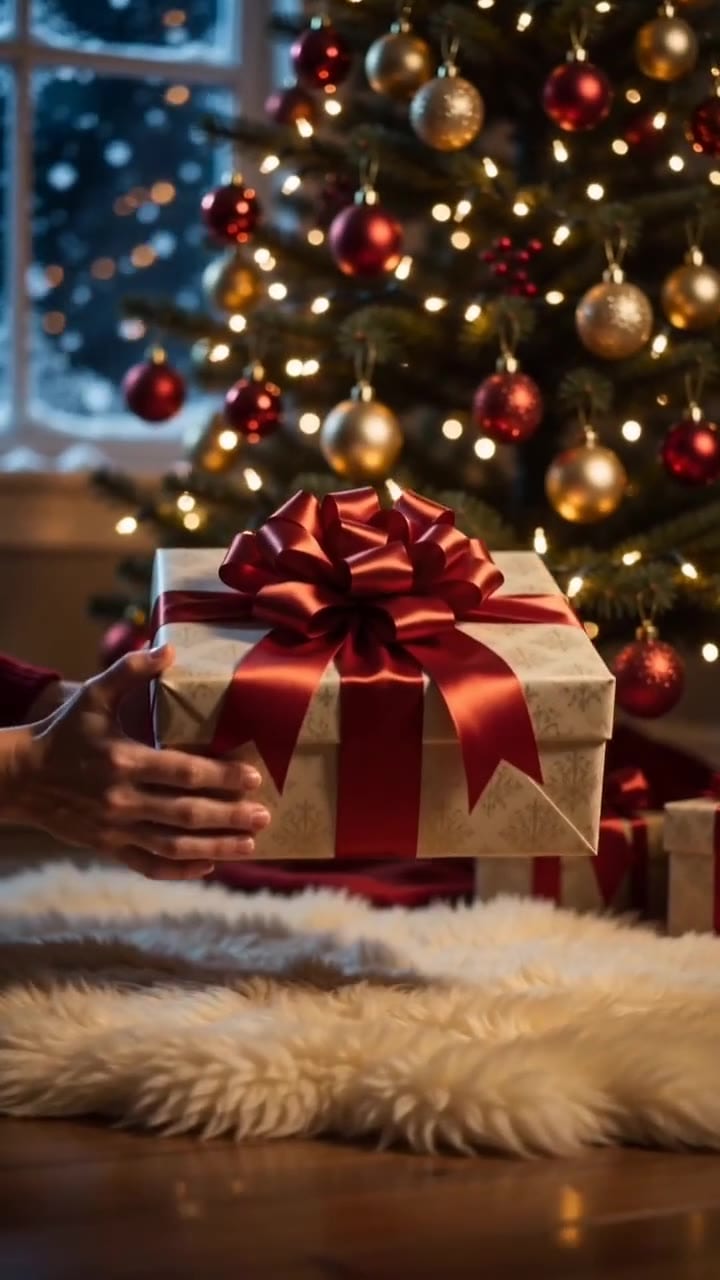
Vertical 9 premium Christmas commercial shot, photoreal, 35mm film look. A warm cozy living room at night: a tall Christmas tree covered in warm golden fairy lights and red and gold ornaments, soft bokeh. Two hands lower a beautifully wrapped gift box with a big glossy red satin bow under the tree. Through the window behind, snow is falling. Slow smooth push-in toward the gift. Warm gold and deep red palette, glowing, magical, cinematic. No text, no letters, no logo, no faces.Run this prompt →
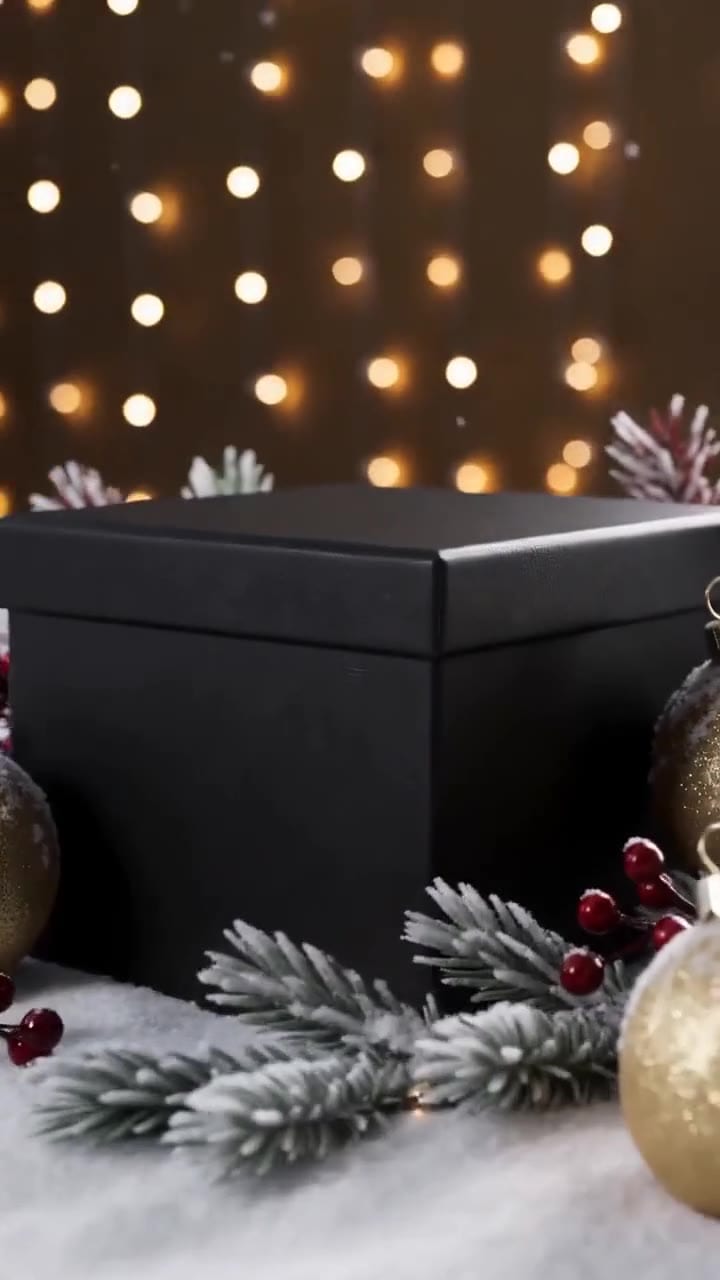
A second clip from the same evening works as the gift-reveal beat between product shots. It is mood footage, not an unboxing: no hands, no product, only the box and the light.
| Modality | Video |
|---|---|
| Length | 4s to 15s |
| Resolutions | 480p, 720p |
| Audio | Available |
| References | Up to 9 |
| Price | from ⚡14 (from $0.058) |
What the Christmas set costs on OpenClips
The Generate button always shows the exact price before you render, and extra references can change it (on MiniMax H3, references past five cost extra). The spec cards above carry each model’s starting price. What decides the total:
- Statics are the cheap part. Four Nano Banana Pro statics cost a fraction of one video take, so make one per person and per date.
- Video scales with length and resolution. A shorter clip or a lower resolution costs less on every model.
- Draft before you commit. Try three versions of the unboxing as low-resolution drafts, then render only the keeper at 720p. That costs well under three full 720p tries.
- MiniMax H3 is the cheaper video. Use it for the lifestyle clips and keep Seedance 2.5 for the takes with people talking.
Which plan fits. Check the set against your plan’s monthly credits before you start, and leave room for drafts, retakes and Marketing Studio. Commercial use is on every paid plan, not on Free. Details in how credits work. OpenClips makes the creative; you upload it to Ads Manager yourself.
Christmas ad mistakes and the pre-launch check
| Mistake | Fix |
|---|---|
| Starting Christmas ads after Black Friday | Build now, launch 1 December |
| One “Merry Christmas” ad all month | Change the message: gift guide, cutoff, gift card, sale |
| A cutoff date you cannot keep | Use your own carrier and warehouse dates |
| Shipping ads still running on 22 December | Switch to the gift card ad after your last shipping date |
| Video opens on the raw product photo | Set Image 1 as Reference, not first frame |
| Product looks different in every ad | Same photo as Image 1 in every prompt |
| Prices or dates written by the video model | Add them as an overlay, read every letter |
| Rendering every video draft at full quality | Draft low, render the keeper at full quality |
| Paying for the top resolution on feed statics | The mid resolution is enough for any feed |
| Stopping on 25 December | Run after-Christmas sale ads from 26 December |
Before each ad goes live:
- Every letter of the headline and date read twice
- The date matches your carrier, not ours
- Label and colours match the real product
- Link goes to the product page, not the home page
- 4:5 for feed, 9:16 for Stories and Reels, 1:1 for feed video
- H3 clips have the sound you want, added in the editor if needed
- AI label set where the platform asks for one
- The next ad in the calendar is already scheduled
Open the Holiday gifting templates in Marketing Studio and have your Christmas set ready before Black Friday. New to OpenClips? Start free with ⚡30 on signup, no card.
Sources, read on 4 November 2026: Bank of America’s 2026 Holiday Spending Survey press release (29 October 2026; Ipsos KnowledgePanel, 2,062 US adults, 10 to 12 September 2026), NRF’s “Affordability shapes winter holiday shopping” holiday survey (20 October 2026; 8,094 adults, 1 to 7 October 2026), USPS’s 2026 Holiday Shipping Deadlines, the OpenClips Marketing Studio, pricing and MiniMax H3 pages with model prices from the OpenClips composer, and our own YouTube walkthroughs.